
A solution architect at Kestrel Healthcare is designing a Copilot Studio agent that will use custom Power Platform connectors built by the integration team. The integration team maintains these connectors in a development environment (Dev), while the business wants the agent deployed in the production environment (Prod). The architect proposes connecting the agent in Prod directly to the connectors in Dev to avoid duplication. Why will this proposal fail, and what is the correct approach?
Select an answer to reveal the explanation.
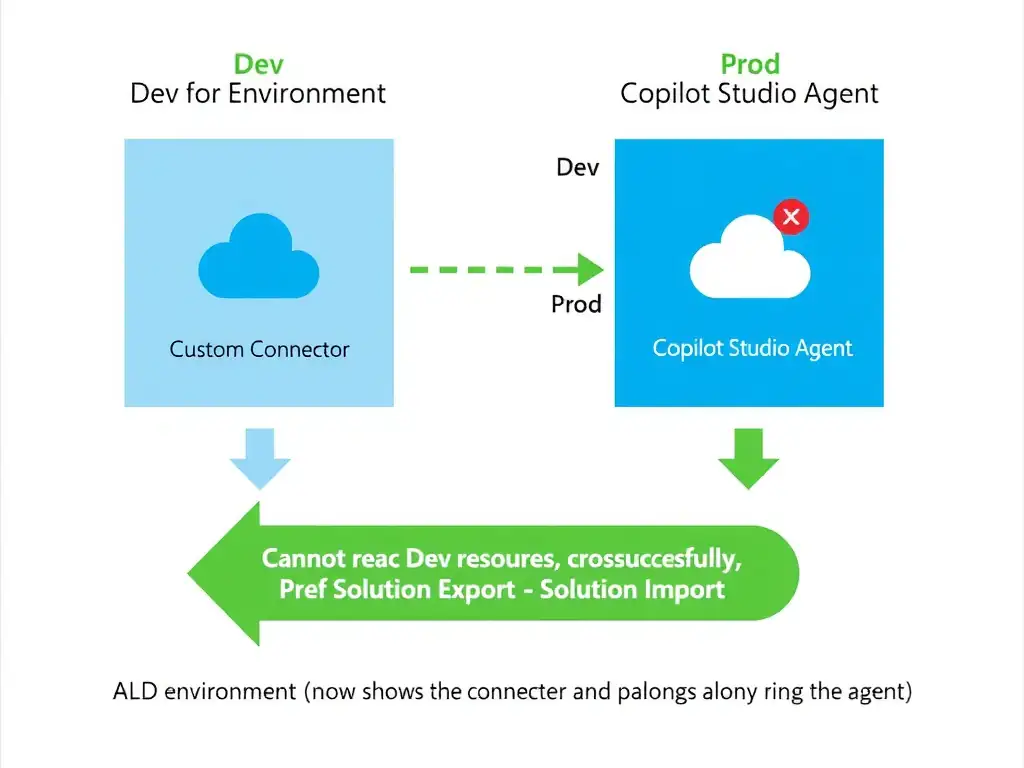
Short Explanation
Power Platform environments are isolated, so a Copilot Studio agent in Prod can’t see connectors registered in Dev. You need those connectors in Prod too, usually by exporting a solution from Dev and importing it into Prod or using ALM pipelines.
Full Explanation
Power Platform environments are fully isolated administrative boundaries. All resources — agents, connectors, flows, Dataverse tables, and environment variables — are scoped to the environment in which they were created. Cross-environment references are not supported for runtime execution. The correct answer is the one that says a Copilot Studio agent can only discover and use connectors, flows, and actions that are registered within the same Power Platform environment as the agent itself, and that the correct approach is to use solution-based ALM to migrate the connectors from Dev to Prod before deploying the agent. This accurately identifies both the root cause (environment isolation prevents cross-environment connector discovery) and the correct remedy (ALM-based migration). Microsoft's recommended approach uses Power Platform solutions to package the custom connector definitions, then export the solution from Dev and import it into Prod using the managed solution format. Alternatively, organizations can configure Power Platform Pipelines or Azure DevOps-based deployment pipelines to automate this promotion process. The answer claiming failure because custom connectors require an Azure subscription linked to the environment, and recommending purchase of a separate Azure subscription for Prod and creation of new connectors there, is incorrect because the environment isolation issue has nothing to do with Azure subscriptions. A Power Platform environment can be linked to an Azure subscription for capacity, but connector availability is governed by the Power Platform environment boundary, not by the Azure subscription configuration. The answer claiming failure because cross-environment connector references are unsupported in the free tier, and recommending upgrading both environments to Dataverse-enabled paid licenses to allow cross-environment access, is incorrect. While Dataverse-enabled environments do unlock additional capabilities, cross-environment connector references are not supported regardless of license tier. The isolation boundary is architectural, not a licensing restriction that can be lifted by purchasing a higher tier. The answer claiming failure because custom connectors can be referenced across environments only through environment variables, and recommending creating an environment variable in Prod pointing to the Dev connector endpoint, is incorrect. Environment variables can parameterize solution components or connection references within a solution, but they do not register a connector from another environment or make it discoverable at runtime by an agent in Prod. The connector definition and its actions must exist in the same environment as the agent. Exam tip: Environment isolation is a foundational Power Platform concept. Remember: agent + connector + flow must all be in the same environment at runtime. Moving resources between environments requires solutions and ALM pipelines — not direct cross-environment references.