
A developer at a small company needs to expose an internal REST API as a custom connector in Power Automate. No OpenAPI definition or Postman collection exists for the API, and the developer would rather describe each action by hand in the wizard than write one first. Which way of starting the custom connector does Microsoft document for this situation?
Select an answer to reveal the explanation.
Short Explanation
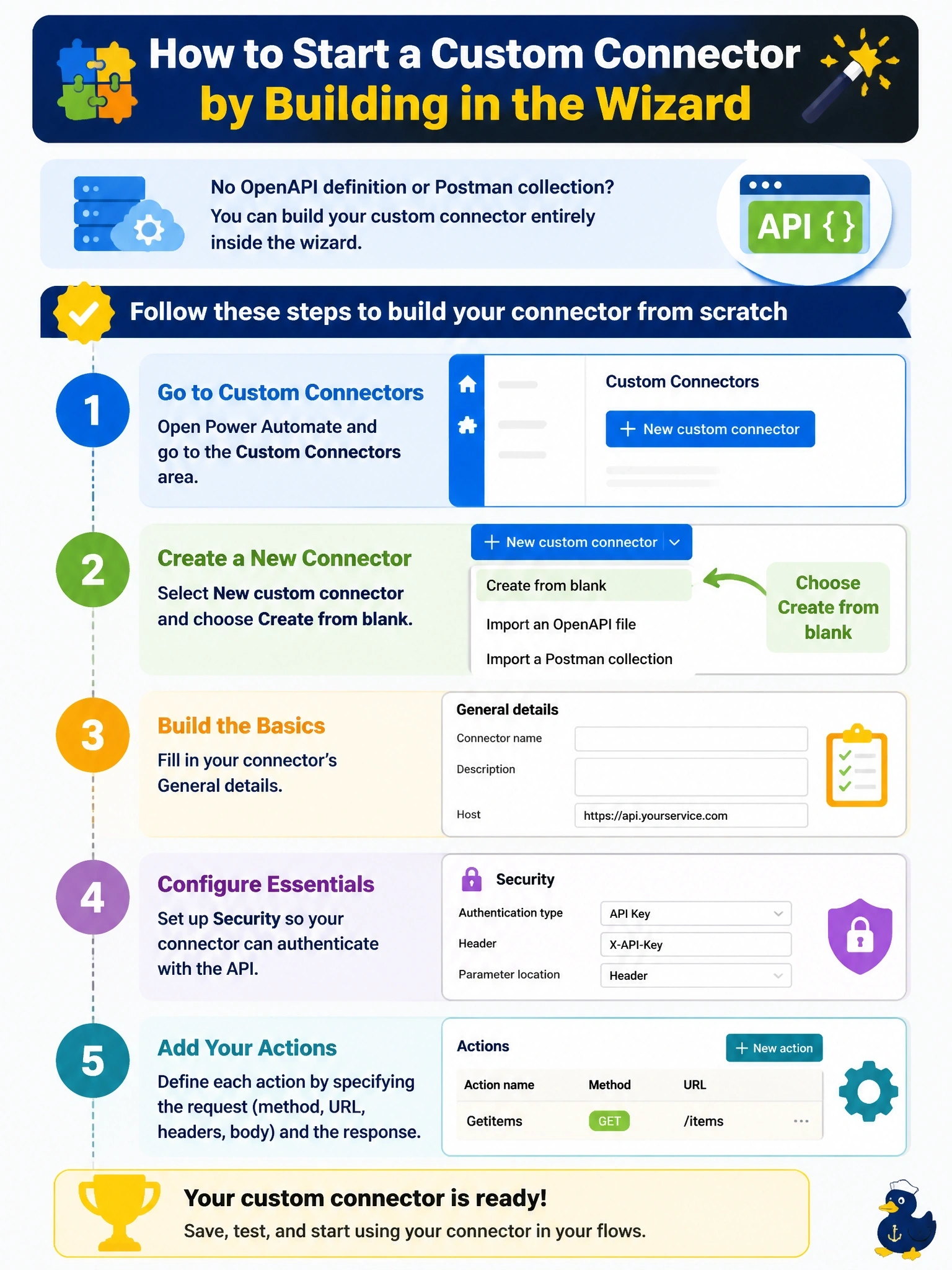
Nobody emailed you a Swagger file for this one, and that's fine - Power Automate lets you build a connector the old-fashioned way. Create from blank opens the same wizard tabs (General, Security, Definition) and you fill in each action by hand. Don't fall for the "trick" answers: feeding the import tools an empty file doesn't secretly flip them into from-scratch mode, and there's no GitHub import button to begin with.
Full Explanation
The custom connector wizard in Power Automate and Power Apps supports exactly three ways to describe an API: import an OpenAPI definition, import a Postman collection, or build the connector from blank directly in the wizard. Create from blank is reached from the New custom connector dropdown and walks the developer through General, Security, Definition, optional Code, and Test, with each action's request and response entered manually or imported from a sample call. Uploading an empty Postman collection does not unlock a from-scratch mode; the Postman importer still expects real requests to convert into actions, so an empty file produces nothing to build on. The same is true of an OpenAPI file with an empty paths object: the importer parses whatever operations exist in the document, and zero operations means zero actions, not a handoff to manual entry. There is also no Import from GitHub control anywhere in the wizard; Microsoft's documented starting points are the OpenAPI definition, the Postman collection, and the blank wizard, full stop. Exam caveat: creating from blank is available in Power Automate and Power Apps, but Logic Apps requires at least a basic OpenAPI 2.0 definition to start. Operational check: open New custom connector, choose Create from blank, and confirm the General, Security, and Definition tabs appear before adding a first action.