
Makers want to call the Azure AI Language sentiment API from flows and apps through a custom connector. The Azure resource authenticates callers with a resource key sent in the Ocp-Apim-Subscription-Key header, and each team will use its own Azure resource and key. How should the developer configure the connector's general and security settings?
Select an answer to reveal the explanation.
Short Explanation
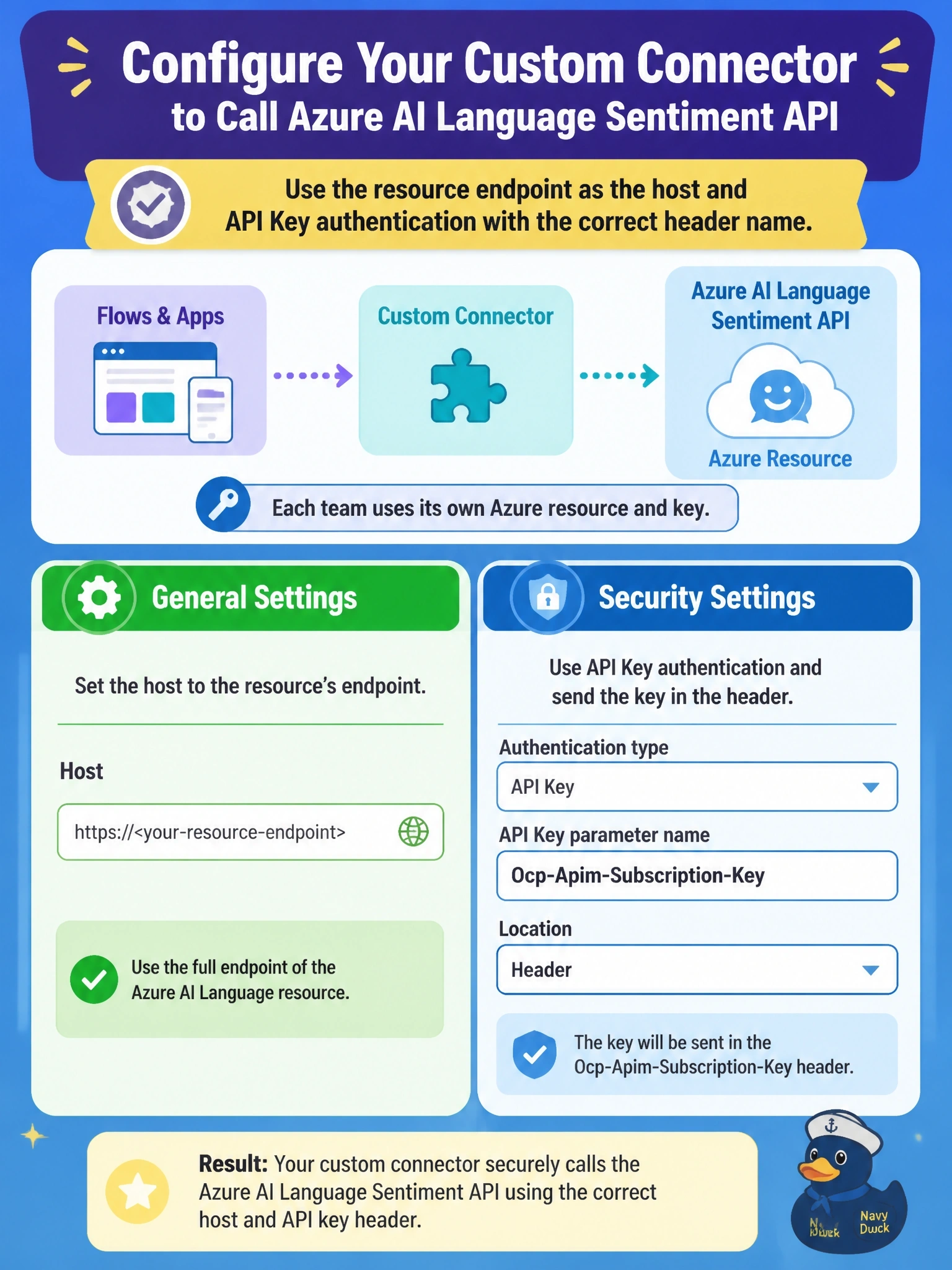
Match the key to where the service looks for it. Azure AI services read the key from the Ocp-Apim-Subscription-Key header, so you set up API Key auth with that exact name and location. Each team pastes its own key when it creates a connection.
Full Explanation
A custom connector for an Azure service wraps the service's REST API. The General tab sets the scheme, the host of the Azure resource's endpoint and the base URL for its operations. Azure AI services accept a resource key in the Ocp-Apim-Subscription-Key header, so the Security tab uses API Key authentication with a parameter label for makers, the parameter name Ocp-Apim-Subscription-Key and the location header. Each connection stores its own key, so each team uses its own resource and quota. Basic authentication encodes a user name and password into the Authorization header, which the service does not read for key authentication, so calls would be rejected. Generic OAuth 2.0 requires authorization and token endpoints and a client registration; a resource key is not a client secret, and no token would be issued. Putting the key in the base URL exposes the secret in every URL and log, and the service does not look for it there. Exam caveat: if the host differs per team, combine the connector with a Set host URL policy driven by a connection parameter, or use Microsoft Entra ID authentication where the service supports it. Operational check: create a connection with a team's key, run the sentiment operation from the Test tab and confirm a score is returned.