
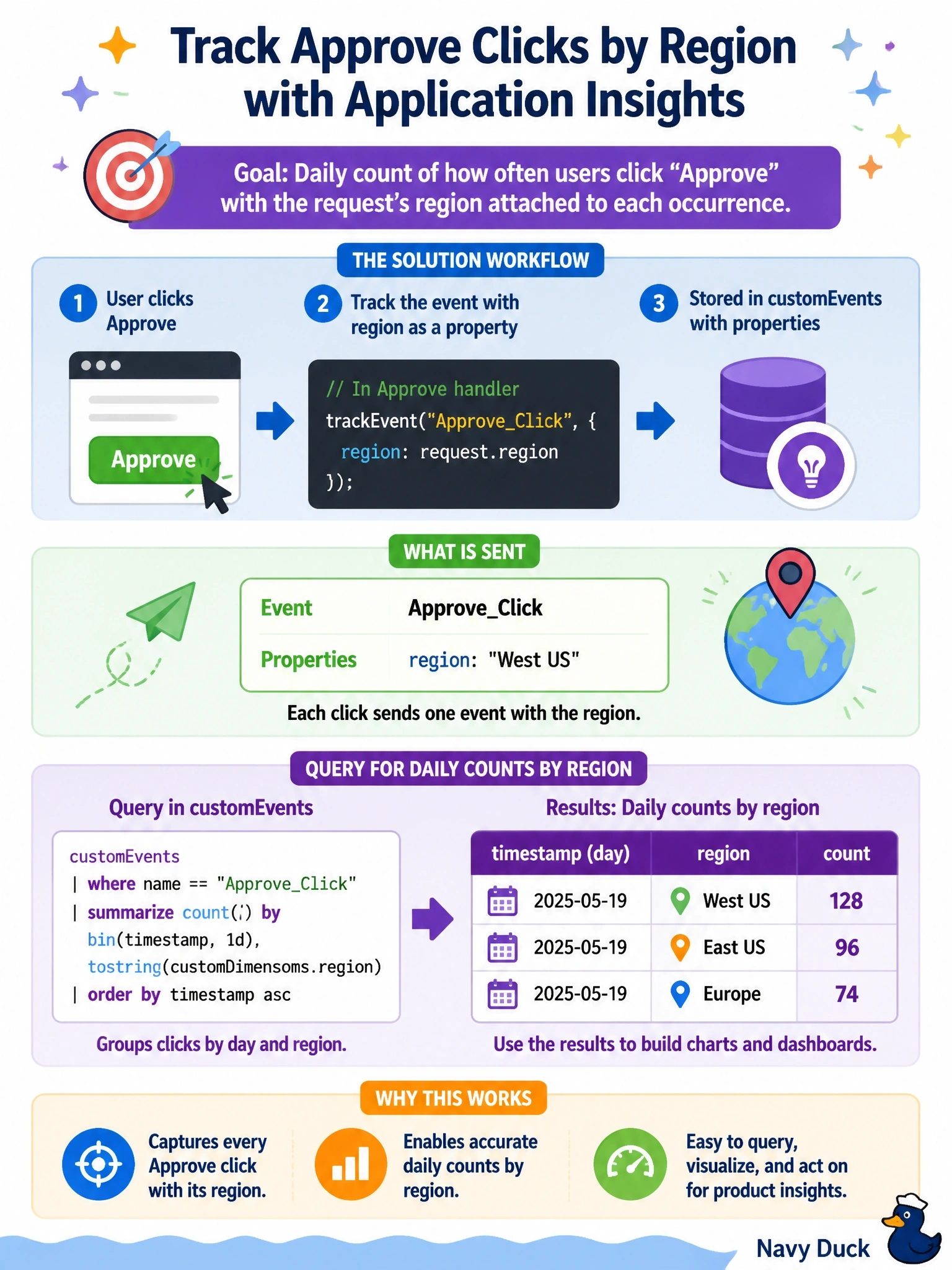
Product owners want a daily count of how often users click Approve in a code app, with the request's region attached to each occurrence. Application Insights is already initialized in the app. What should the developer add?
Select an answer to reveal the explanation.
Short Explanation
Built-in metrics tell you how the app is running; custom events tell you what your users are doing. Drop a trackEvent with a clear name and the region as a property, and you can count it however you like. Page views and console logs are the wrong tools for counting a business action.
Full Explanation
Application Insights records business actions through custom events. Calling trackEvent with a stable event name, such as RequestApproved, and a custom properties object that includes the region writes one row to the customEvents table each time the handler runs. A Kusto query can then filter on the name, extract the region from customDimensions and summarize counts by day and region. The built-in metrics that the code app platform delivers through the configured logger are session load summaries and network request summaries, with fields such as URL, method, duration and status code; they do not describe user intent or carry business properties like region. trackPageView is intended for navigation and screen views, so using it for clicks pollutes page view analytics and does not model the action. The JavaScript SDK does not forward console output to the traces table by default, so console.log statements produce nothing in Application Insights. Exam caveat: avoid putting personal or sensitive data in custom properties, and keep event names consistent so queries remain stable across releases. Operational check: click Approve in a test session, then query customEvents for the event name and confirm the region appears in customDimensions.