
A developer starts a new field code component from scratch and must ship it inside a solution that can be imported into a test environment. Which sequence of steps with the Microsoft Power Platform CLI is correct?
Select an answer to reveal the explanation.
Short Explanation
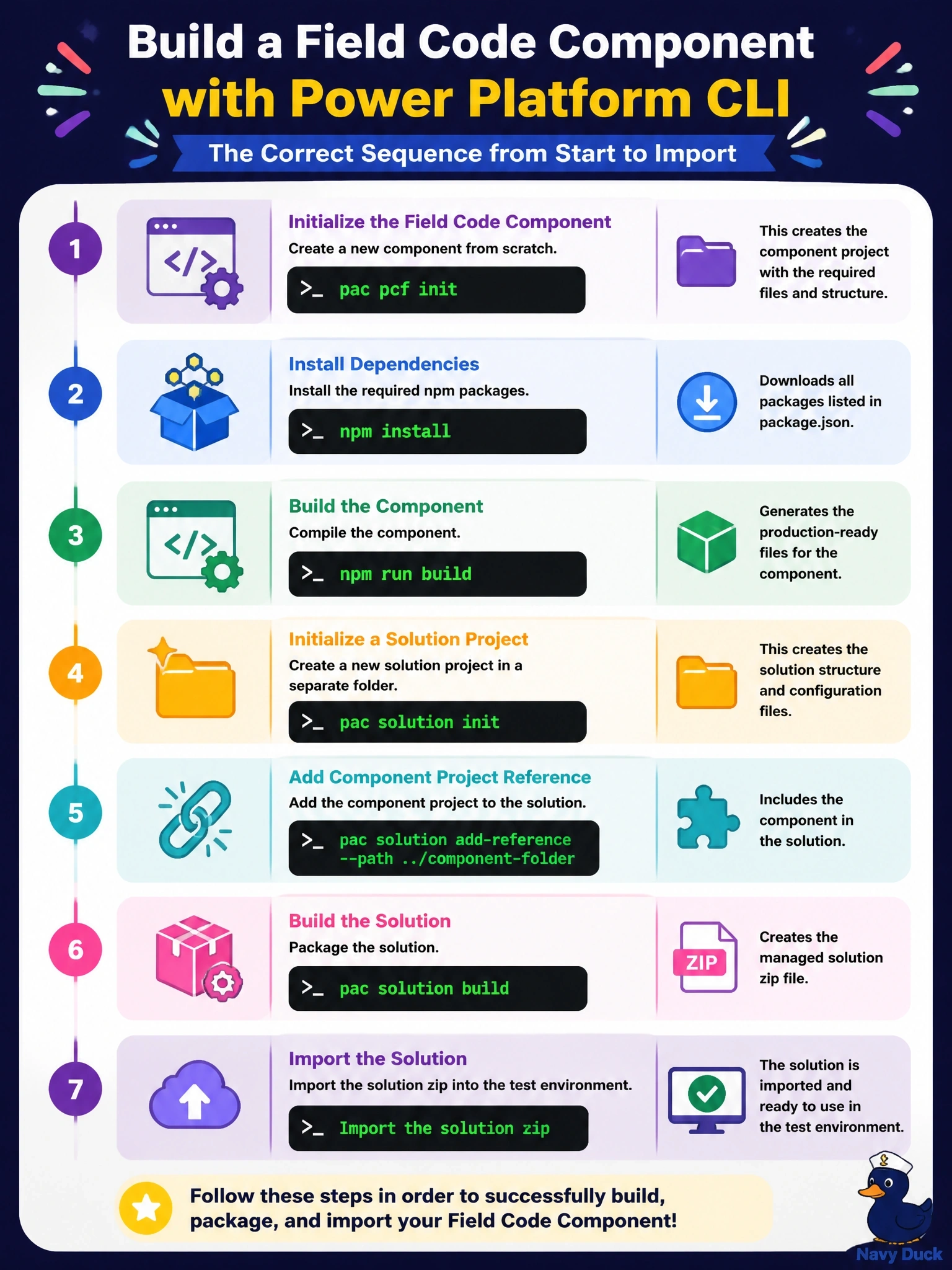
It's two projects that you snap together: the component project and a solution project that wraps it. You scaffold and build the component, scaffold the solution, add a reference to the component, then build the solution to get the zip you import.
Full Explanation
The documented workflow starts with pac pcf init, which scaffolds the component project with a namespace, name and template such as field or dataset. npm install restores the dependencies, and building compiles the TypeScript and produces the bundle. In a separate folder, pac solution init creates a solution project with a publisher name and prefix, and pac solution add-reference points that solution project at the component project's folder. Building the solution project with dotnet build or msbuild then produces a solution zip, managed or unmanaged depending on configuration, that can be imported into another environment or deployed through a pipeline. pac pcf push deploys a component into an environment for development; it does not add the component to a local solution project, and add-reference takes a project path, not an environment URL. pac solution pack builds a zip from an unpacked solution folder, so running it against a component project does not produce an importable solution. Putting both projects in one folder and adding a reference to itself creates a circular, invalid project structure. Exam caveat: the publisher prefix chosen at solution init becomes part of the component's name in the environment, so it should match the organization's publisher. Operational check: import the built zip into the test environment and confirm the component is listed among the solution's components.