
Users of a model-driven app need a button on the case grid that sets the Escalated column to Yes on every selected row. The team wants to avoid writing and maintaining JavaScript. Which OnSelect formula for a modern command meets the requirement?
Select an answer to reveal the explanation.
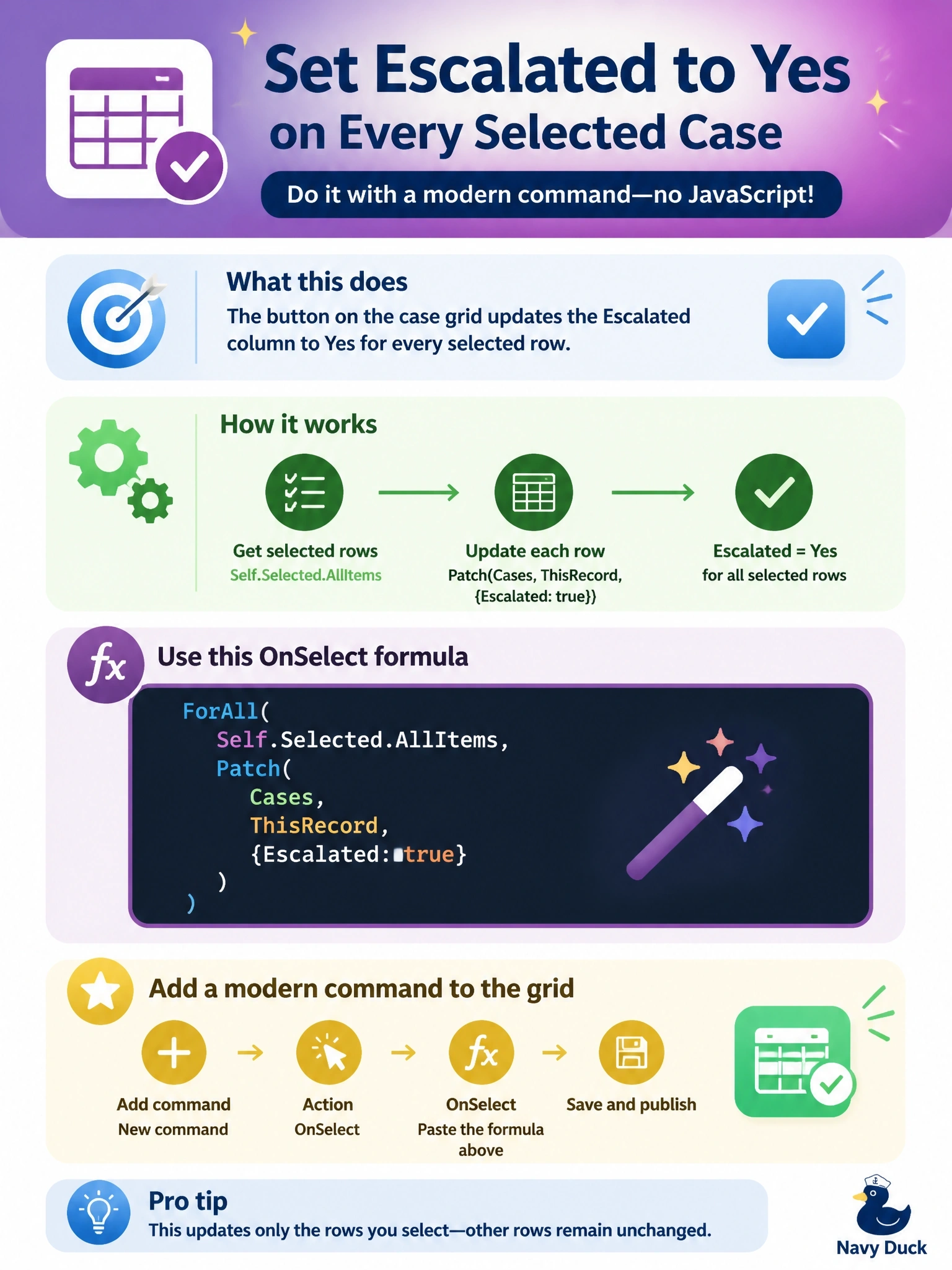
Short Explanation
AllItems is your stack of selected rows, and ForAll walks down the stack patching each one. Item is the trap: it's one record, and it's blank when the grid allows more than one selection.
Full Explanation
Modern commands support Power Fx data functions in the OnSelect property. Self.Selected.AllItems returns the selected rows as a table, and ForAll with Patch updates each one through the Cases data source, using ThisRecord to address the current row. This keeps the logic low-code, avoids a JavaScript web resource, and respects the user's security privileges because the updates run as that user. Patch with Self.Selected.Item updates a single record; Item is documented as blank whenever the selection maximum is not 1, so on a multi-select grid it does not represent the selection at all. Set is one of the functions Microsoft lists as not supported in commanding, and even where it exists it creates a global variable rather than writing to Dataverse. Patching Defaults(Cases) creates a brand-new case row instead of updating the selected ones, and wrapping it in Notify only displays the result. Exam caveat: if the command must update related tables that are not yet in the command component library, those tables must be added as data sources there first, and Power Fx commands can take a few minutes to become visible after publishing. Operational check: select several cases, run the command, refresh the grid and confirm every selected row shows Escalated as Yes while unselected rows are unchanged.