
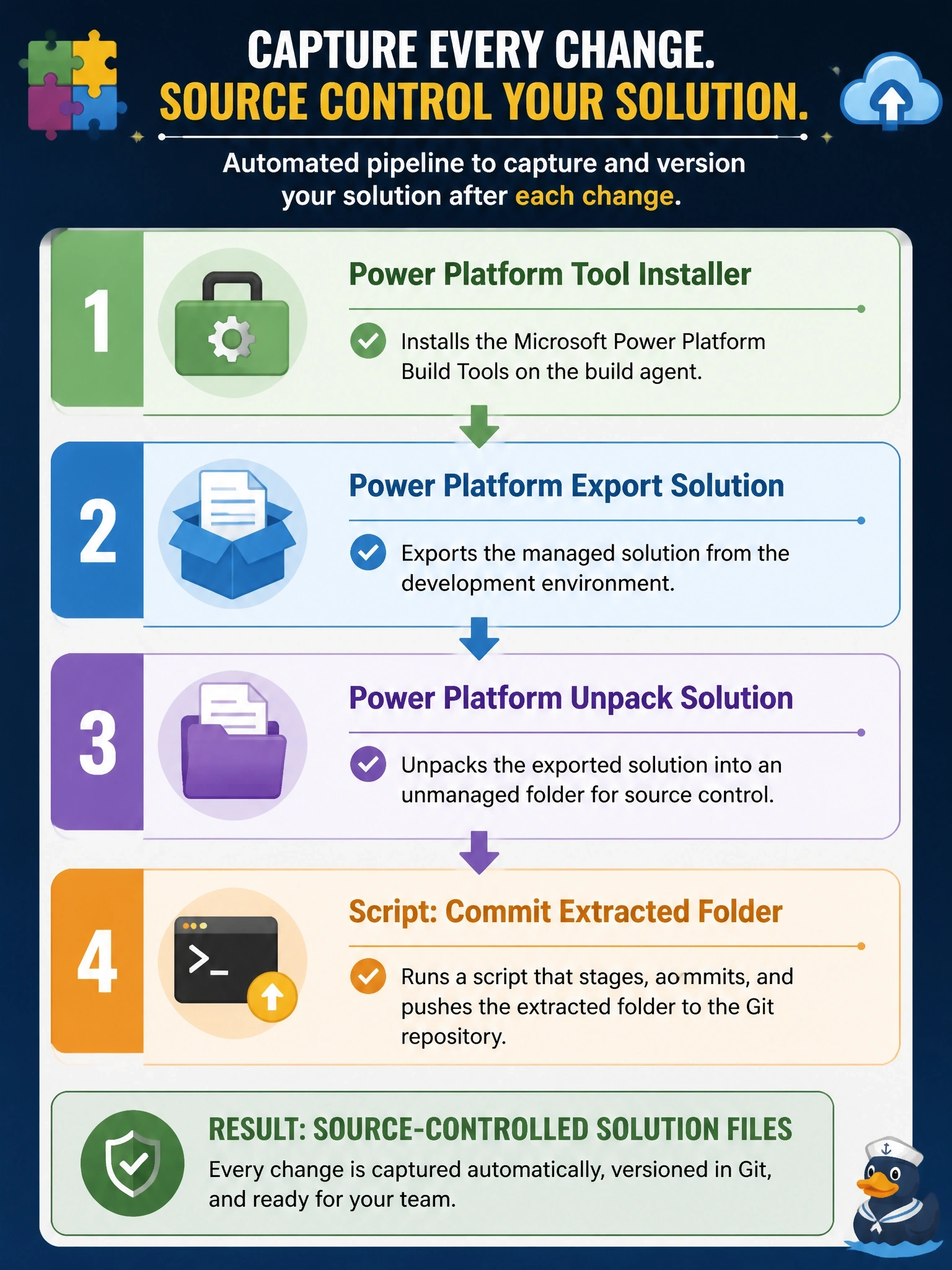
A developer is building an Azure DevOps pipeline with Microsoft Power Platform Build Tools that captures a solution from the development environment into a Git repository after each change. Which task order produces source-controlled solution files?
Select an answer to reveal the explanation.
Short Explanation
You can't unzip a parcel you haven't picked up yet, and you need your tools before either job. So it's install the tools, export the zip, unpack it into readable files, then commit; anything that packs or imports is the trip in the opposite direction.
Full Explanation
Build Tools tasks depend on the Power Platform tooling that the Tool Installer task places on the agent, so it runs first in any job that uses the other tasks. Export Solution then pulls the solution zip from the development environment through a service connection. Unpack Solution, which uses the Solution Packager, explodes the zip into individual XML, JSON and code files, giving the repository readable, diff-friendly content. A final script step adds and commits that folder to Git. Starting with Unpack is impossible because there is no zip to unpack until the export has run, and putting the Tool Installer last leaves earlier tasks without the tools they need. Pack and Import describe the deployment direction: they rebuild a zip from source and push it into an environment, which is the release half of the process, not the capture half. Committing checker results stores a report rather than the solution itself, and running Export before the Tool Installer fails for the same dependency reason. Exam caveat: many pipelines export both unmanaged and managed versions and unpack them together so either can be rebuilt later. Operational check: after a run, confirm the repository contains the unpacked component folders and that a later build can repack them into an importable solution.