
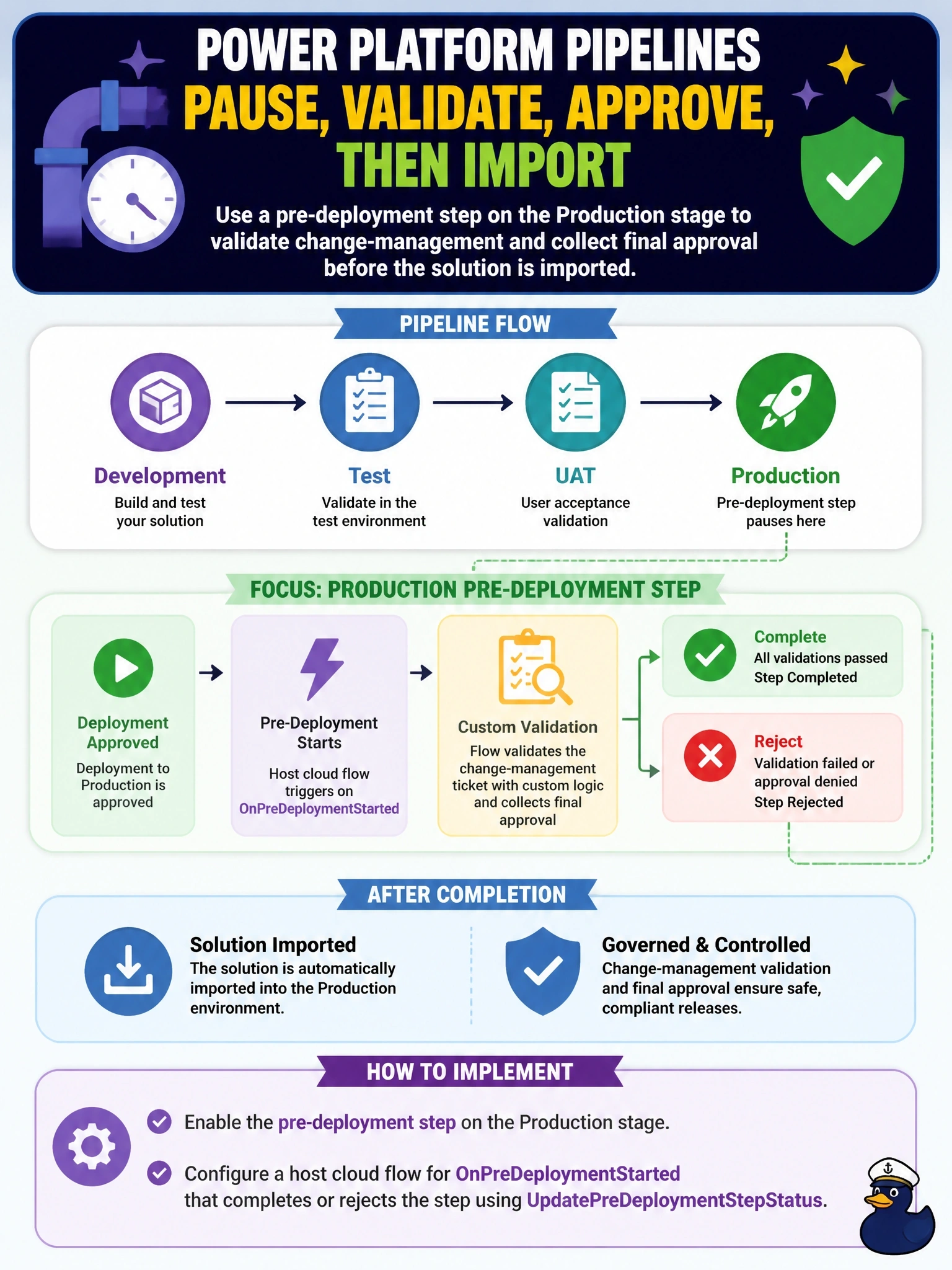
An organization uses Power Platform Pipelines. Every deployment to the production stage must pause after it is approved so that a change-management ticket can be validated by custom logic and a final approval collected before the solution is imported. How should a developer implement this?
Select an answer to reveal the explanation.
Short Explanation
Gated extensions are like a railway signal you control: the train stops, your flow checks the ticket, and only your flow can turn the light green or red. Don't wait until after the import to check, and don't put the gate in the wrong environment; the pre-deployment step lives on the production stage and the flow lives in the host.
Full Explanation
Pipelines extensibility is built on Dataverse business events raised in the pipelines host. Enabling the pre-deployment step on a stage inserts a custom step after the deployment is approved and before it runs; the deployment stays pending until custom logic signals the host. A cloud flow in the host uses the Dataverse trigger for the OnPreDeploymentStarted action, runs the ticket validation and approval, and then calls the UpdatePreDeploymentStepStatus unbound action to complete the step or reject it, which fails the deployment and can return comments to the maker. The pre-export step is the wrong gate: it runs when a deployment is requested, before the solution is exported, and Microsoft recommends enabling it only on the first stage; a flow in the development environment cannot see host events either. Reacting on OnDeploymentCompleted is too late, because the solution is already imported and uninstalling it is a recovery action rather than a gate. A plug-in on import in production is unsupported customization of platform messages and bypasses the pipeline's own pending state, comments and run history. Operational check: request a test deployment, confirm the run shows a pending pre-deployment step, and confirm that a rejection from the flow marks the run as failed in the pipeline history.