
A team is setting up Power Platform Pipelines to move a solution from a development environment through test to production. The solution contains connection references and environment variables, and each target environment needs its own connection and variable values. Which setup meets the requirement?
Select an answer to reveal the explanation.
Short Explanation
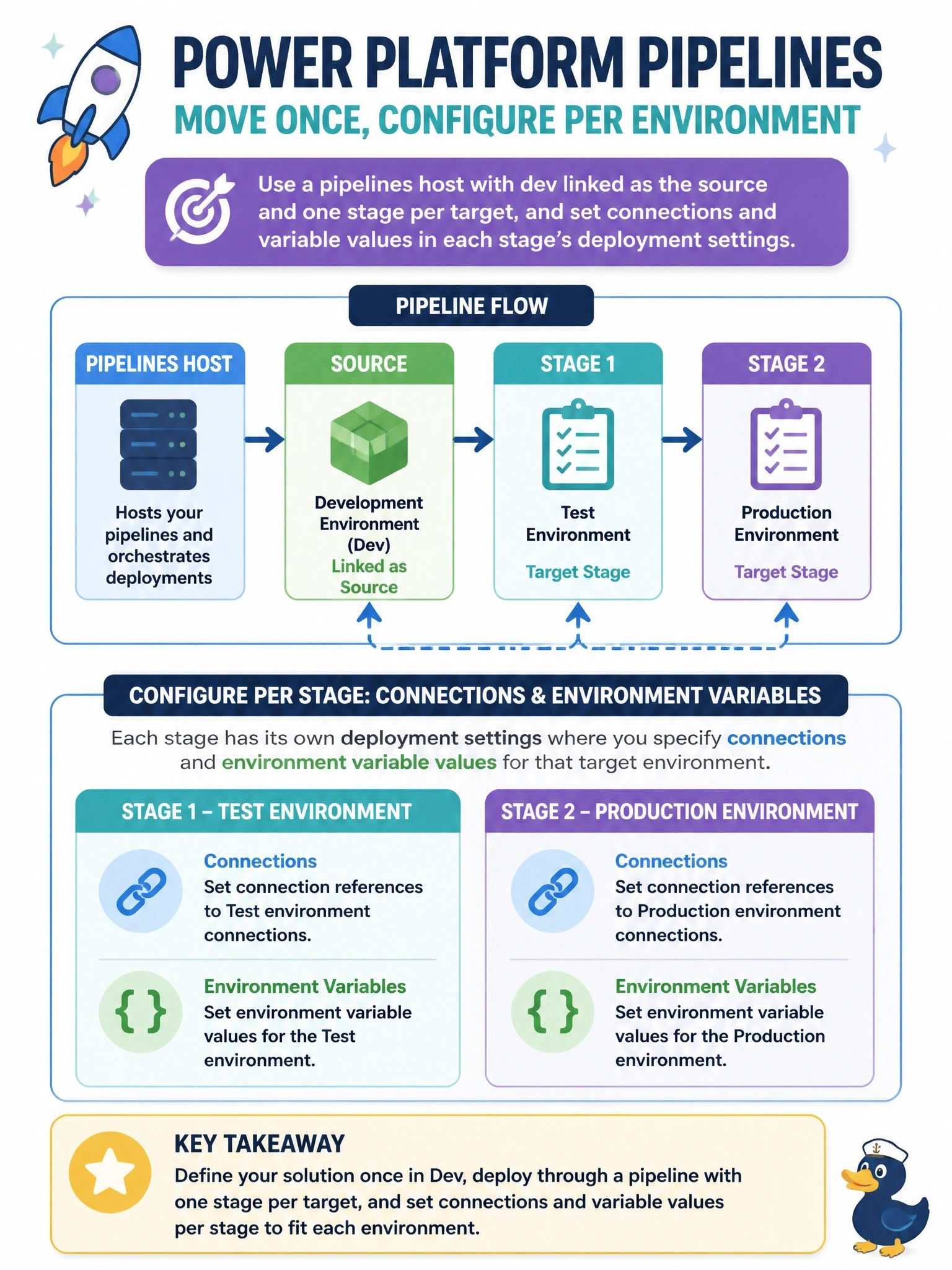
Think of the pipelines host as the train station and each stage as a stop: the same sealed package rides the whole line, and you hand over the local tickets, connections and variable values, at each stop. The trap is baking production values into the dev solution or editing the artifact; the host deliberately won't let you tamper with it.
Full Explanation
Power Platform Pipelines keep their configuration in a pipelines host environment. An administrator registers the development environment as a source linked to the pipeline and defines ordered stages, each pointing at a target environment such as test and then production. When a maker requests a deployment, the pipeline exports the solution once, stores the managed artifact in the host, and deploys that same artifact to every subsequent stage. Connection references and environment variables are resolved per target through deployment settings, so each stage receives its own connection and values without changing the solution itself. Registering test and production as development environments confuses the roles: development environments are sources that solutions are exported from, not targets that receive them. Putting production values in environment variable defaults inside the development solution means every stage, including test, inherits production values, and connections cannot be carried as defaults at all. Editing the exported zip is not possible because the host stores artifacts so they cannot be modified, which is what guarantees that the tested artifact is the one that reaches production. Operational check: open the pipeline configuration in the host, confirm the stage order and target environments, and run a test deployment to verify the deployment settings prompt for every connection reference and environment variable.