
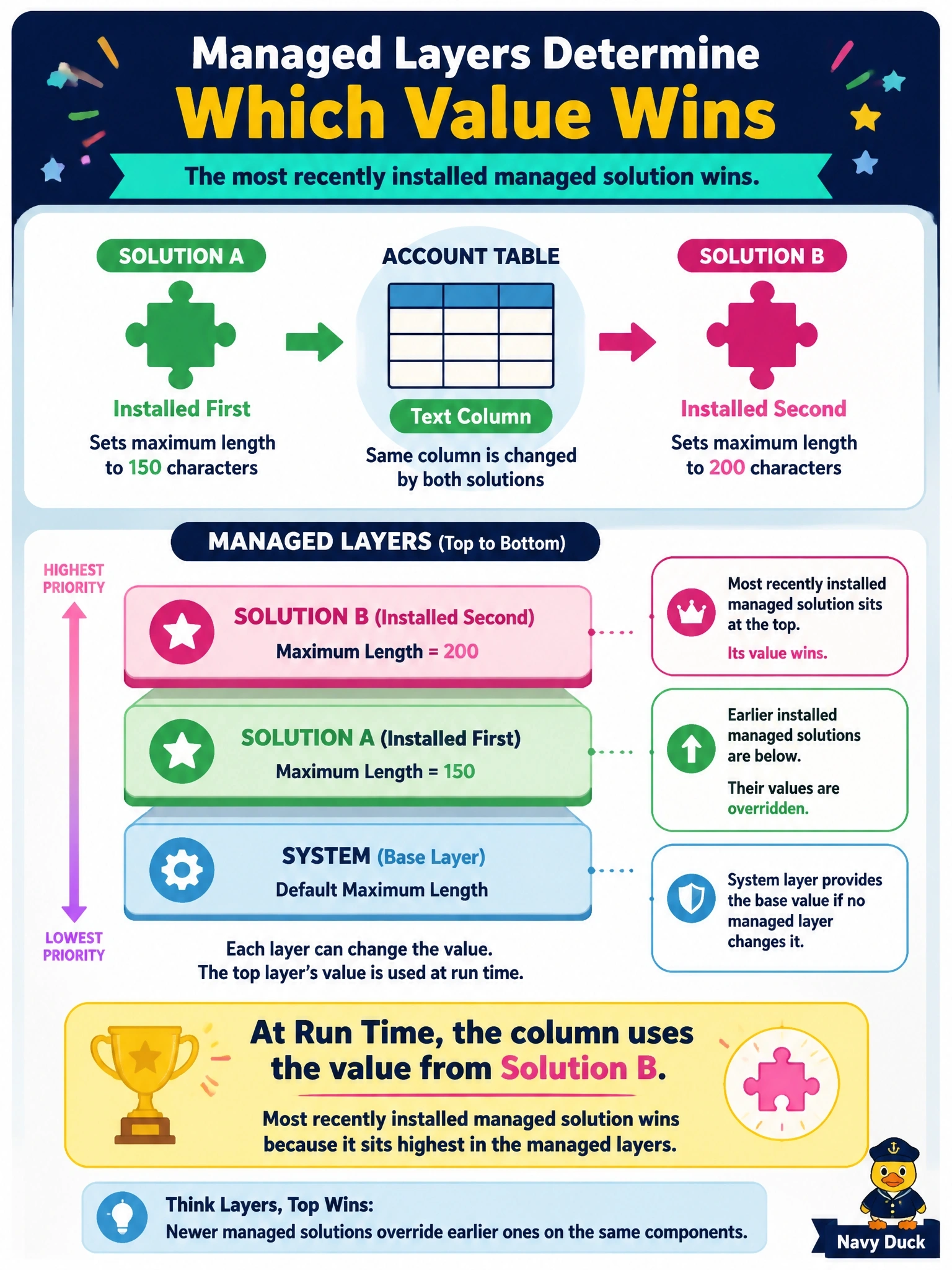
Two managed solutions from different vendors are installed in an environment, and both change the maximum length of the same text column on the account table. Solution A was installed first and Solution B second, and nobody has made unmanaged changes. Which maximum length does the column use at run time?
Select an answer to reveal the explanation.
Short Explanation
Think of managed layers like a stack of pancakes: the last one onto the plate is the one you see on top. For a column property, top wins, so Solution B's value applies. The trap is assuming the platform blends the two values together, which only happens for forms, site maps and model-driven apps.
Full Explanation
When multiple managed solutions customize the same component, each installation adds a layer, and the solution installed later sits above the one installed earlier. For most component types, including table columns and their properties, the runtime behaviour follows top wins: the highest layer defines the value, so the maximum length set by Solution B, the most recent installation, applies. If Solution B were uninstalled, Solution A's layer would take effect again, and if both were removed the system layer's definition would apply. An unmanaged layer, if present, would sit above all managed layers, but the stem rules that out. The first installed solution does not lock a component; layering exists precisely so that later solutions can customize earlier ones. Merging is used only for model-driven apps, forms and site maps; column properties are not merged, and the platform does not choose the larger value. Version numbers matter for updates of the same solution, not for ordering layers between different solutions. Exam caveat: these conflicts are why segmented solution design and avoiding overlapping ownership of components matter for vendors and internal teams alike. Operational check: open the column's solution layers view and confirm that Solution B appears as the top managed layer with the expected maximum length.