
A consultant configuring Copilot for Sales in Outlook for a retail chain wants email summaries and draft replies to reference each account's 'Loyalty Tier', a custom text field the client added to the Account table in Dataverse. Currently Copilot for Sales does not mention loyalty tier in any generated content. What should the consultant do?
Select an answer to reveal the explanation.
Short Explanation
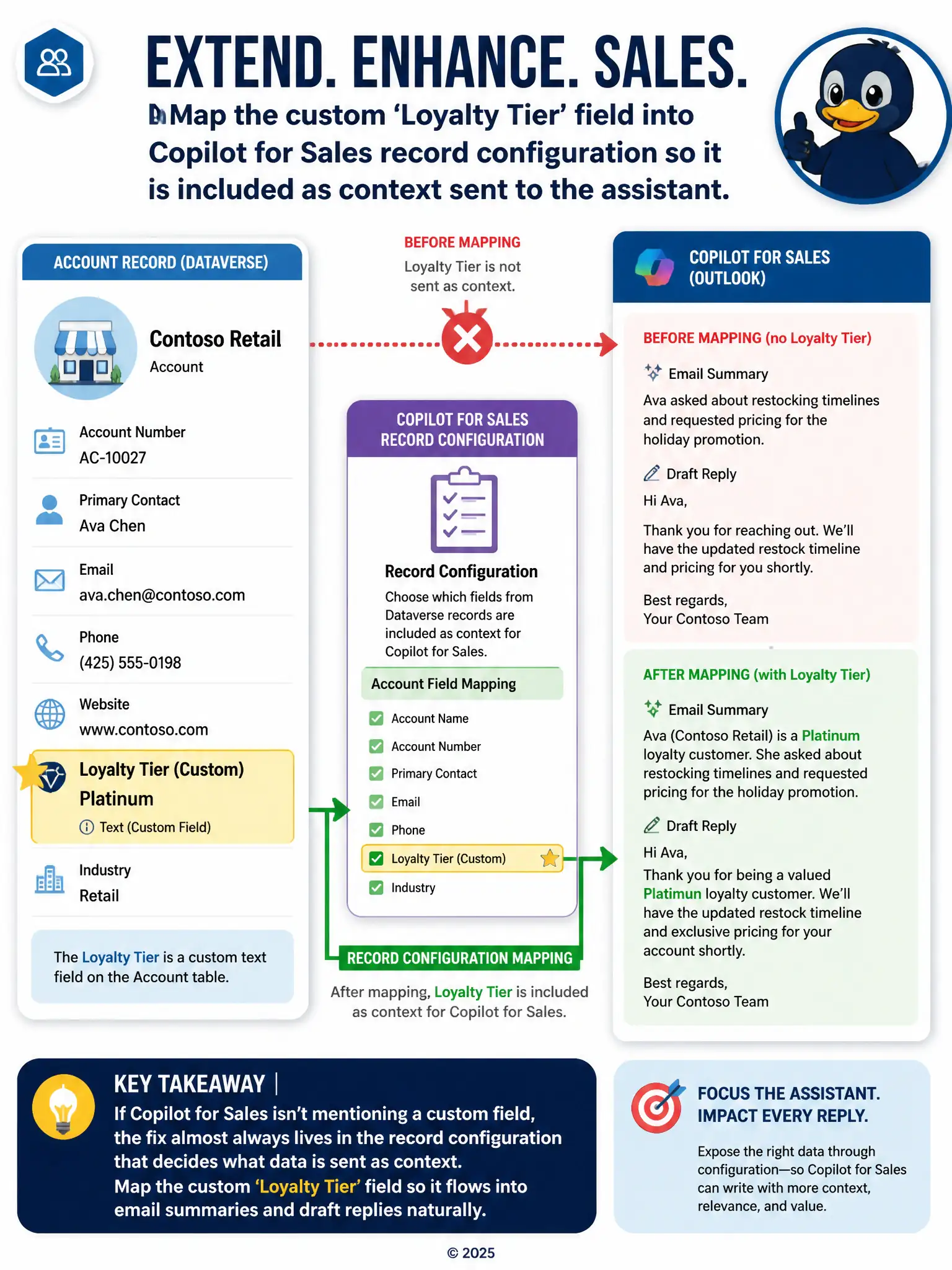
If Copilot for Sales isn't mentioning a custom field, the fix almost always lives in the settings that decide what data gets handed to the assistant as context—not in the field itself. You just need to map the custom 'Loyalty Tier' field into the Copilot for Sales record configuration, and from then on it flows naturally into whatever the assistant writes. Renaming it to look like a built-in field does nothing useful, typing it in by hand throws away the point of the assistant, and a separate notification just creates another thing to check.
Full Explanation
The correct answer is mapping the custom 'Loyalty Tier' field into the Copilot for Sales record configuration so it is included as context sent to the assistant. Copilot for Sales in Outlook only includes fields in its generated content when those fields are explicitly mapped in the record configuration that controls what CRM data is sent to the assistant as context; a custom field like 'Loyalty Tier' will be silently ignored until it is added to that mapping. Once mapped, the assistant can reference it naturally in summaries and drafts without any per-email effort from reps. Renaming the field to match one of the fixed default fields Copilot for Sales reads is incorrect because Copilot for Sales does not require custom fields to be renamed to match a fixed list — record configuration is designed specifically to expose custom fields, and renaming would not change how data types are read or solve the underlying mapping gap. Asking reps to manually type the loyalty tier into every email since custom fields cannot be exposed to Copilot for Sales is incorrect because it states a false premise: custom fields can be exposed to Copilot for Sales through configuration, so telling reps to type the tier manually abandons an available capability. Creating a Power Automate flow that emails the loyalty tier to the rep separately whenever a new email thread starts with the account is incorrect because building a separate notification flow works around Copilot for Sales rather than extending it, adding a disconnected side-channel instead of surfacing the tier inline where reps are already reading assistant-generated content.