
A consultant enables Dynamics 365 Sales Copilot's AI-generated summary feature and confirms it appears correctly on account records, giving sellers a rolled-up view of recent activity. Sellers now ask why the same kind of summary never appears on opportunity records. What should the consultant check first?
Select an answer to reveal the explanation.
Short Explanation
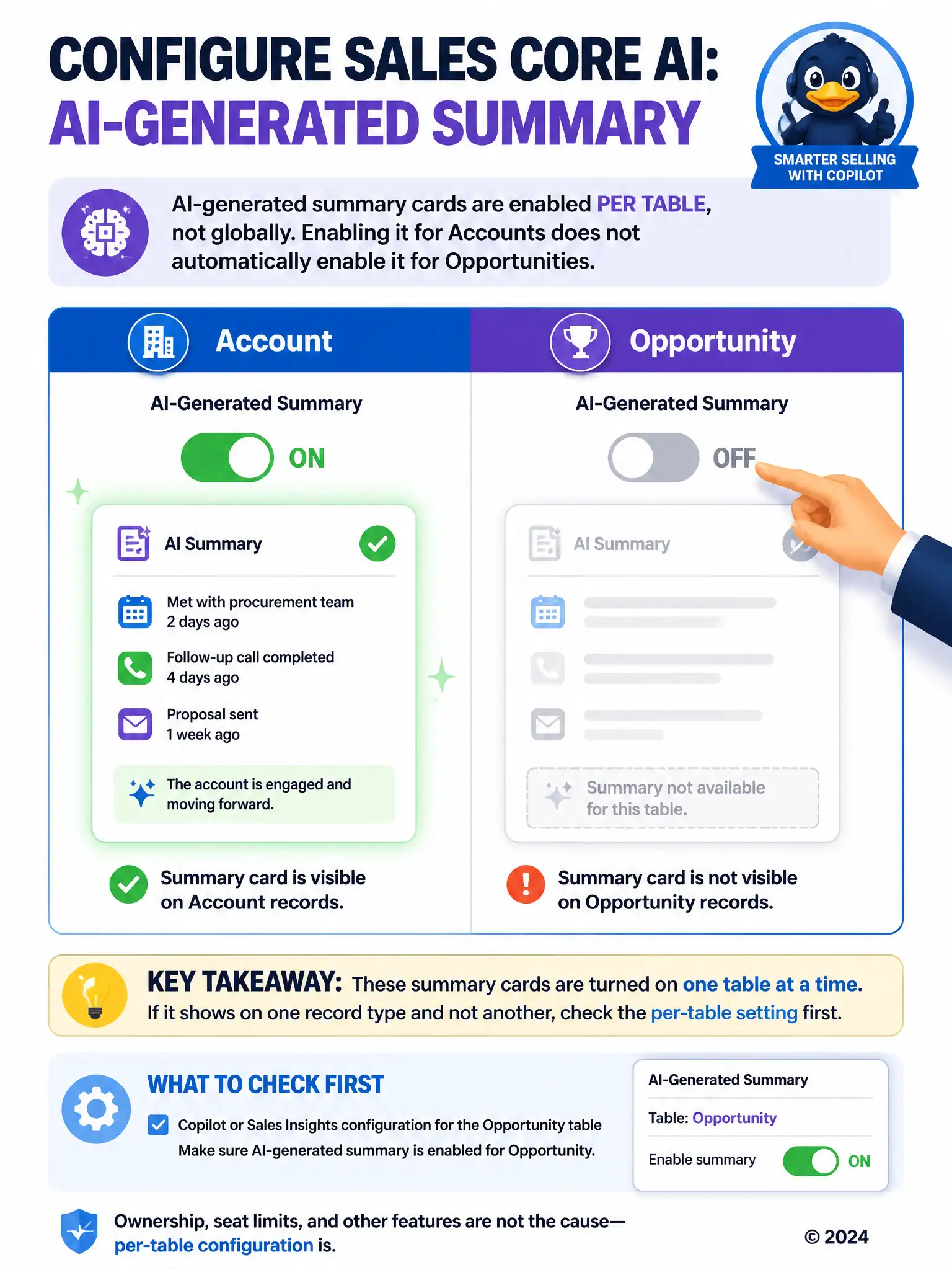
These AI summary cards are switched on one table at a time, so getting them working on accounts doesn't light them up on opportunities. Check the per-table Copilot or Sales Insights setting first, because that's what turns the summary on for opportunities. Don't chase ownership, call-transcript features, or seat limits when one table works and another doesn't.
Full Explanation
The correct answer is the option that says the consultant should check whether the AI-generated summary feature has been separately enabled for the Opportunity table in the Copilot or Sales Insights configuration, because these summary cards are turned on per table rather than globally. AI-generated summary cards in Dynamics 365 Sales Copilot are configured per table rather than as a single global switch, so enabling the feature for Account does not automatically enable it for Opportunity or any other table; each one has to be turned on separately in the Copilot or Sales Insights configuration. The fact that accounts work correctly while opportunities show nothing points directly at this table-level setting rather than a broader outage. The option about checking whether opportunities have an assigned owner is incorrect because record ownership is a security concept governing who can see and edit a record; it has no bearing on whether a Copilot feature has been enabled for that table. The option about checking whether Conversation Intelligence is enabled is incorrect because the general AI-generated summary draws on activities, notes, and record data broadly, not exclusively on call transcripts, and Conversation Intelligence is a separate feature from the summary capability. The option about checking whether the environment has reached its Copilot for Sales licensed seat limit is incorrect because reaching a Copilot for Sales seat limit would affect seller access to Copilot broadly across the environment, not selectively suppress a single feature on one specific table while leaving it fully functional on another.