
A consultant has enabled Copilot for Sales for a client and confirmed sellers can use the default prompts to draft emails and summarize records. The sales director now wants a custom Copilot prompt that pulls in the client's proprietary competitive battlecards stored in a SharePoint library whenever a seller asks about a competitor. What should the consultant do to deliver this?
Select an answer to reveal the explanation.
Short Explanation
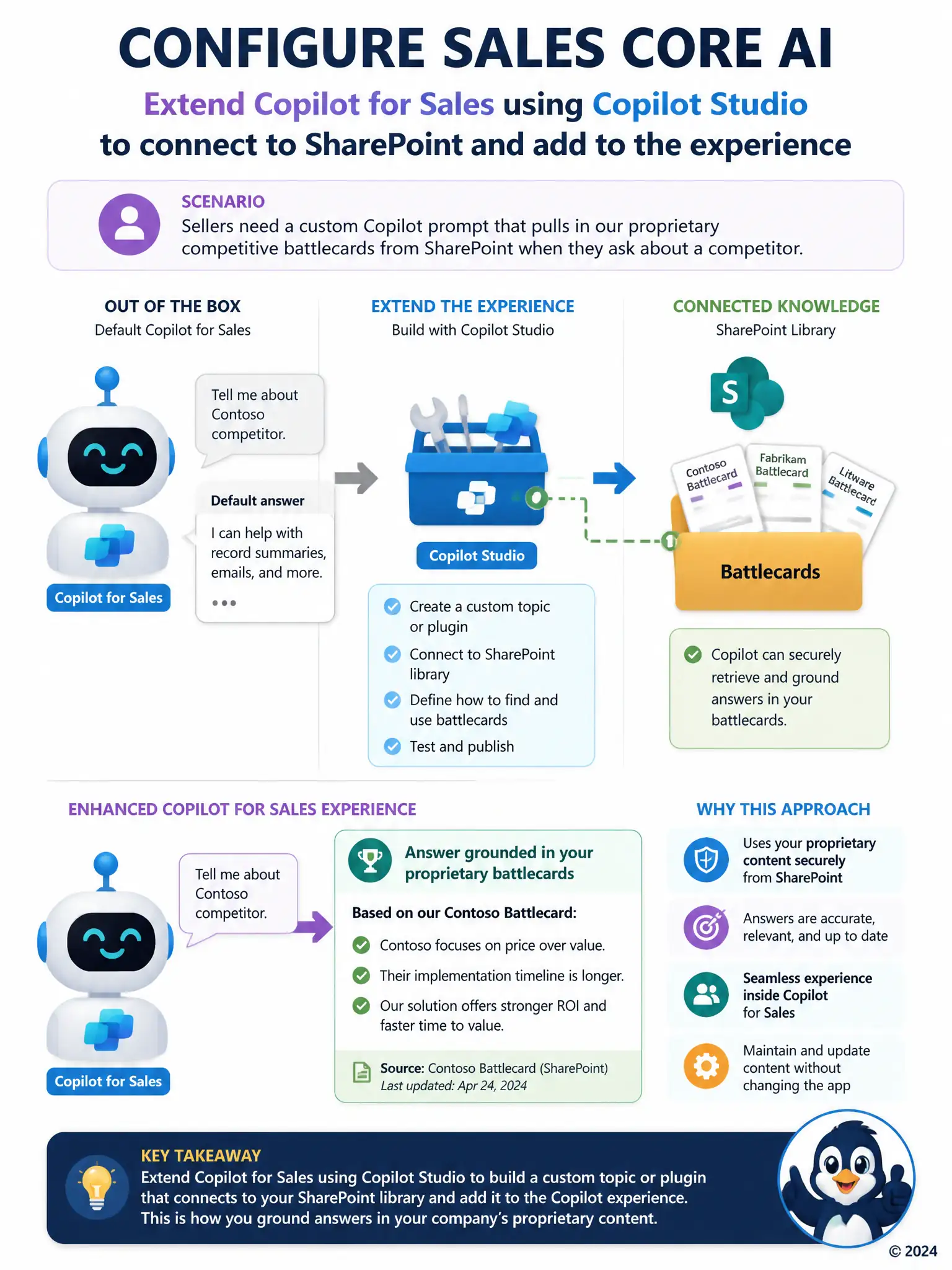
Out of the box, Copilot for Sales only knows its default prompts, so you need to teach it where the client's battlecards live. Use Copilot Studio to build a custom topic or plugin that connects to the SharePoint library, then add it to the Copilot for Sales experience. That way sellers can ask about a competitor and get answers grounded in the client's own material.
Full Explanation
The correct approach is to extend Copilot for Sales using Copilot Studio to build a custom topic or plugin that connects to the SharePoint library and add it to the Copilot for Sales experience. Copilot for Sales ships with a default set of prompts for common tasks such as drafting emails and summarizing records, but reaching into an external source like a SharePoint battlecard library requires extending the assistant with custom logic. Copilot Studio is the tool built for that: it lets a consultant create a custom topic or plugin that connects to the SharePoint library and add it into the Copilot for Sales experience so sellers can ask competitor-related questions and get answers grounded in that content. Re-enabling Copilot for Sales in the Power Platform admin center with a broader license is incorrect because it changes seat entitlements, not what data sources or prompts Copilot can draw on. Adding the SharePoint library as a related entity on the Opportunity form is incorrect because it changes what a user sees on that form; it does not grant Copilot any grounding access to a SharePoint library. Asking sellers to paste battlecard content into the notes field so Conversation Intelligence can surface it is incorrect because it is a manual workaround that depends on Conversation Intelligence, a feature built to extract signals from call transcripts, not a mechanism for grounding Copilot's prompts in an external document library.