
A consultant configuring Copilot for Sales for a SaaS company wants the meeting-prep brief that Copilot generates before a renewal call to include the customer's current count of open support tickets, which is stored in a third-party support platform rather than in Dataverse. Which approach should the consultant use?
Select an answer to reveal the explanation.
Short Explanation
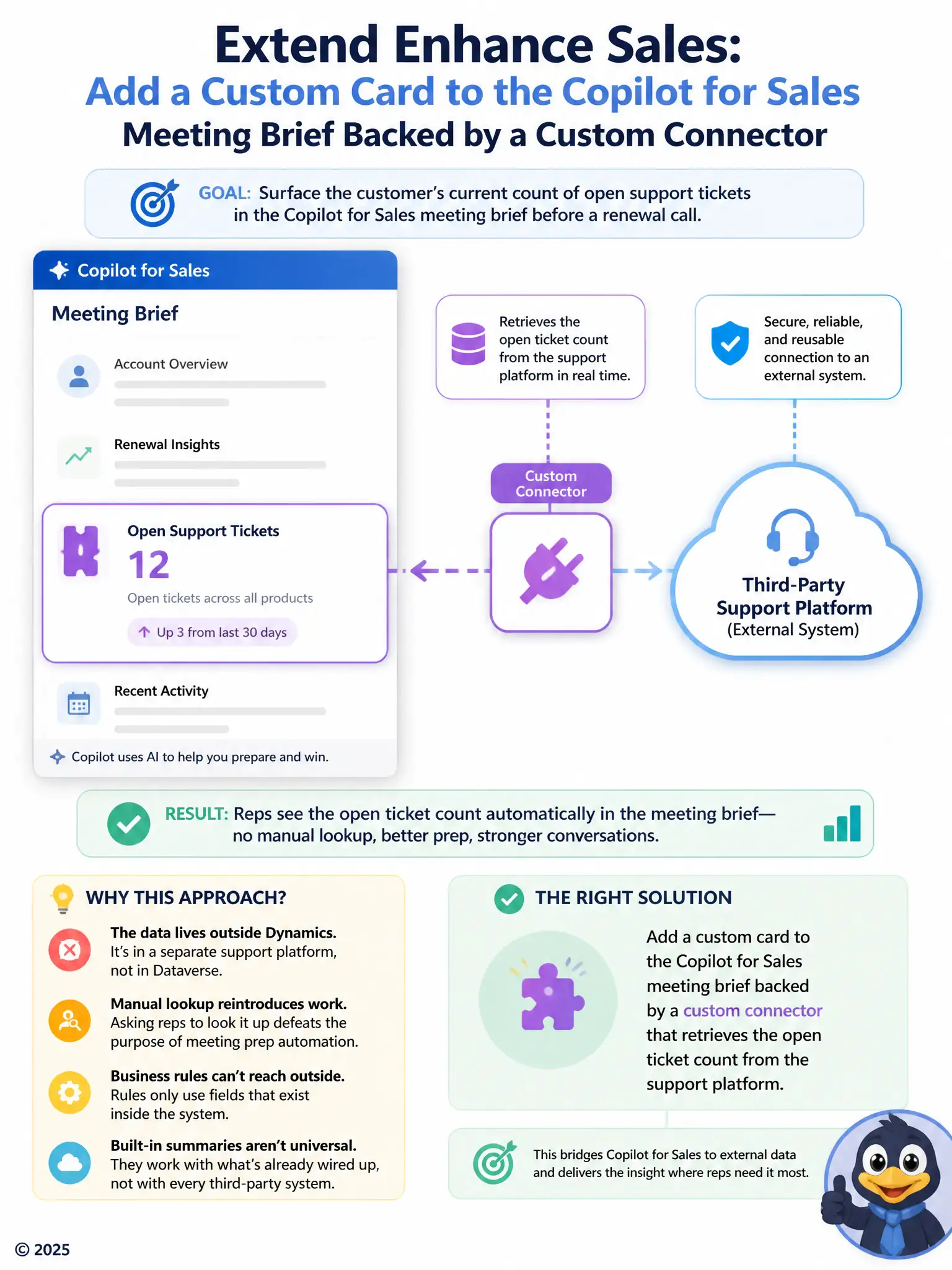
The ticket count lives outside Dataverse, so you need a custom connector to fetch it and a custom card to show it in the meeting brief. Manual checks just bring back the busywork, and Dataverse rules can't reach an outside system. The built-in summary won't magically pull from a support platform it hasn't been connected to.
Full Explanation
The correct approach is to add a custom card to the Copilot for Sales meeting brief backed by a custom connector that retrieves the open ticket count from the support platform. Because the ticket count lives in an external support platform rather than Dataverse, surfacing it in the meeting brief requires a custom card wired to a custom connector that can reach out to that platform and pull the current count into the brief Copilot generates. The approach of asking reps to manually check the support platform before each renewal call is incorrect because manually checking a separate system defeats the purpose of extending Copilot to automate meeting prep, and it is the outcome the consultant is trying to eliminate, not a configuration. The Dataverse business rule that recalculates a ticket count field whenever the opportunity is opened is incorrect because a Dataverse business rule can only recalculate or validate data that already exists inside Dataverse; it has no mechanism to reach into a third-party platform and pull in a value that was never stored there. The default Copilot for Sales relationship summary that already aggregates support data from any connected system is incorrect because there is no default Copilot for Sales capability that automatically aggregates data from any arbitrary connected system; the relationship summary works from data already present in Dynamics 365 and connected Microsoft 365 sources, not from an unconfigured third-party support platform. Reaching external, non-Dataverse data for use inside the brief specifically calls for a custom card and connector.