
A consultant is configuring Dynamics 365 Sales so that when an opportunity's relationship health or deal-risk signal drops below a defined threshold, the assigned sales manager is notified automatically rather than discovering it during a weekly pipeline review. What is the most direct way to accomplish this?
Select an answer to reveal the explanation.
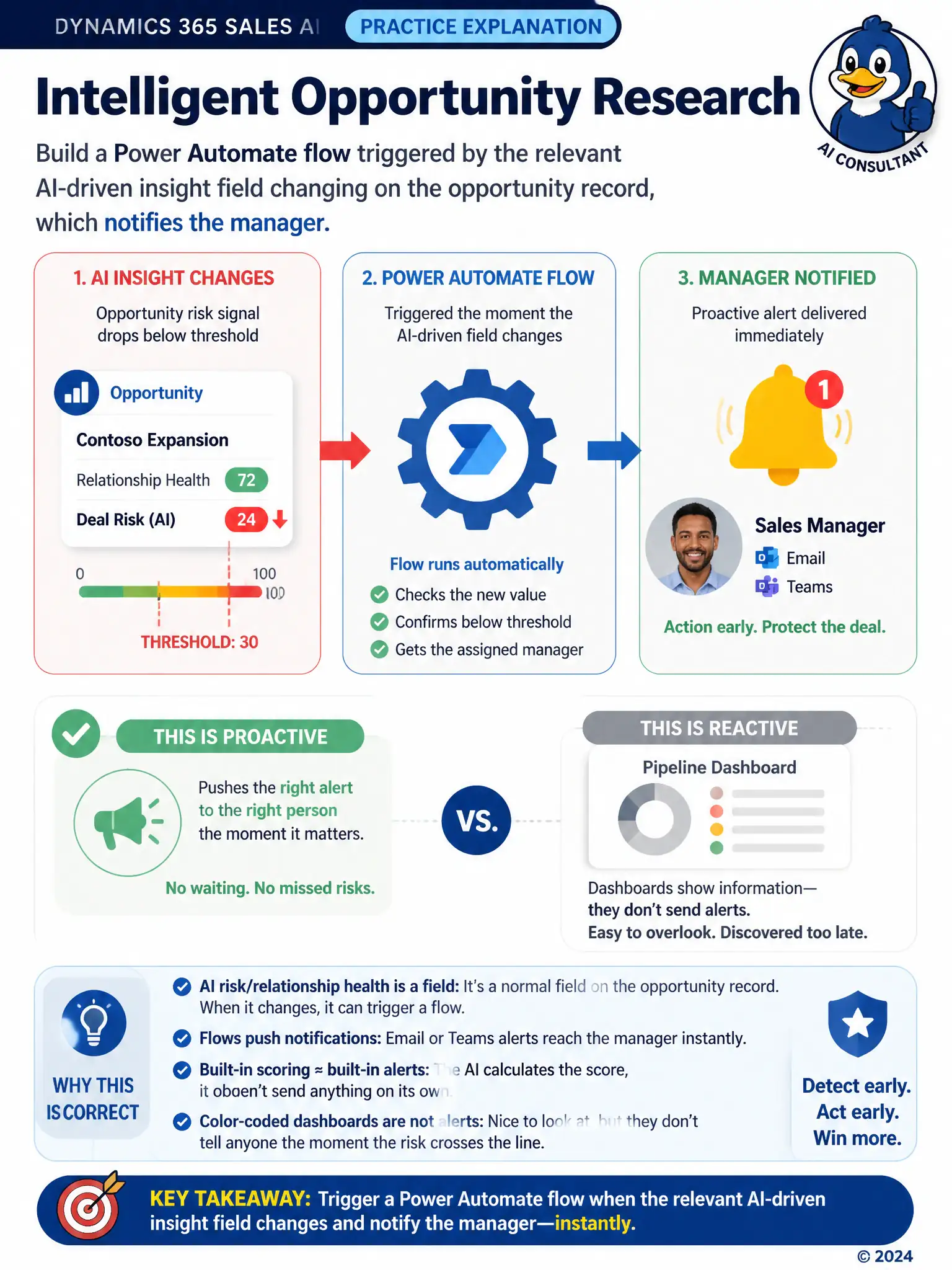
Short Explanation
If you need the manager to know the instant a risk signal drops, you need an automated alert, not a manual check. The AI risk or relationship-health field is just a field, so you can trigger a Power Automate flow when it changes and notify the manager. Dashboards and manual emails only work if someone remembers to look.
Full Explanation
The correct approach is to build a Power Automate flow triggered by the relevant AI-driven insight field changing on the opportunity record, which notifies the assigned sales manager. Dynamics 365 Sales AI insights, such as relationship health or deal-risk fields, can serve as triggers for Power Automate flows, so building a flow that fires when that field changes and notifies the manager is the direct way to turn a passive signal into an active alert. The approach asking reps to manually check the risk signal each morning and email their manager if it has dropped, based on the premise that AI insight fields cannot be used to trigger workflows, is incorrect because those fields are ordinary record fields that Power Automate can monitor for changes. The approach reconfiguring predictive opportunity scoring to send an email natively whenever the score changes, based on the scoring model having a built-in notification feature for any threshold, is incorrect because predictive opportunity scoring does not include a built-in email or notification capability tied to score changes; alerting has to be built separately using automation tools, not assumed as a native feature of the scoring model itself. The approach setting up a Dynamics 365 Sales dashboard that highlights at-risk opportunities in red and relying on the manager to notice the color during their next login is incorrect because a dashboard highlight is a passive visual cue that only helps if the manager happens to look at it; it does not meet the stated requirement of proactive notification rather than discovery during a review.