
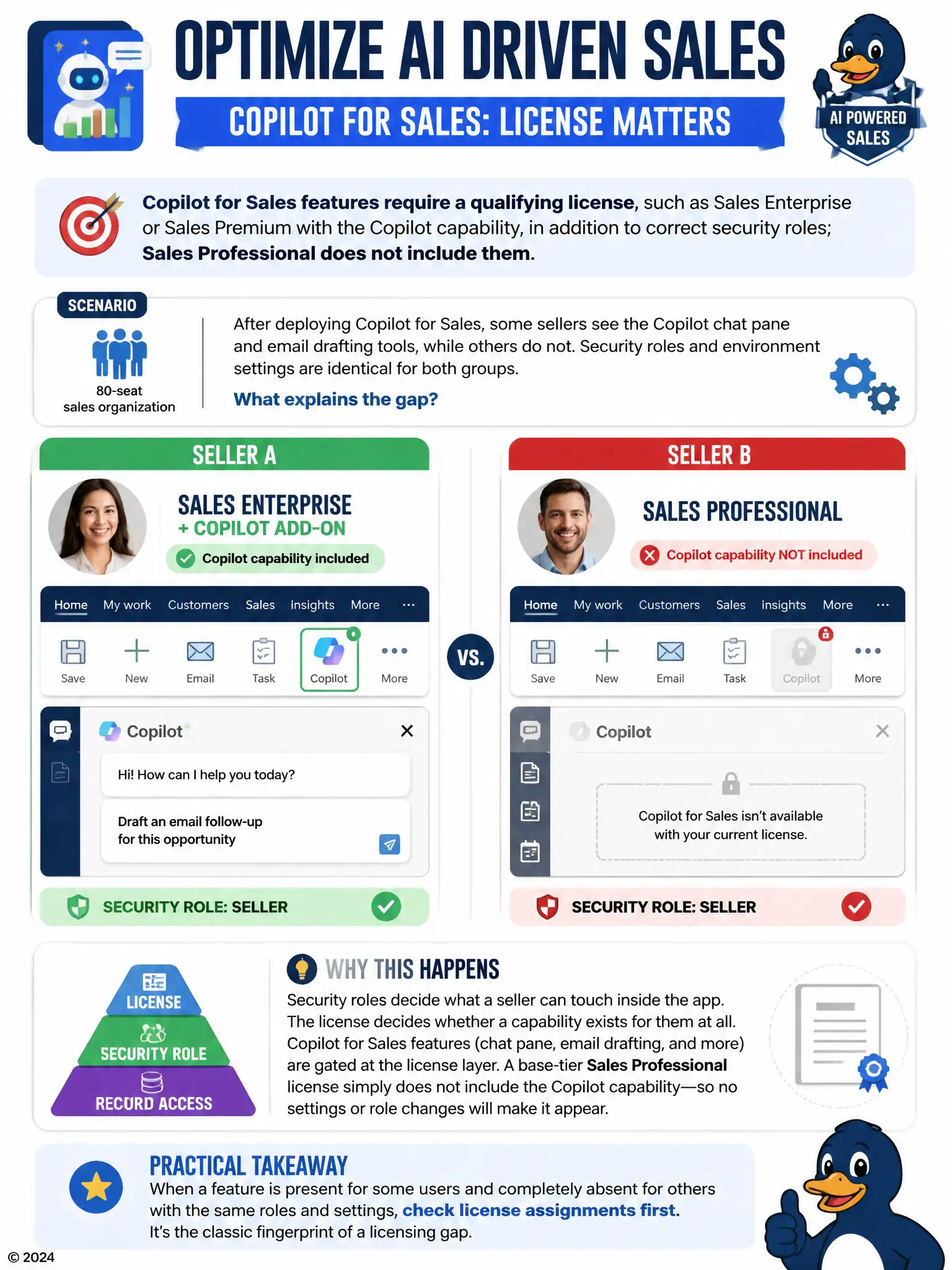
A consultant deploys Copilot for Sales across an 80-seat sales organization. After rollout, sellers who hold only a base Dynamics 365 Sales Professional license report that the Copilot chat pane and email drafting features are entirely absent from their app, while sellers with Sales Enterprise plus the Copilot add-on see the full feature set. IT confirms security roles and environment settings are identical for both groups. What explains the gap?
Select an answer to reveal the explanation.
Short Explanation
When your sellers have identical roles and settings but only some see Copilot, check licensing first. Copilot for Sales needs a qualifying license like Sales Enterprise or Sales Premium with Copilot; Sales Professional doesn't include it, so the chat pane and drafting tools won't appear no matter how you tweak roles.
Full Explanation
The correct explanation is that Copilot for Sales capabilities sit on top of a licensing requirement separate from security roles: a seller needs a plan that includes the Copilot capability, such as Sales Enterprise or Sales Premium with Copilot enabled, or a compatible Microsoft 365 Copilot license. Sales Professional does not include this capability, so those sellers see no chat pane or drafting tools no matter how their security roles or environment settings are configured, which matches exactly what IT observed. The claim that the chat pane only renders after a seller has logged at least ten qualified opportunities is incorrect because Copilot availability is not gated by an opportunity activity count; that is not a mechanism the product uses. The claim that Copilot features are hidden when a seller's personal Microsoft 365 profile photo is missing is incorrect because a profile photo has no bearing on feature authentication, which is governed by license and role, not personal profile completeness. The claim that the Professional license caps concurrent app modules and silently drops Copilot once the cap is reached is incorrect because Sales Professional does not impose a concurrent-module cap that removes features from the navigation; licensing determines which capabilities exist for a seller at all, not how many they can have open simultaneously. The resolution is to assign qualifying licenses to the affected sellers rather than adjusting roles or environment configuration. The practical lesson is to check license assignments first whenever a feature is present for some sellers and completely absent for others despite matching configuration, since that pattern is the classic fingerprint of a licensing gap rather than a settings or role problem.