
A consultant configures a Dynamics 365 Sales environment where the client purchased Dynamics 365 Sales Enterprise plus the standalone Sales Insights add-on, but not Dynamics 365 Sales Premium. The client expects predictive lead and opportunity scoring cards to appear on forms. After configuration, sellers see relationship assistant cards and email engagement notifications, but no predictive scoring cards ever appear. What is the most likely cause?
Select an answer to reveal the explanation.
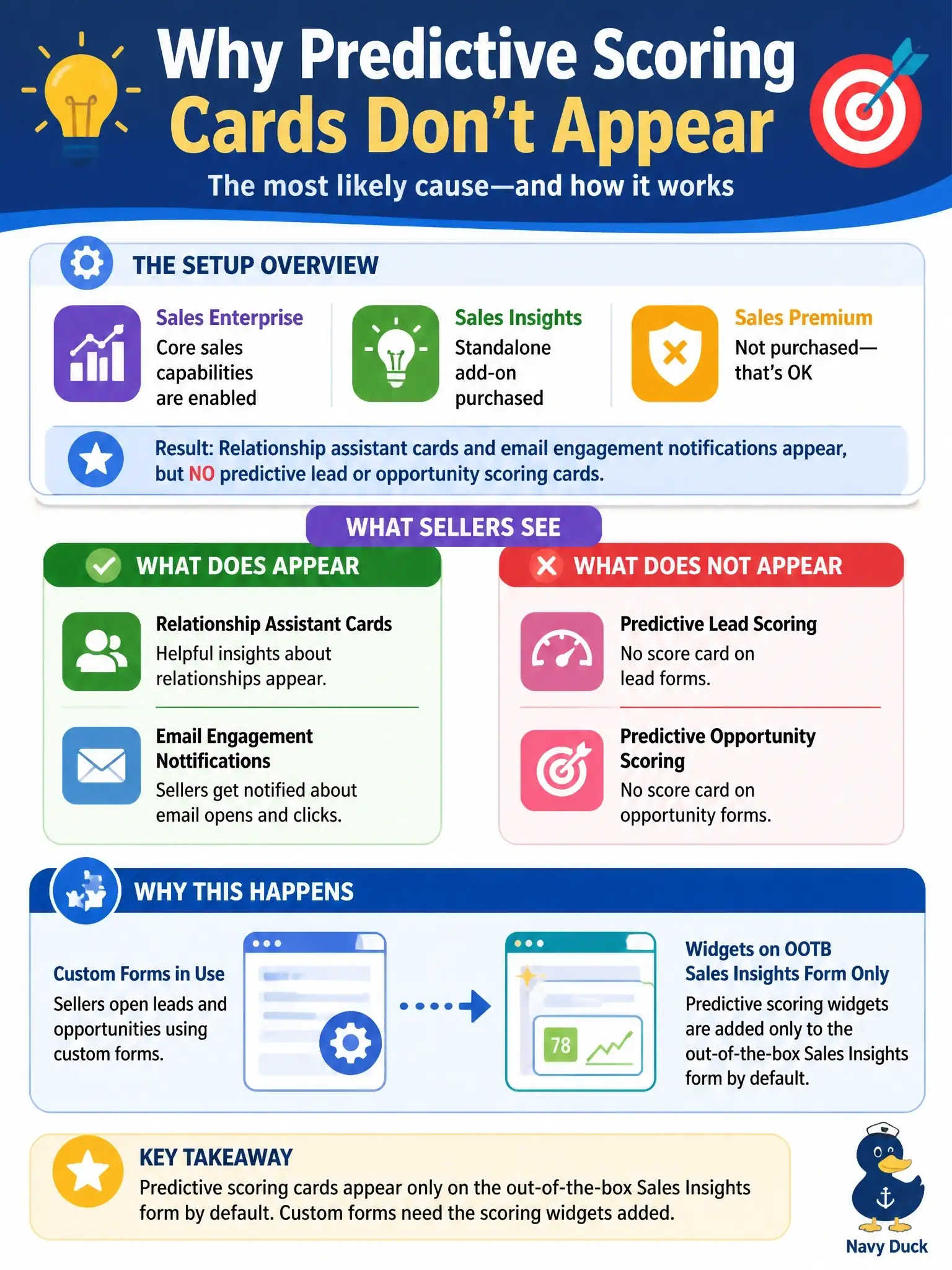
Short Explanation
The scores are there; your sellers just aren't looking at the form they live on. When the scoring models publish, the Lead score and Opportunity score widgets get dropped onto the out-of-the-box Sales Insights form only, so if your team works in a custom form you've got to add the widgets yourself. And don't blame the license: Sales Enterprise already includes predictive scoring for up to 1,500 records a month.
Full Explanation
Predictive lead and opportunity scoring is set up from Sales settings through Lead + opportunity scoring quick setup, where each model is created and published. After publishing, Dynamics 365 Sales adds the Lead score and Opportunity score widgets to the Sales Insights form of lead and opportunity records, and only to that out-of-the-box form by default. Organizations that route sellers to a custom main form therefore see no scores at all until an admin adds the scoring widgets to that form, which matches a symptom where other Sales Insights cards appear but scoring never does. The feature is not missing from the license either: a Sales Enterprise license includes predictive scoring for 1,500 scored records per month, and a higher tier only lifts that monthly cap. A per-business-unit toggle is wrong because scoring is published as an organization-level model rather than switched on unit by unit. A missing security-role privilege is a weaker explanation, because standard seller roles can already read scores and the widget itself is simply absent from the form. A regional preview requiring a support ticket is wrong because lead and opportunity scoring is generally available. Exam caveat: a model can also fail to publish without at least 40 qualified and 40 disqualified leads, or 40 won and 40 lost opportunities, created in the past two years. Operational check: confirm the models show as published, then open the custom form in the form designer and add the scoring widgets.