
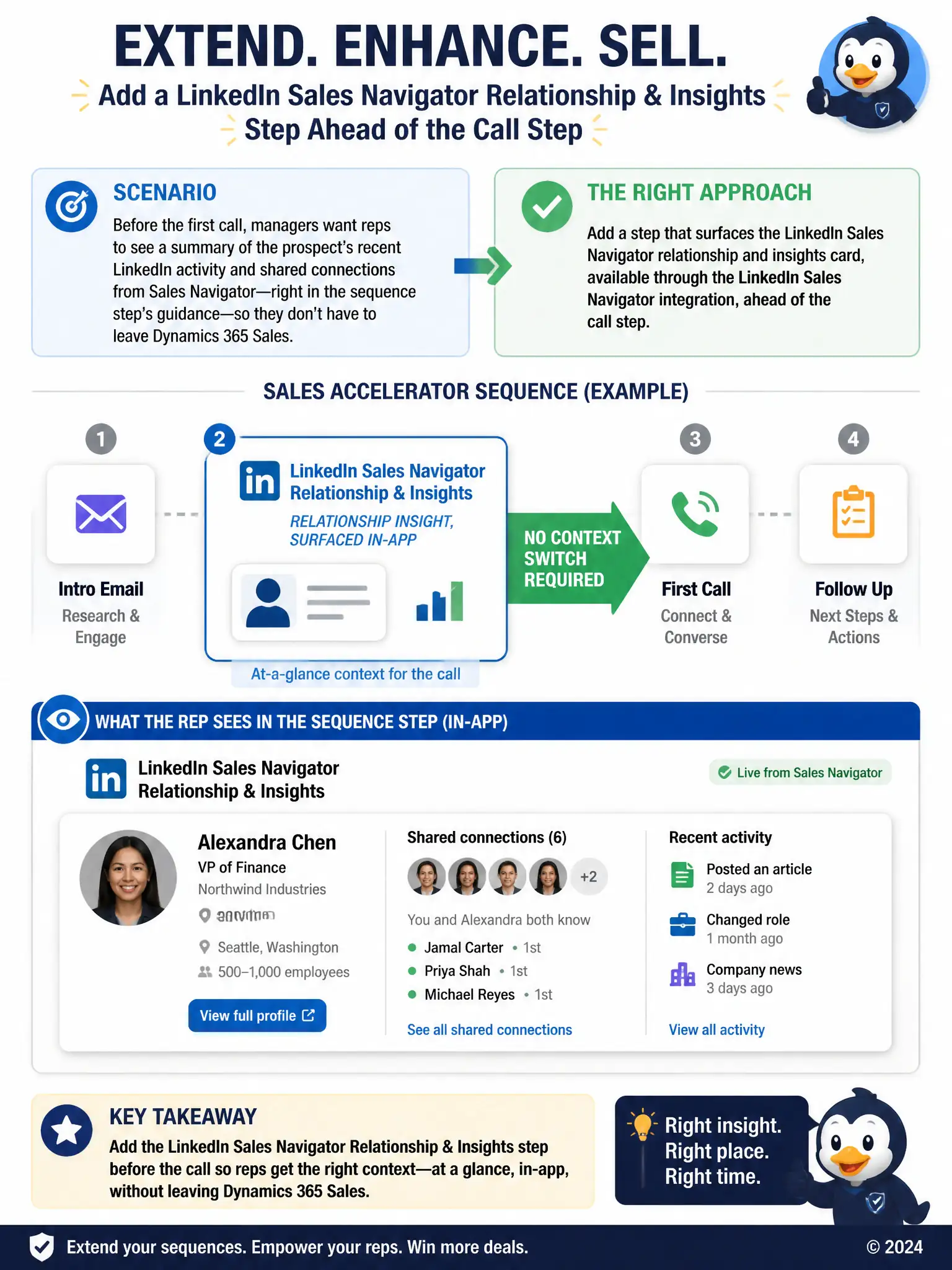
A consultant is customizing a sales accelerator sequence for a team selling to mid-market prospects. Before the first call step, the manager wants reps to see a summary of the prospect's recent LinkedIn activity and shared connections, pulled from Sales Navigator, directly in the sequence step's guidance so reps don't have to leave Dynamics 365 Sales to look it up. Which approach extends the sequence correctly?
Select an answer to reveal the explanation.
Short Explanation
Picture what the rep actually sees at that step. You need the step that surfaces the LinkedIn Sales Navigator relationship and insights card ahead of the call, because it puts shared connections and recent activity right in the sequence guidance without leaving Dynamics 365 Sales. The other approaches only delay the cadence, swap the call for email, or leave reps with a raw link.
Full Explanation
The correct approach is to add a step that surfaces the LinkedIn Sales Navigator relationship and insights card, available through the LinkedIn Sales Navigator integration, ahead of the call step. This integration surfaces relationship and insight cards, including shared connections and recent activity, directly inside Dynamics 365 Sales, so adding that card as a step ahead of the call keeps reps in the flow of the sequence while still giving them the context the manager wants. The wait step that pauses the sequence for 24 hours so the rep has time to manually check LinkedIn before calling is incorrect because it only delays the sequence; it does not pull any LinkedIn data into view, and it slows the entire outreach cadence for no functional benefit. The approach that replaces the call step with an email step because Sales Navigator data can only be displayed on email templates, not call steps, is incorrect because Sales Navigator insight cards are not limited to email templates and can be surfaced alongside call steps, so replacing the call step is unnecessary and would change the sequence's intent. The approach that adds a Power Automate step that scrapes the prospect's public LinkedIn profile URL and pastes it into the opportunity description is incorrect because scraping a public profile and pasting a link into a free-text field is both a fragile, unsupported approach and gives reps only a link to click, not the summarized relationship and activity data the manager actually asked for. The supported integration path delivers the summary in place, which is what the requirement calls for.