
A sales manager configuring Copilot for Sales in Outlook wants that when a rep drafts an email to a contact at an account flagged 'Enterprise' tier, the assistant automatically creates a Dataverse follow-up task assigned to the account's customer success manager. Native email assistant actions in Copilot for Sales don't include this cross-record task creation. How should the manager extend Copilot for Sales to add this capability?
Select an answer to reveal the explanation.
Short Explanation
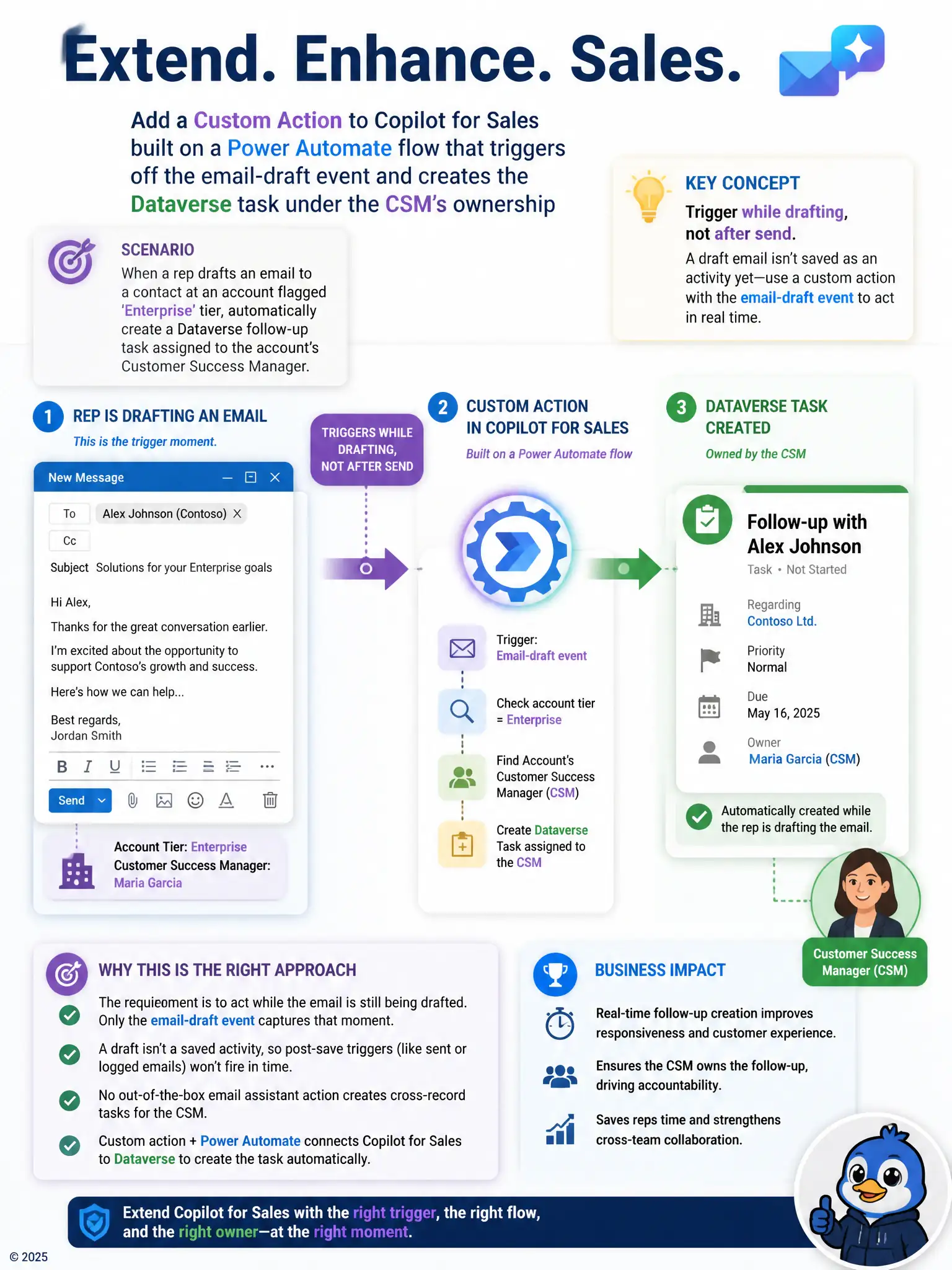
You need to hook the moment the rep is drafting, not after the email is logged. Add a custom action powered by a Power Automate flow that triggers off the email-draft event and creates the Dataverse task under the customer success manager's ownership. That extends Copilot for Sales when native actions don't cover the workflow.
Full Explanation
The capability can be added by building a custom action in Copilot for Sales on a Power Automate flow that triggers off the email-draft event and creates the Dataverse task under the customer success manager's ownership. This works because the manager wants the task created while the rep is drafting to an Enterprise-tier contact, and a custom action tied to that drafting event can extend behavior that native email assistant actions don't provide out of the box. The built-in 'auto follow-up' toggle in Copilot for Sales settings is wrong because no such toggle exists, and inventing a setting instead of building the missing capability would not produce the desired behavior. Asking reps to manually flag the email in Outlook is wrong because Copilot for Sales does integrate with Dataverse task records, so that approach abandons an available extensibility path in favor of manual effort. Creating a Dataverse business rule on the Task table that fires whenever any email activity is logged against an Enterprise account is wrong because a business rule fires on record save, not on an in-progress Outlook draft, so it cannot react to the moment the manager cares about and would only trigger, if at all, after the rep has already sent the email and it has been logged as an activity. The custom action approach is the only one that actually hooks the drafting moment itself.