
A sales operations manager wants any opportunity whose estimated close date passes without a stage change to automatically notify the owner's manager in Microsoft Teams two business days later. Sales accelerator sequences only route tasks to the record owner, not to a manager. Which approach extends the platform to meet this requirement?
Select an answer to reveal the explanation.
Short Explanation
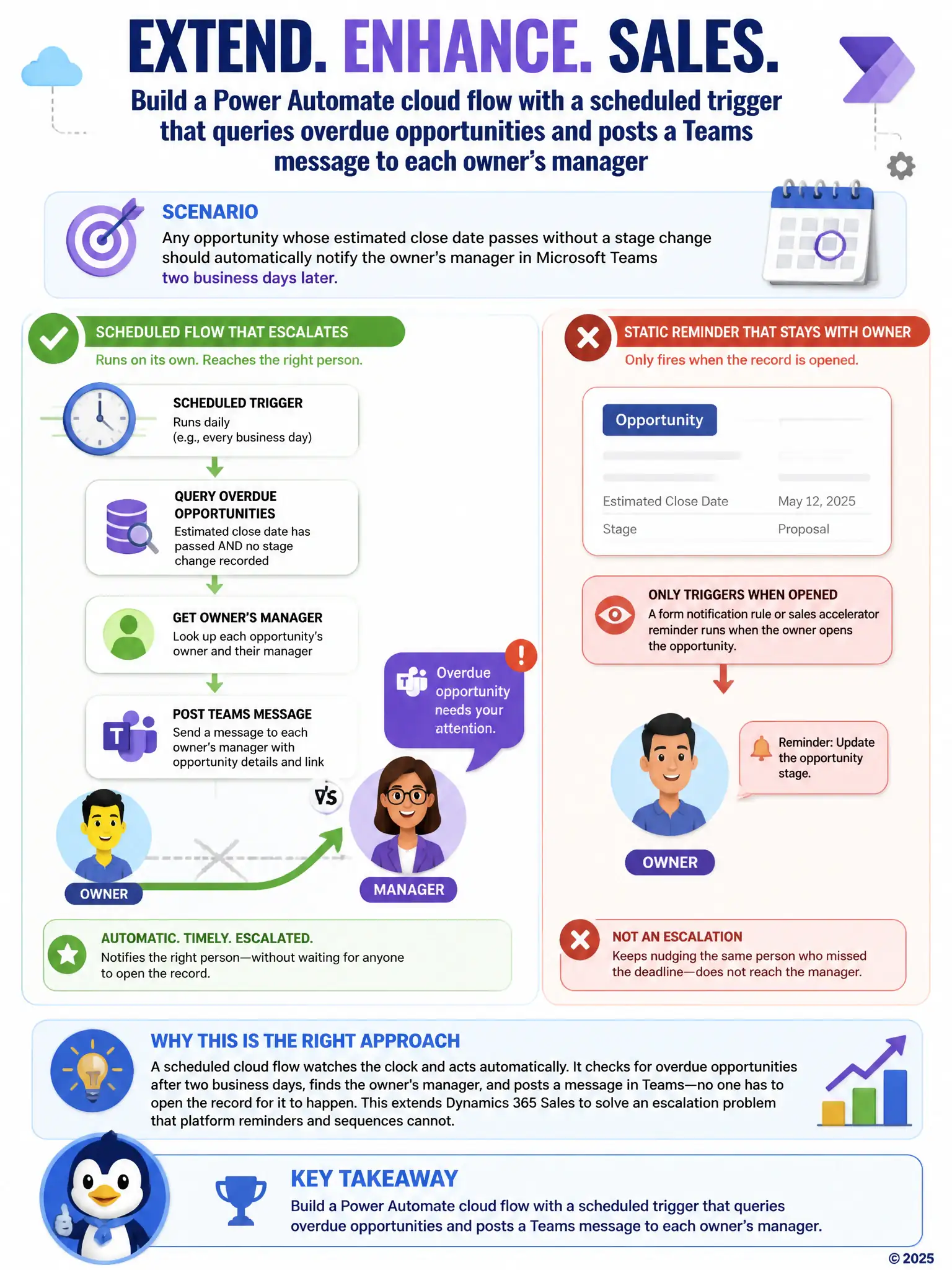
You need a scheduled Power Automate cloud flow because it can watch the clock, find overdue opportunities, and ping the owner's manager in Teams without waiting for anyone to open the record. The form warning or another owner-only reminder won't escalate to the manager.
Full Explanation
The correct approach is the scheduled Power Automate cloud flow that queries overdue opportunities and posts a Teams message to each owner's manager. The requirement calls for a notification that goes to someone other than the record owner, triggered by the passage of time rather than a direct user action, which is a pattern that a scheduled Power Automate cloud flow handles well: it can run on a recurring basis, apply the two-business-day timing condition, query Dataverse for opportunities whose close date has passed without a stage change, and post a message to the owner's manager in Teams. The business rule on the Opportunity form that displays a warning message when the close date has passed is incorrect because a business rule only runs when a user opens or saves the record, so it cannot proactively notify anyone on a schedule, and it cannot reach a manager who never opens the opportunity. The sales accelerator sequence with an additional email step for the opportunity owner is incorrect because sales accelerator sequences route tasks and reminders to the opportunity owner, not to that owner's manager, so extending the sequence still leaves the escalation requirement unmet. The Sales Qualification Agent configured to flag the opportunity as high risk in a custom column is incorrect because the Sales Qualification Agent operates on leads to assess qualification signals; flagging an opportunity as high risk in a custom column does not send a notification to anyone and is the wrong tool for a time-based escalation to management.