
A consulting team is planning to enable Copilot for Sales for a client running Dynamics 365 Sales Enterprise. Before the rollout, the team reviews prerequisites with the client's Power Platform administrator. Which two conditions must be true for Copilot features to appear for sellers? (Select TWO.)
Select all correct answers, then click Submit.
Short Explanation
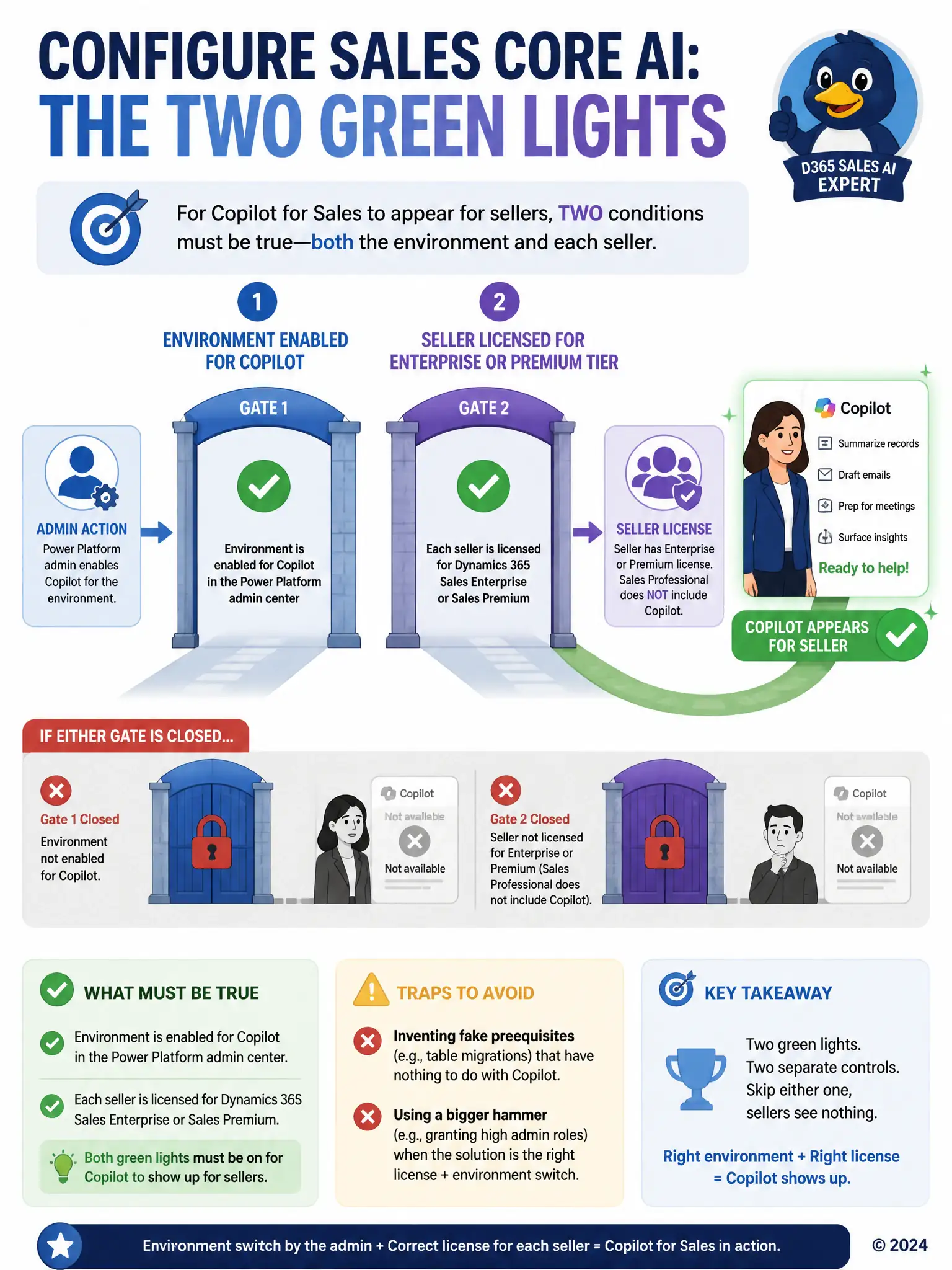
Getting Copilot to show up for sellers takes two green lights. You need the environment enabled for Copilot in the Power Platform admin center, and each seller needs a Dynamics 365 Sales Enterprise or Sales Premium license because Sales Professional doesn't include it. Skip either one and sellers get nothing, even if the other box is checked.
Full Explanation
Copilot for Sales becomes available to sellers only once two separate conditions are both satisfied: the environment itself must be enabled for Copilot through the Power Platform admin center, and each seller who will use it must hold a Dynamics 365 Sales Enterprise or Sales Premium license, since Copilot capabilities are not included with Sales Professional. Missing either condition leaves the feature unavailable, which is why a rollout plan needs to confirm both before promising sellers a working experience. The claim that custom entities must be migrated to virtual tables is incorrect because that migration is not a real prerequisite for Copilot and has nothing to do with how the feature is licensed or enabled; virtual tables serve an entirely different integration purpose. The claim that sellers must be granted the System Administrator security role is also incorrect, and in fact reflects poor practice rather than a requirement, because granting sellers a System Administrator role to satisfy a feature dependency violates least-privilege principles and is unnecessary, since Copilot works from the licensing and environment-level enablement already described rather than from elevated administrative access.