
After a fiber link is brought up to the new outpatient annex across the road, staff at the annex can reach devices on their own local subnet but cannot reach any server on the main hospital campus. Pinging the annex's own default gateway succeeds. What is the most likely gap?
Select an answer to reveal the explanation.
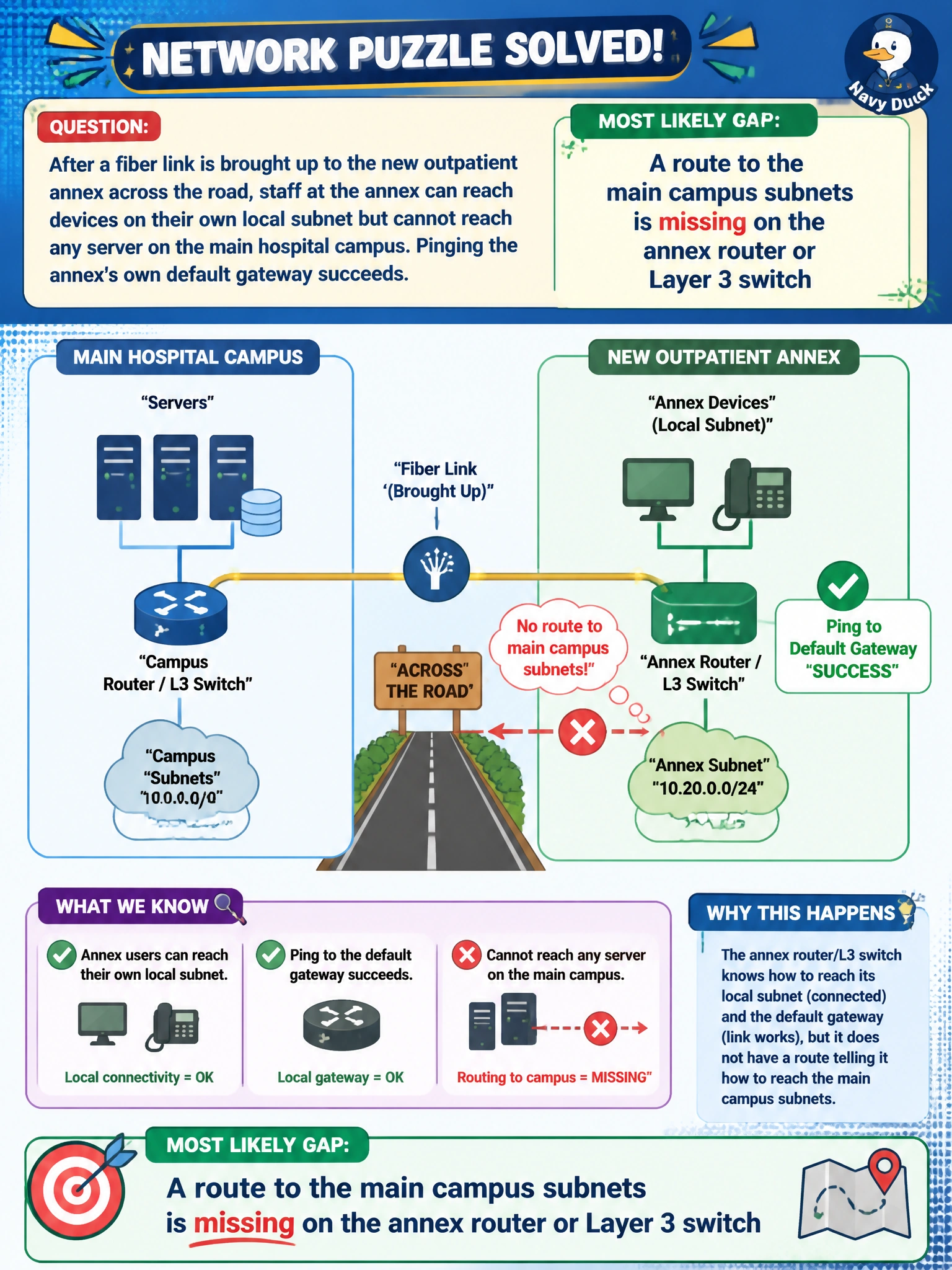
Short Explanation
Reaching the local gateway just proves the annex router is alive and listening. Getting anywhere past it depends on that router actually knowing which way to send campus-bound traffic. No route means the router has no idea where the main campus lives, so it just drops the packets.
Full Explanation
A successful ping to the local default gateway confirms the annex hosts, their local subnet configuration, and the first hop of the path are all functioning, which narrows the problem to something beyond that first hop. Since the annex was just connected over a new fiber link, the router or Layer 3 switch terminating that link needs an explicit route (static, or learned via a routing protocol) telling it how to reach the main campus subnets; without it, traffic destined for the campus arrives at the annex router and is simply discarded for lack of a matching route, even though the physical link itself is up. A channel-overlap or RADIUS problem wouldn't produce this symptom, since those affect wireless performance and authentication respectively, not basic wired IP reachability, and a duplicate VLAN ID would typically cause much more erratic, intermittent behavior rather than a clean local-works/remote-fails split. The operational check is to look at the routing table on the annex's gateway device and confirm a route (or default route toward the campus core) exists for the campus subnets, then trace the path from an annex host to see exactly where packets stop. A caveat worth remembering is that the return path matters too — even if the annex has a route out, the campus side must also have a route back to the annex subnet, or replies will never make it home.