
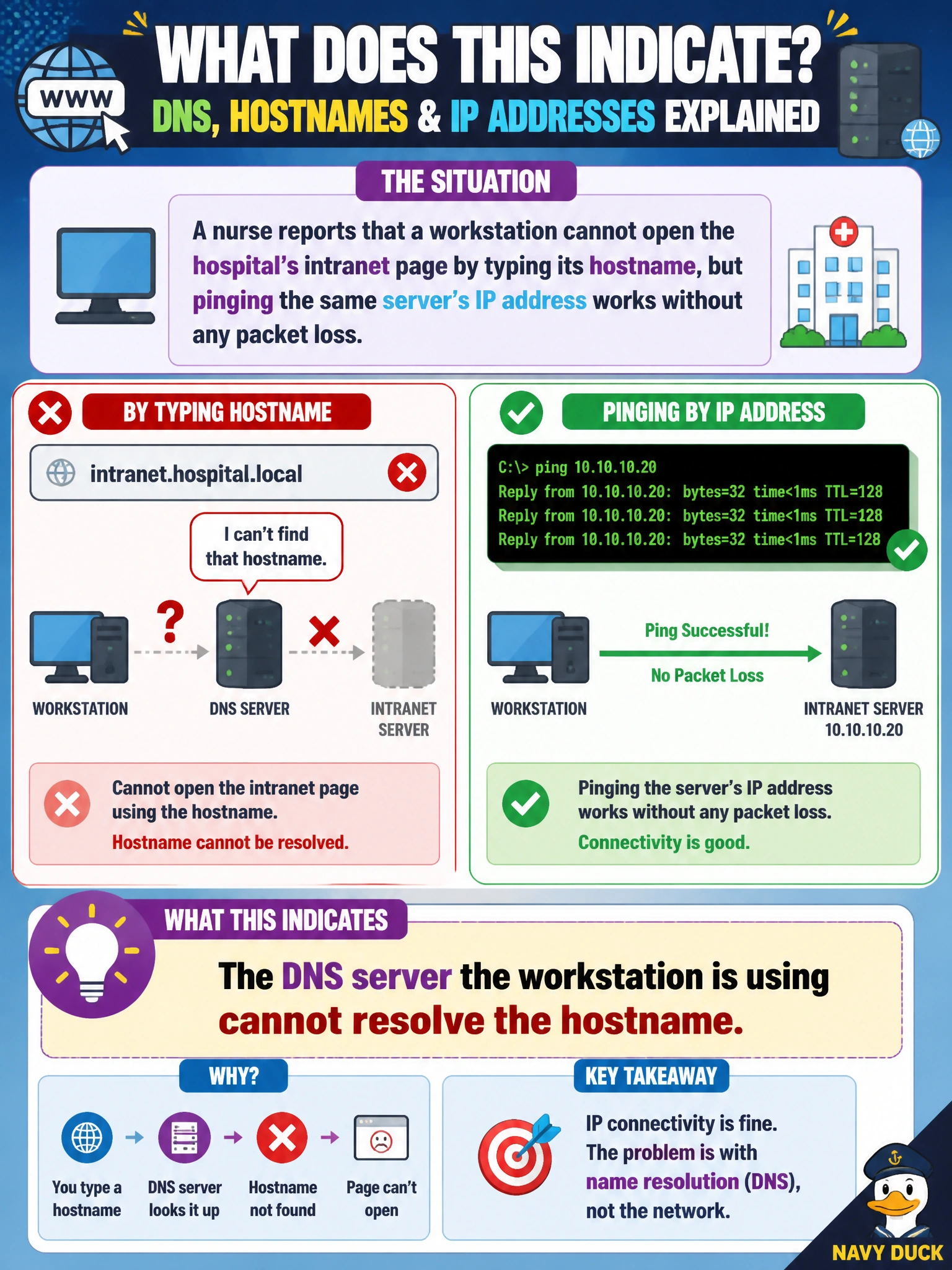
A nurse reports that a workstation cannot open the hospital's intranet page by typing its hostname, but pinging the same server's IP address works without any packet loss. What does this indicate?
Select an answer to reveal the explanation.
Short Explanation
Ping-by-IP working proves the whole path is fine all the way to the server. Ping-by-name failing means the only broken piece is the phone book that turns names into numbers, and that phone book is DNS. Fix the lookup and the browsing problem disappears on its own.
Full Explanation
Name resolution and IP reachability are two separate mechanisms, and a clean ping to the server's IP address confirms routing, the default gateway, and the physical/switching path are all functioning correctly, which immediately rules out a gateway or spanning-tree problem — either of those would break the IP ping too, not just the name-based request. A stalled DHCP server would prevent new leases but wouldn't explain a working IP ping from an already-addressed host. The remaining gap is translating the hostname into that same IP address, which is exactly what DNS does, so a DNS server that is unreachable, misconfigured, or missing the record produces precisely this split: IP connectivity fine, name-based access broken. The operational check is to run a lookup for the hostname from the affected workstation and see whether it times out or returns nothing, then verify the workstation's configured DNS server address is correct and that server is itself reachable. As a caveat, a stale or incorrect record on the DNS server (rather than the server being down) can produce the same user-visible symptom, so confirming the record's content matters as much as confirming the server answers at all.