
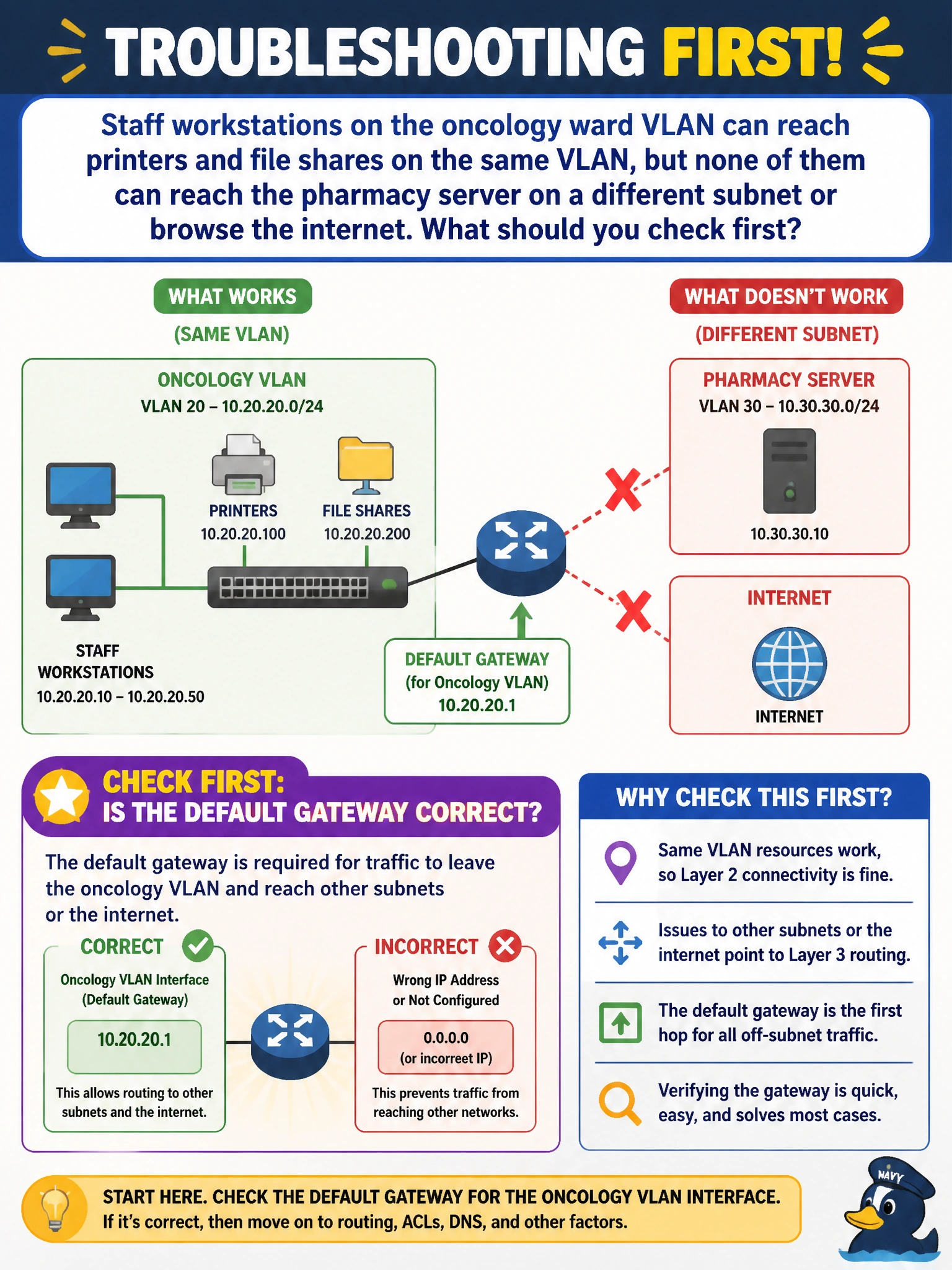
Staff workstations on the oncology ward VLAN can reach printers and file shares on the same VLAN, but none of them can reach the pharmacy server on a different subnet or browse the internet. What should you check first?
Select an answer to reveal the explanation.
Short Explanation
If everything on the same VLAN works but nothing off it does, the problem almost always sits at the door out of the subnet, not inside it. That door is the default gateway. Get the gateway address wrong and every host on that VLAN can talk to its neighbors all day but has nowhere to send traffic bound for anywhere else.
Full Explanation
Same-VLAN connectivity depends only on Layer 2 switching, so printers and file shares on the ward working correctly confirms VLAN membership and access-port configuration are fine. The symptom that breaks specifically at the subnet boundary points to Layer 3 forwarding, and the first thing a host consults to leave its own subnet is its default gateway; a wrong or missing gateway address (misconfigured on the SVI, or handed out incorrectly by DHCP) leaves local traffic untouched while stranding anything destined off-subnet, matching the described symptom exactly. An access-port-versus-trunk mistake would typically show up as VLAN tagging problems or intermittent connectivity within the VLAN itself, not a clean split between local and remote reachability. A DNS problem would prevent name resolution but wouldn't stop traffic to an IP address such as the pharmacy server if routing were otherwise fine, and an SSID issue is irrelevant since these are wired workstations. To confirm, check the host's configured gateway against the VLAN interface's actual IP, and try pinging the gateway address directly from an affected workstation; failure to even reach the gateway itself narrows it further to a routing or interface problem rather than something downstream.