
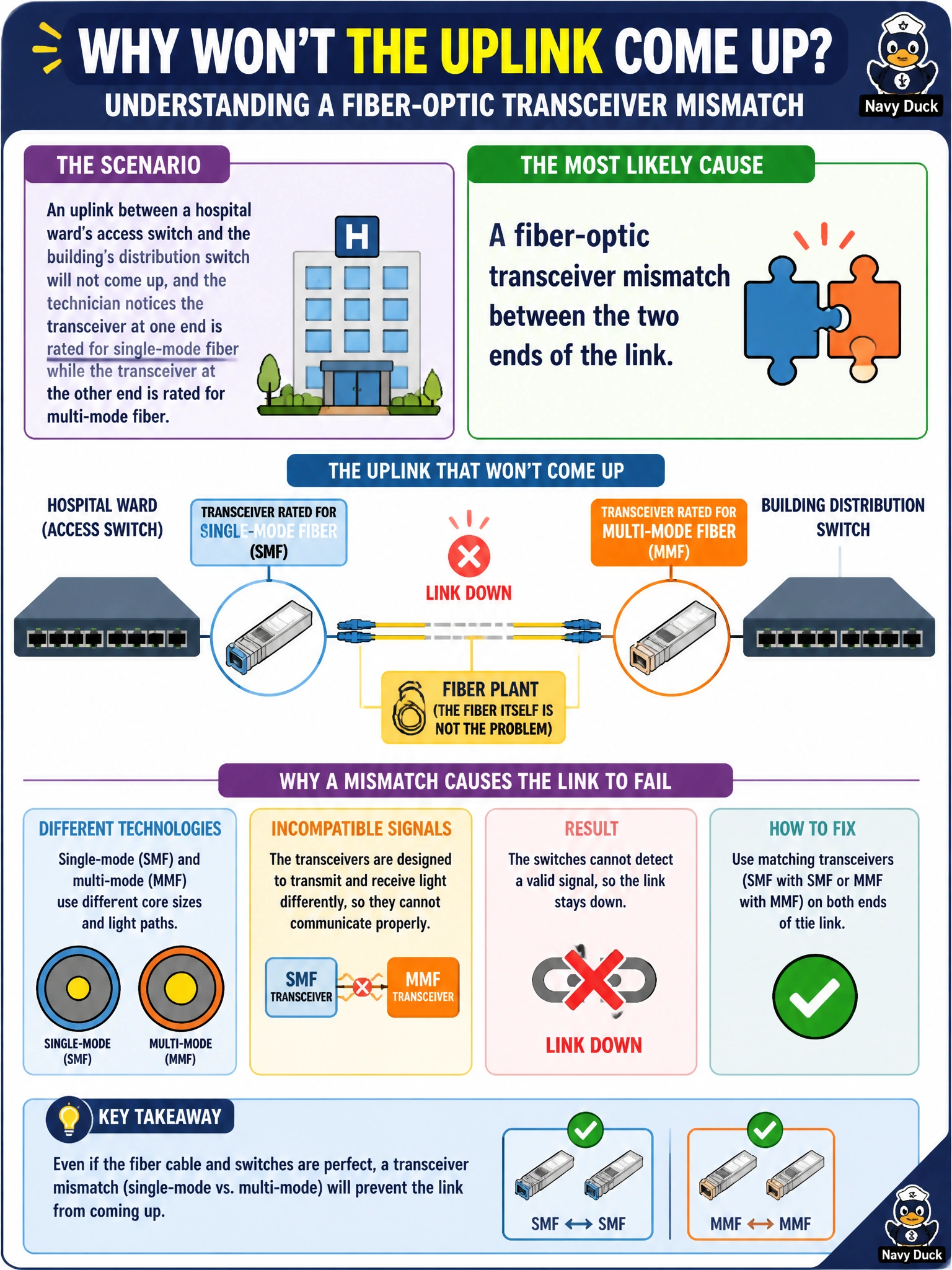
An uplink between a hospital ward's access switch and the building's distribution switch will not come up, and the technician notices the transceiver at one end is rated for single-mode fiber while the transceiver at the other end is rated for multi-mode fiber. What is the most likely cause?
Select an answer to reveal the explanation.
Short Explanation
Fiber optics only work if both ends speak the same physical language, and single-mode and multi-mode transceivers are built for different fiber cores and light sources entirely. Mixing them means the light simply doesn't couple properly, so the link can't come up no matter what's configured logically. This one's solved with matching optics, not a config change.
Full Explanation
Single-mode and multi-mode transceivers are designed around different core diameters and typically different laser wavelengths, and pairing mismatched types at each end of a fiber run generally prevents a usable optical link from establishing, independent of any switch configuration. This is a physical-layer problem because it concerns the optical hardware and the fiber's ability to carry a usable signal, not anything about switching logic. A native VLAN mismatch is a logical Layer 2 configuration issue that would typically still allow the link to come up physically, while causing tagging or connectivity problems for untagged traffic; it does not explain a link that fails to establish at all. An LACP mode mismatch affects whether member links properly form an aggregated bundle, but that negotiation happens only after the underlying physical link is already up, so it cannot be the root cause of a link that never comes up optically. An expired administrator password affects management access to a device, not the physical transmission of light across a fiber pair, so it has no bearing on this symptom. A concrete check is confirming the transceiver type, wavelength, and fiber type at both ends of the run match before assuming any logical misconfiguration.