
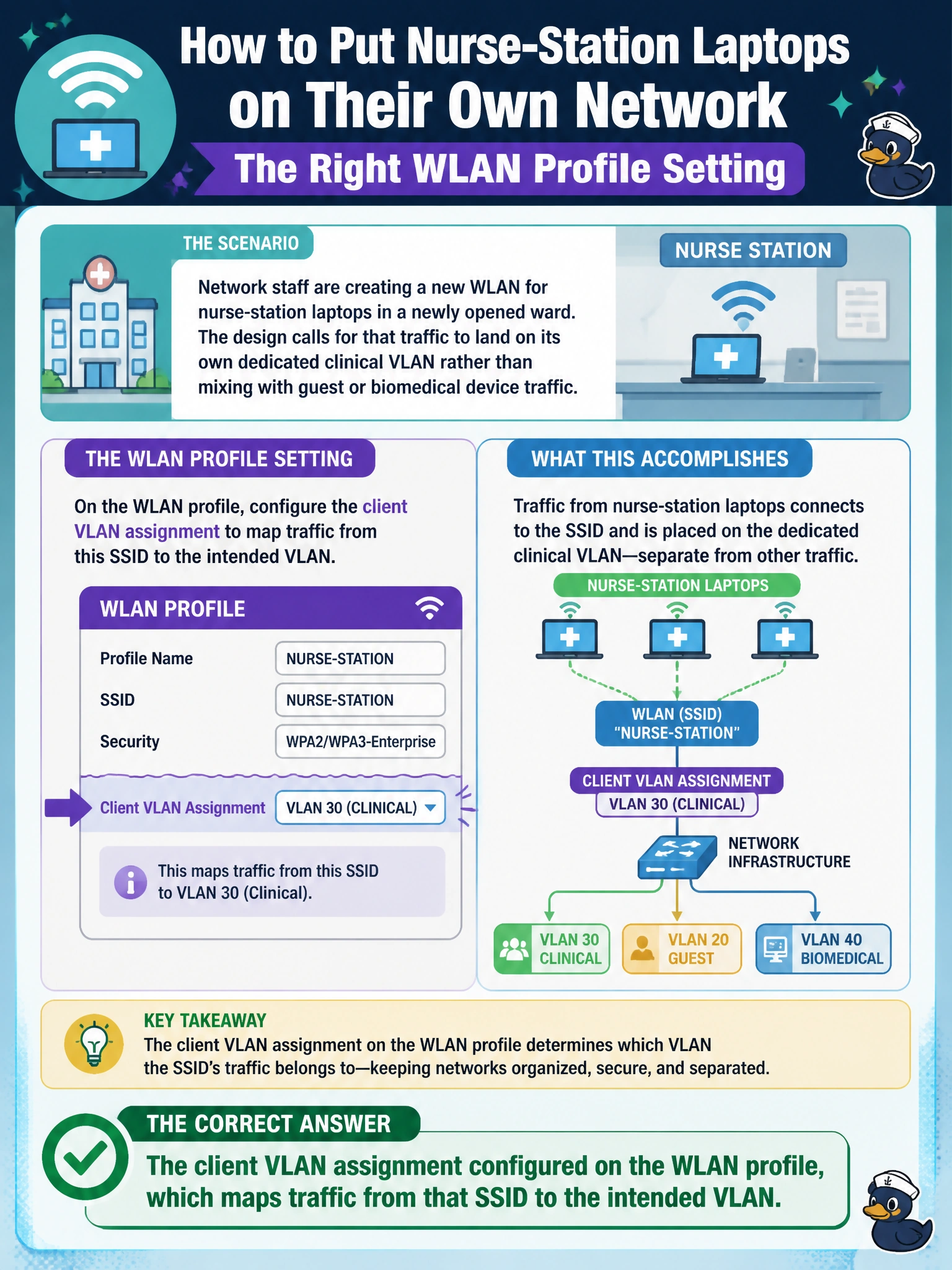
Network staff are creating a new WLAN for nurse-station laptops in a newly opened ward. The design calls for that traffic to land on its own dedicated clinical VLAN rather than mixing with guest or biomedical device traffic. Which setting on the WLAN profile accomplishes this?
Select an answer to reveal the explanation.
Short Explanation
An SSID is really just a name — the VLAN mapping underneath is what decides where the traffic actually goes. Think of the SSID as a door and the VLAN assignment as the hallway behind it; walking through the same-looking door can lead to very different rooms depending on how that hallway is wired up.
Full Explanation
Every WLAN profile pairs a broadcast SSID with a client VLAN setting that tells the AP (or the forwarding path behind it) which Layer 2 segment to place associated clients on. Setting the nurse-station WLAN's VLAN assignment to the clinical VLAN is what keeps that traffic separate from guest and biomedical segments — it is the mechanism that actually enforces segmentation, not the name of the network. The SSID name is purely cosmetic and carries no VLAN information by itself, so renaming it changes nothing about where traffic lands. Radio band has nothing to do with VLAN membership — a 2.4GHz and a 5GHz client on the same SSID land on the same VLAN. Uplink port speed affects throughput, not logical segmentation, and confusing the two is a common early mistake. A caveat worth remembering: if multiple WLANs on the same AP share one VLAN by accident, the isolation the design calls for silently disappears even though each SSID still shows up correctly to users. Operational check: after provisioning, associate a test client and confirm via the client's assigned IP address (and DHCP scope) that it actually landed in the clinical VLAN's subnet, not a neighboring one.