
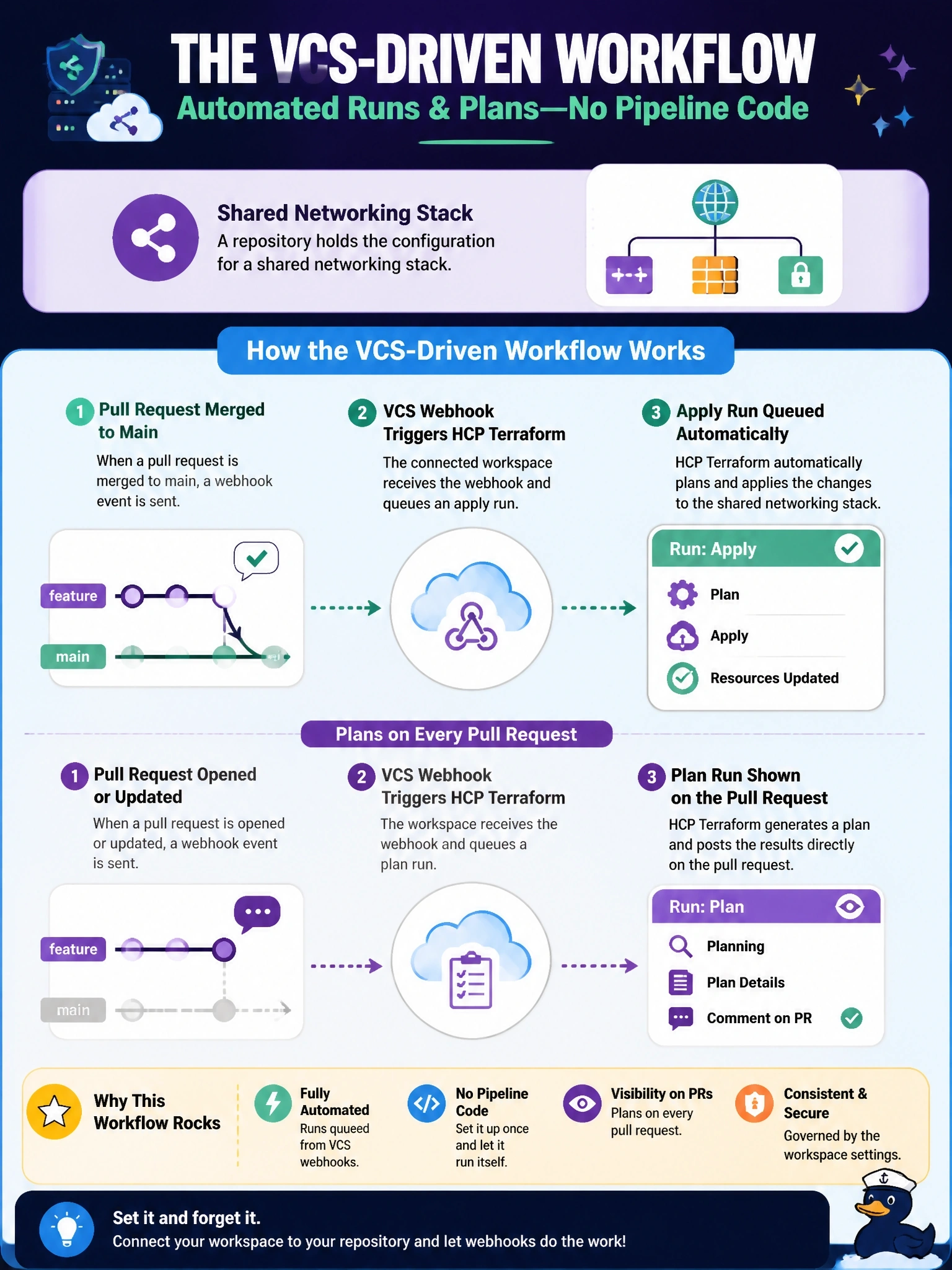
A repository holds the configuration for a shared networking stack. The team wants HCP Terraform to queue a run automatically whenever a pull request is merged to main, and to show a plan on every pull request, without writing any pipeline code. Which workspace workflow fits?
Select an answer to reveal the explanation.
Short Explanation
If you want runs to happen on merge with zero glue code, let the repo pull the trigger. The VCS-driven workflow hooks into webhooks, plans every pull request, and runs when main changes. CLI and API workflows both need a human or a pipeline to start things.
Full Explanation
In the VCS-driven workflow a workspace is connected to a repository and branch, and HCP Terraform receives webhooks from the VCS provider. A push or merge to the tracked branch fetches a new configuration version and queues a run, and pull requests receive automatic speculative plans whose results are reported back as status checks. That meets both requirements with no pipeline code. The CLI-driven workflow lets engineers start remote runs from their terminals through the cloud block, which is useful for iterative work, but nothing happens on merge unless someone runs the command. The API-driven workflow is the most flexible for custom CI, but HCP Terraform does not fetch configuration from version control in that model; the team's own tooling must decide when to run, package the configuration as a tar.gz file, and upload it, which is the pipeline code the stem rules out. Local execution mode keeps state in HCP Terraform while Terraform runs on the operator's machine, so it disables remote runs, VCS integration and automatic speculative plans altogether. Exam caveat: in VCS-backed workspaces with a working directory, only changes in matching paths trigger runs by default. Operational check: open a test pull request, confirm a speculative plan appears as a status check, then merge it and confirm a run is queued on the workspace.