
A platform team is splitting one large configuration into separate network and compute configurations, each with its own HCP Terraform workspace. The subnets must move from the old state to the new network state without being recreated, through reviewed plans. Which approach fits?
Select an answer to reveal the explanation.
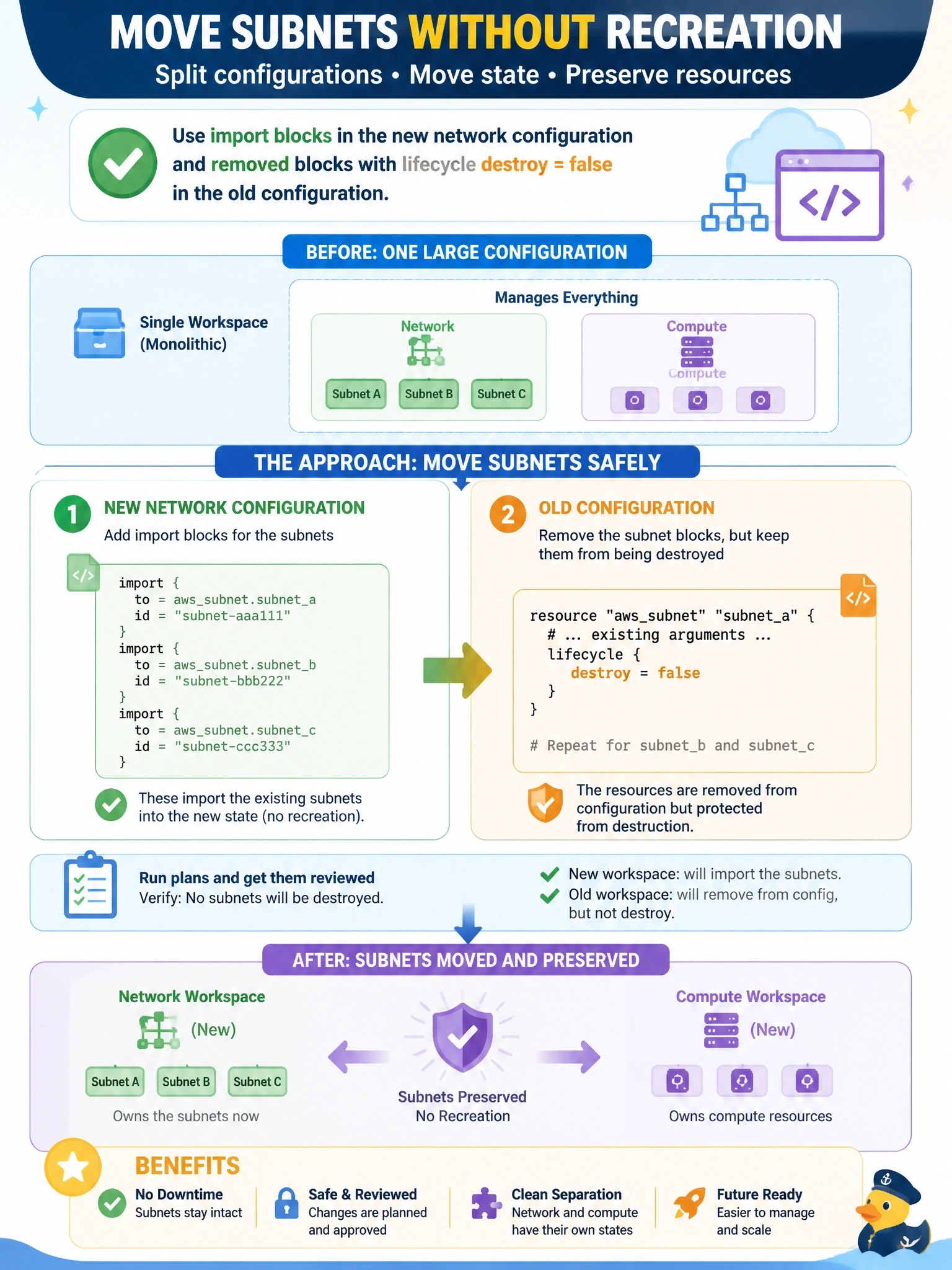
Short Explanation
Moving furniture between two houses takes two signatures: the new house signs for it and the old house signs it out. You do that with import blocks in the new configuration and removed blocks with destroy = false in the old one, and both show up in plans. The trap is a moved block, which only works inside one house.
Full Explanation
Each configuration has its own state, and a moved block can only remap addresses within the configuration and state where it is declared, so it cannot transfer an object to a different workspace. The reviewable cross-state pattern combines two configuration-driven operations. In the new network configuration, import blocks paired with matching resource blocks bring the existing subnets under management, and the plan shows imports with no creates. In the old configuration, removed blocks with destroy set to false make Terraform forget the subnets without deleting them. Both changes are visible in plans and can be sequenced so the objects are never left unmanaged or managed twice for long. The legacy -state and -state-out options of terraform state mv operate only on local state files, so they are not available for a workspace in HCP Terraform, and the command bypasses plan review in any case. Deleting the resources from the old configuration produces a destroy plan in that workspace, and no workspace adopts infrastructure automatically; adoption always requires import. Exam caveat: generate starting configuration for imports with plan -generate-config-out when writing the resource blocks by hand is impractical. Operational check: apply the import in the network workspace first, confirm the subnets appear there with no changes, then apply the removal in the old workspace and confirm nothing is destroyed.