
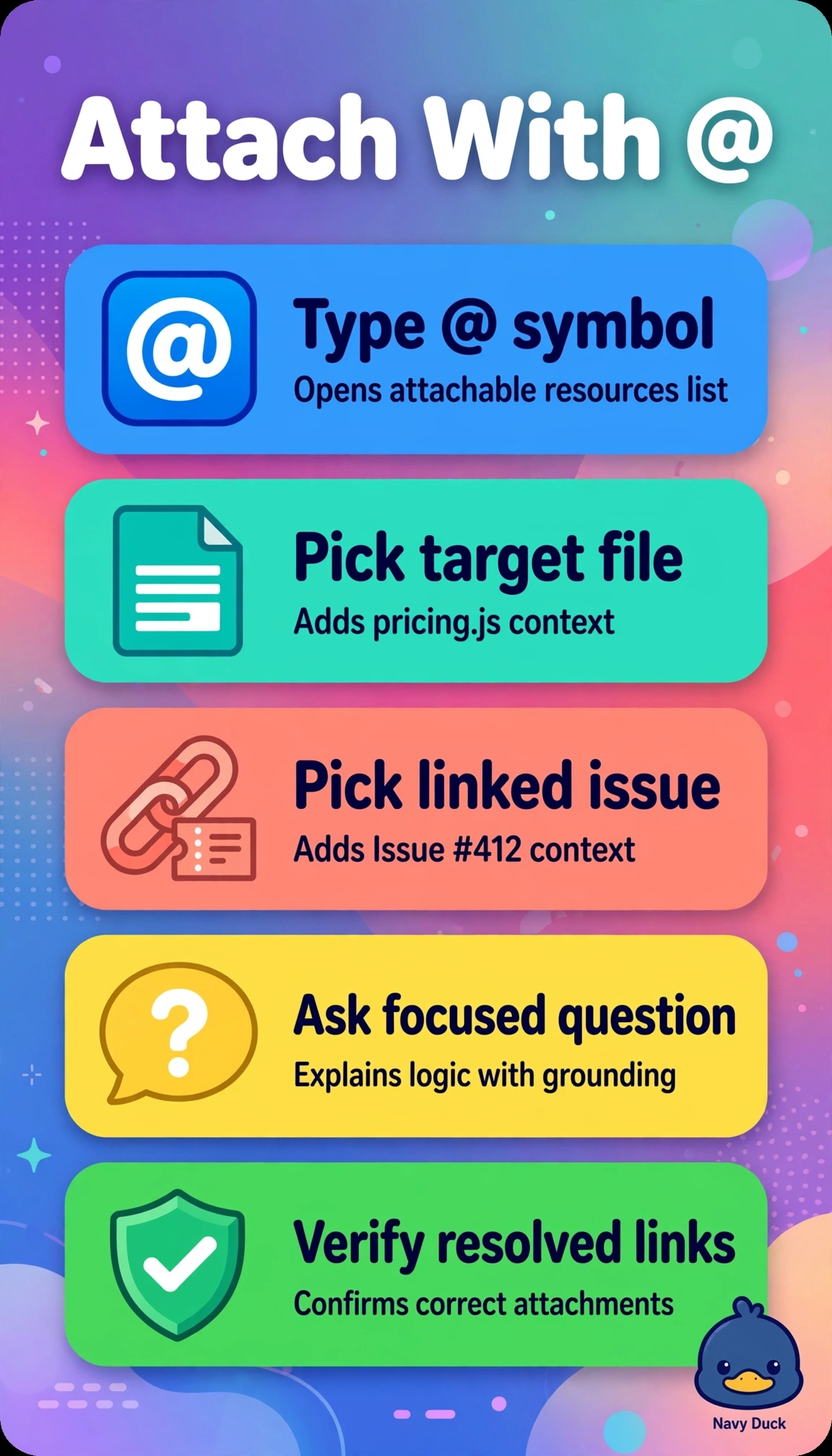
Priya is a business analyst in VS Code reviewing a checkout bug. She wants Copilot Chat to explain pricing logic in src/pricing.js in the context of Issue #412, without pasting long code or losing link traceability. Which @ mention technique should Priya use to attach content including tools, files, and issues?
Select an answer to reveal the explanation.
Short Explanation
You'll save time and keep traceability by linking directly. @-mentions pull the exact file and issue into Copilot's context for precise answers.
Full Explanation
Correct technique works because @-mentions attach explicit, linked context for files and GitHub issues, so Copilot Chat receives src/pricing.js content plus Issue #412 metadata with clickable traceability without consuming the prompt with pasted text, preserving provenance for the checkout review. The @workspace summary approach fails on precision because it is ideal for repository-wide reasoning but provides heuristic broad context rather than pinned references to the required file and issue, losing exact linkage. The @github-only approach fails on file grounding because it correctly links Issue #412 yet leaves pricing logic to a manual description, reintroducing verbosity and drift without source links. The open-file #selection approach fails on issue coverage because it elegantly grounds the prompt to visible code with line references while avoiding pasting, yet it omits business context from Issue #412 entirely. For exams, distinguish @ for attachable participants like files and issues from # for editor variables like selection and from / for commands, since without pasting plus link traceability signals @-mentions. As a practical check, type @ in Chat, verify file and issue resolvers and chips appear, then ask for the explanation and click links to confirm navigation.