
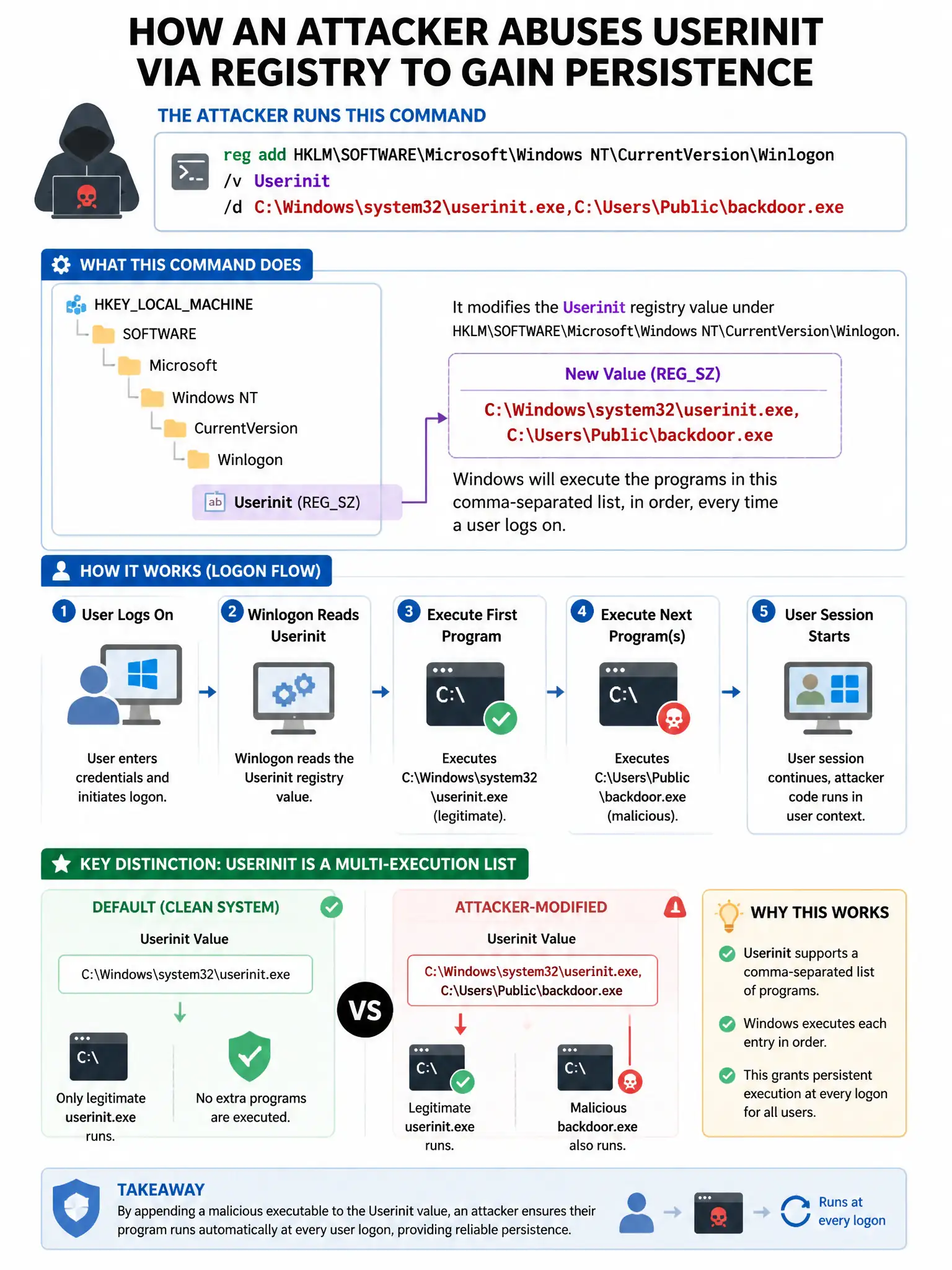
An attacker uses the command reg add HKLM\SOFTWARE\Microsoft\Windows NT\CurrentVersion\Winlogon /v Userinit /d C:\Windows\system32\userinit.exe,C:\Users\Public\backdoor.exe. What persistence mechanism is being established?
Select an answer to reveal the explanation.
Short Explanation
Here's the deal — you're modifying the Winlogon Userinit value to launch a backdoor alongside the legitimate Userinit process on every user login. The comma-separated list makes Windows run both programs at logon, often with SYSTEM context, which is a classic persistence trick.
Full Explanation
The correct mechanism is modifying the Winlogon Userinit value to launch a backdoor executable alongside the legitimate Userinit process on every user login. The Winlogon Userinit registry value specifies what processes run during user logon, and appending a malicious executable to the comma-separated list causes it to launch with SYSTEM context on every user login, a well-known persistence technique. The option describing creation of a Windows service is wrong because service installation uses different registry keys, such as HKLM\SYSTEM\CurrentControlSet\Services, not Winlogon. The option describing enabling remote desktop access through the registry is wrong because RDP is enabled through the fDenyTSConnections registry key, not Winlogon\Userinit. The option describing adding a scheduled task via registry modification is wrong because scheduled tasks use a completely different data store, including XML files in C:\Windows\System32\Tasks and the Task Scheduler registry key, not Winlogon.