
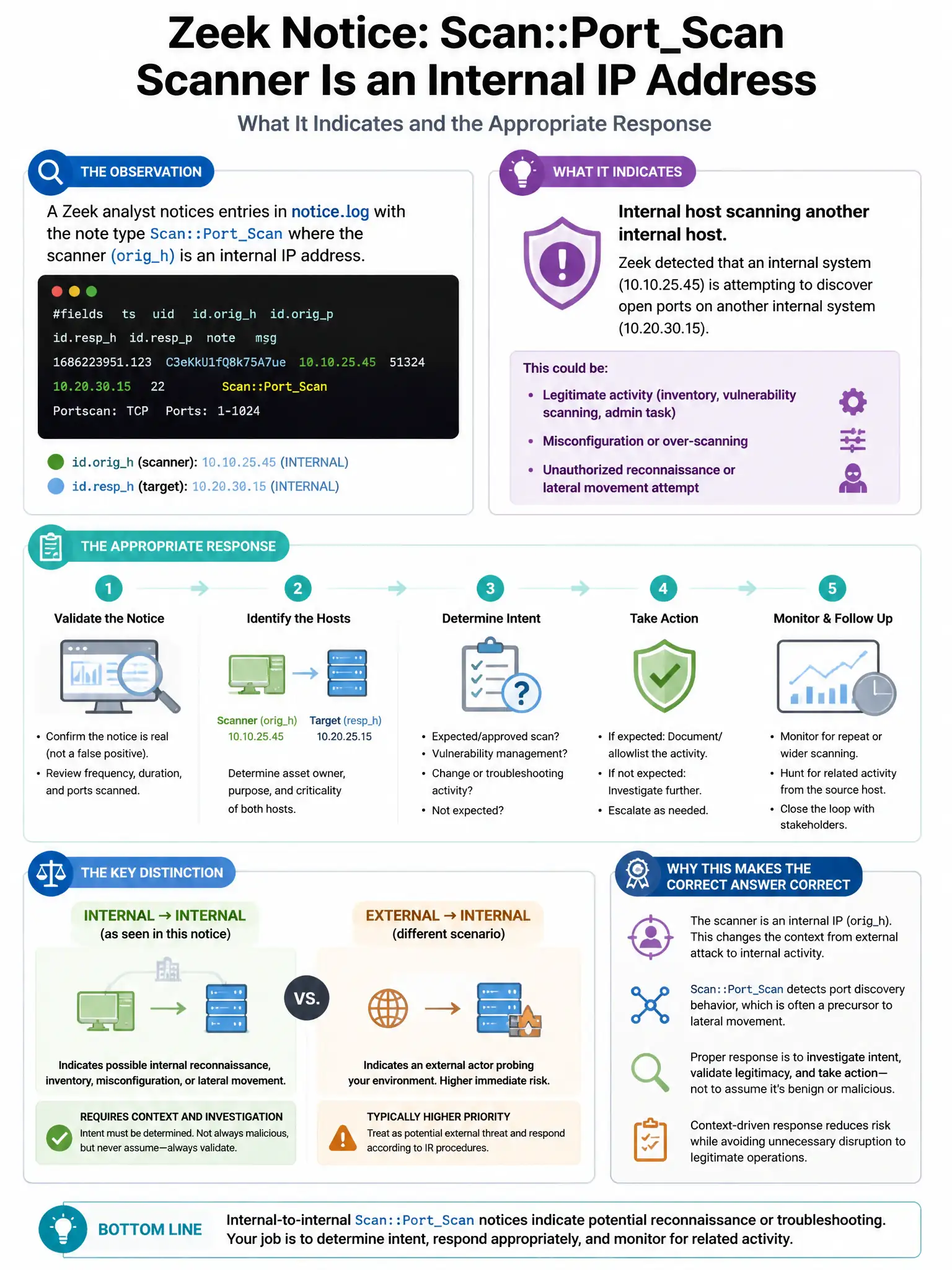
A Zeek analyst notices entries in notice.log with the note type Scan::Port_Scan pointing to an internal IP address as the scanner. What does this indicate and what is the appropriate investigative action?
Select an answer to reveal the explanation.
Short Explanation
Here's the deal — if Zeek shows an internal IP as the scanner in a port-scan notice, you need to investigate that internal host for compromise or unauthorized scanning. Don't just block at the perimeter or assume it's normal; the threat is inside.
Full Explanation
The correct interpretation is that an internal host generating port scan notices in Zeek indicates either a compromised host performing lateral movement reconnaissance or an unauthorized scanning tool; either scenario requires immediate investigation of the scanning host. The perimeter IDS option is wrong because the scanner is internal, not external; blocking at the perimeter firewall does not address the internal threat. The routine IT tools option is wrong because assuming routine IT activity without verification is poor security practice; legitimate IT scanning should be documented and excluded from detection. The false positive option is wrong because Zeek's Scan::Port_Scan notice has well-defined thresholds; while tuning may be needed, the first action is investigation, not dismissal.