
How does GitHub handle the 'inner source' model using repository visibility settings?
Select an answer to reveal the explanation.
Short Explanation and Infographic
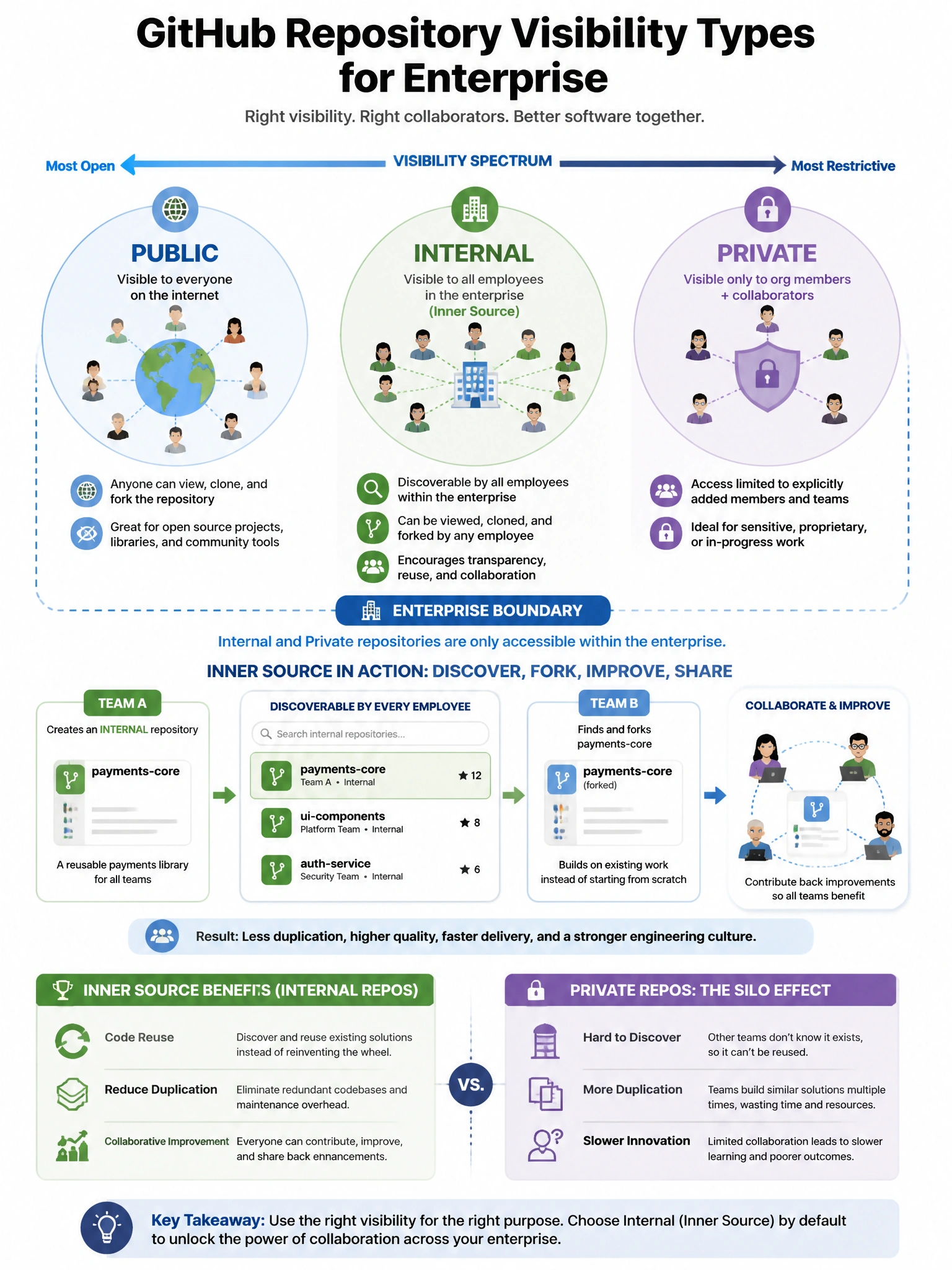
The 'internal' visibility type is GitHub's inner source setting. It's not public to the world and it's not locked to one team — every employee in the enterprise can see it. That's inner source: treat internal projects like open source projects but within your company walls.
Full explanation below image
Full Explanation
GitHub's 'internal' repository visibility, available for GitHub Enterprise Cloud organizations, supports the inner source model: (1) Visibility scope — all members of the enterprise (not just the owning organization) can view, clone, and fork (within the enterprise) the repository. (2) External privacy — the repository is not visible to the public or to people outside the enterprise. (3) Inner source culture — teams can discover and contribute to each other's repositories like open source, but within the company. Use cases: shared libraries, internal tools, platform components that multiple teams use but that shouldn't be public. Compare: Private = only org members, Internal = all enterprise members, Public = the entire internet. Organizations must be part of a GitHub Enterprise Cloud account to use the internal visibility option.