
What is the purpose of 'GitHub Copilot for Business' and what can administrators control?
Select an answer to reveal the explanation.
Short Explanation and Infographic
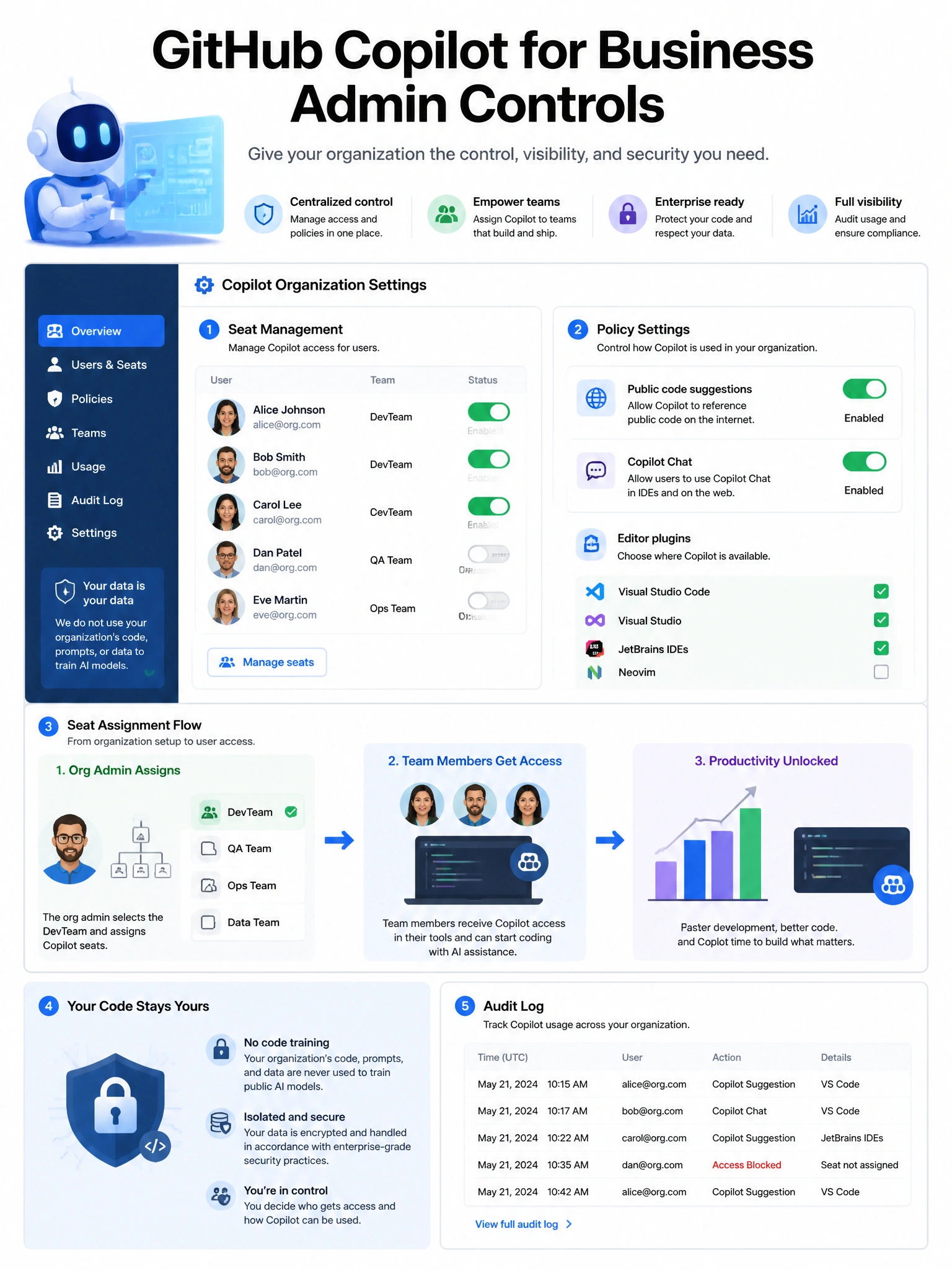
Copilot for Business gives the org admin control over the AI code assistant. Admins can decide who gets access, whether Copilot can use public code suggestions, and whether Copilot Chat is enabled. Individual user settings are governed by org policy.
Full explanation below image
Full Explanation
GitHub Copilot for Business (now part of GitHub Copilot Business/Enterprise plans) provides organizations with centralized management of AI code completion. Administrator controls include: (1) Seat management — assign or revoke Copilot access for specific users or teams. (2) Suggestions from public code — enable/disable suggestions that match public GitHub code. (3) Copilot Chat — enable/disable the conversational AI assistant. (4) Editor plugins — control which editors can be used with Copilot. (5) Telemetry — control what data is sent back to GitHub for improvement. Key differences from individual Copilot: organization pays centrally, usage is managed per-seat, admin policies apply to all users. Copilot for Business also ensures code is not used to train GitHub's models (data protection guarantee).