
What is the GitHub 'issue template chooser' and how is it configured?
Select an answer to reveal the explanation.
Short Explanation and Infographic
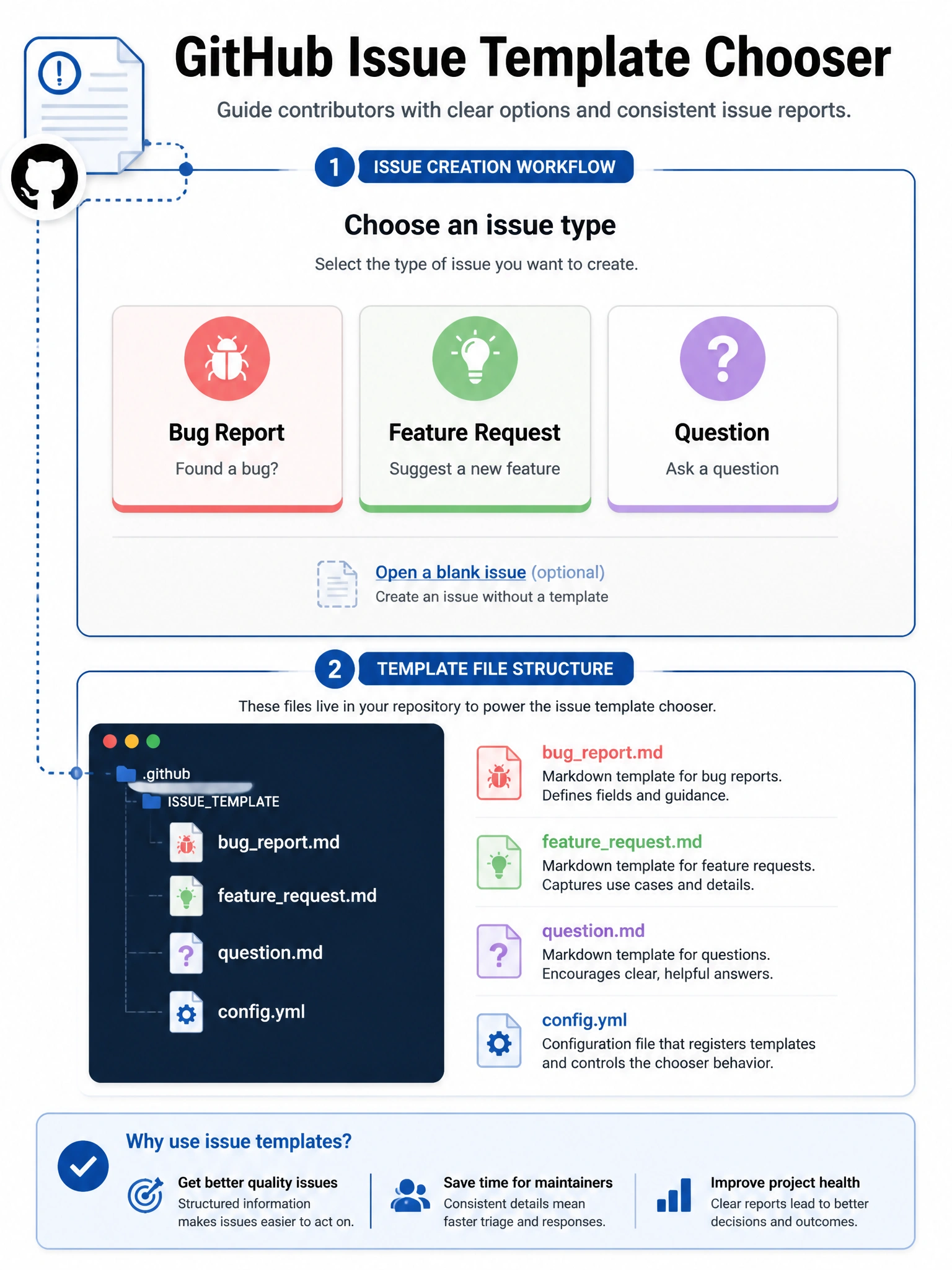
The issue template chooser is the dialog users see when they click 'New Issue' in a repo with multiple templates. Instead of a blank form, they pick: Bug Report, Feature Request, Question, etc. It's configured by having multiple template files in .github/ISSUE_TEMPLATE/.
Full explanation below image
Full Explanation
GitHub's issue template chooser displays a selection screen to users when a repository has multiple issue templates configured. Configuration: (1) Create a directory .github/ISSUE_TEMPLATE/ in the repository. (2) Add multiple template files (.md or .yml format) for different issue types. (3) Optionally add a config.yml file in the ISSUE_TEMPLATE directory to customize the chooser (add external links, disable blank issues). When users click 'New Issue', they see all templates listed with their names and descriptions, and can choose the appropriate one. The config.yml can: disable the blank issue option (requiring template use), add external links to the chooser (e.g., 'Report a security vulnerability → link to security advisory form'), and customize display names.