
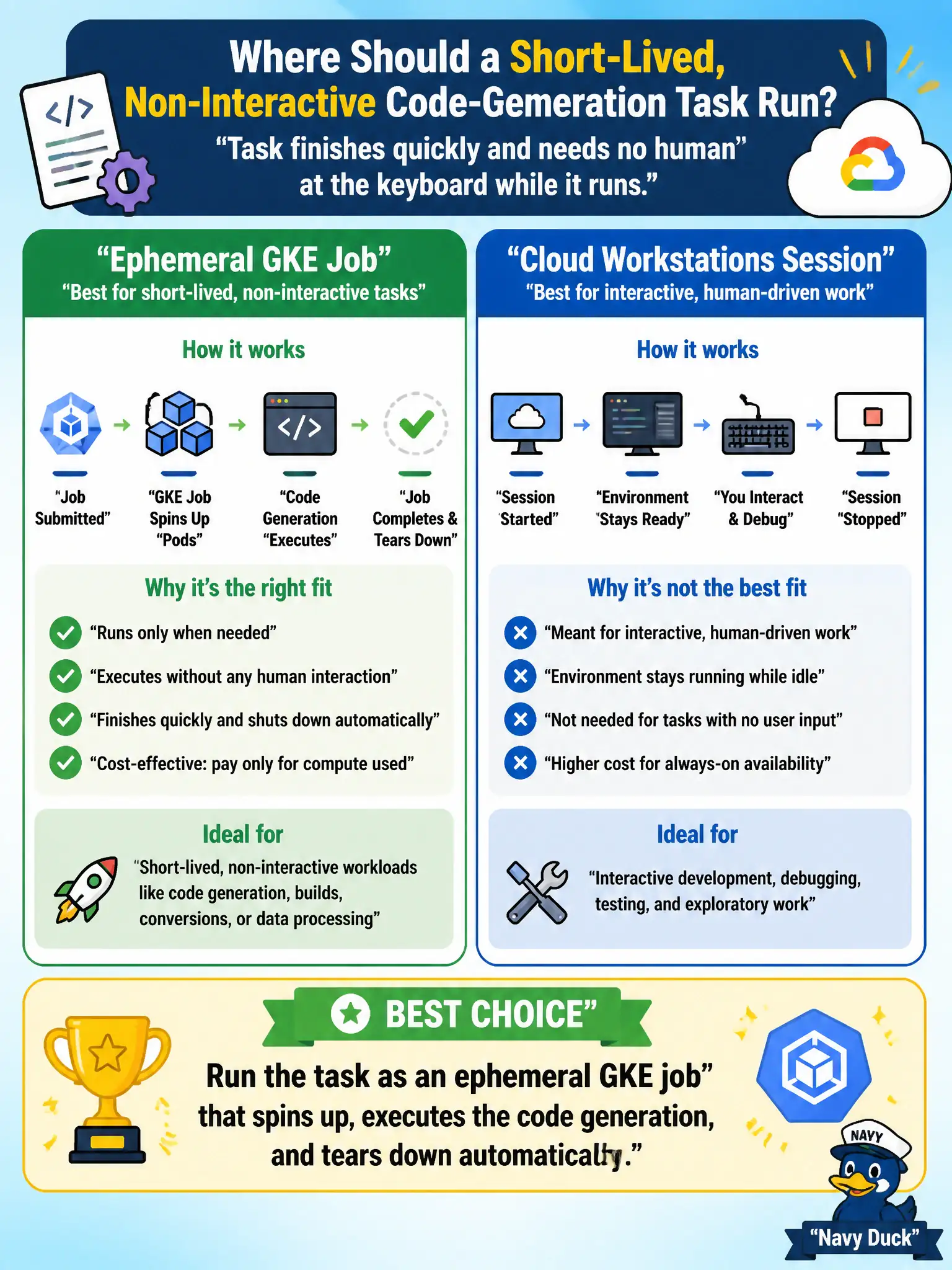
A county IT architect is deciding where a short-lived, non-interactive code-generation task should run: as an ephemeral GKE job that spins up only for the task, or as a persistent Cloud Workstations session kept available for interactive debugging. Which environment best fits a task that finishes quickly and needs no human at the keyboard while it runs?
Select an answer to reveal the explanation.
Short Explanation
Think of Cloud Workstations as a desk you rent for the month, and an ephemeral GKE job as a taxi you call just for the one ride you need. A quick, one-shot code-generation task doesn't need anyone at the keyboard, so it doesn't need a desk sitting there between uses. Spin the job up, let it do the work, and let it disappear — you only pay for the ride you actually took.
Full Explanation
GKE jobs run a workload to completion and then terminate, which is exactly the lifecycle a short, non-interactive code-generation task needs: compute is provisioned only for the duration of the run, and the cluster reclaims those resources the moment the pod finishes. Cloud Workstations solves a different problem — it gives a developer or a coding agent a persistent, interactive environment for real-time debugging sessions, so choosing it here pays for standing capacity that a batch task never uses. A local sandbox inside the desktop app lacks the isolation and cluster-managed scaling an enterprise batch workload benefits from, so it's the right idea at the wrong layer for department-scale automation. Keeping a workstation running continuously "just in case" repeats the same mismatch: cost accrues whether or not the task recurs. The scope caveat: if the task later needs interactive troubleshooting or repeated iteration with a human watching, switch to Cloud Workstations rather than forcing it into a job. As an operational check, review the job's completion status and pod teardown in Cloud Logging after each run to confirm compute was actually released.