
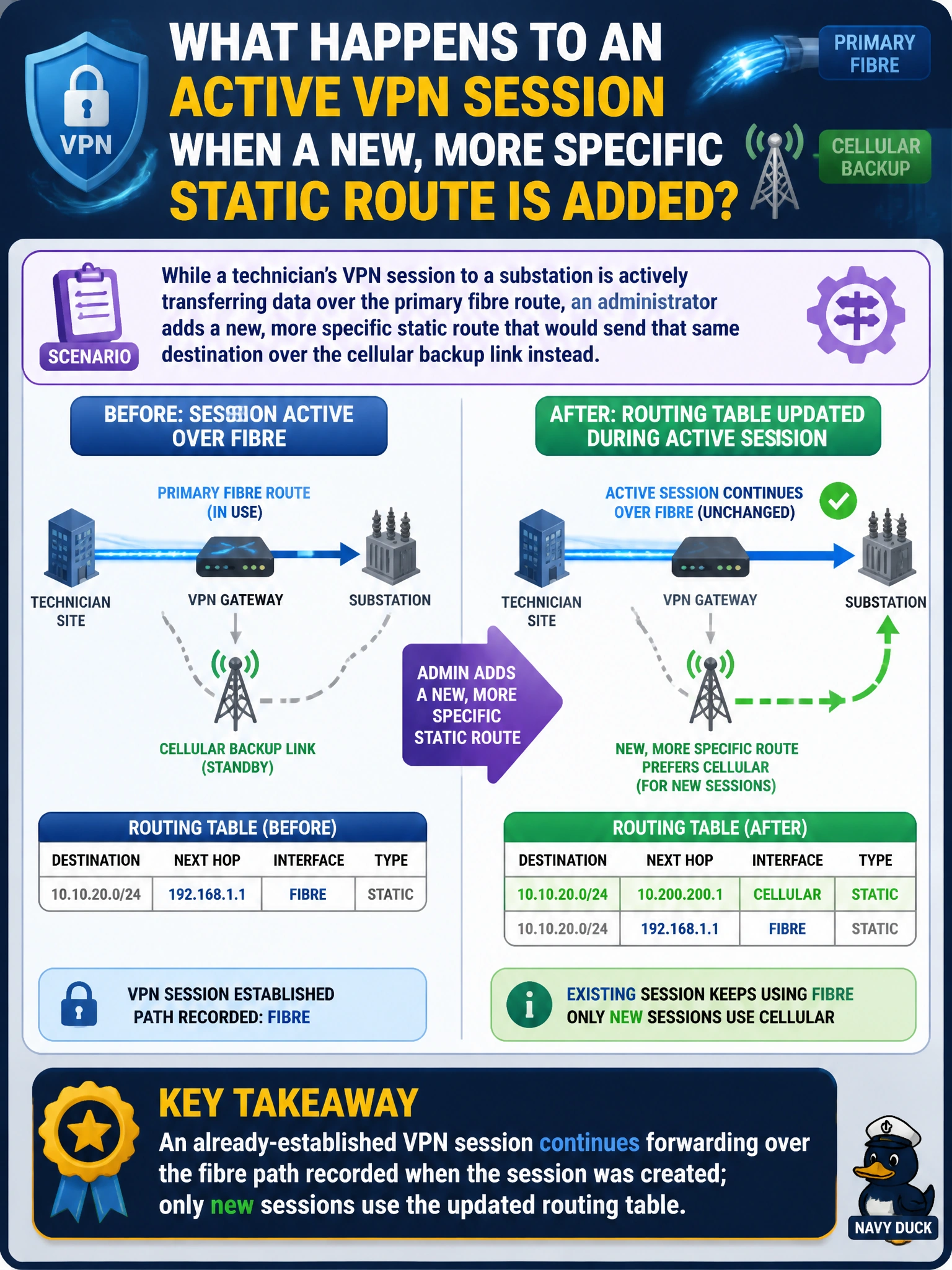
While a technician's VPN session to a substation is actively transferring data over the primary fibre route, an administrator adds a new, more specific static route that would send that same destination over the cellular backup link instead. What happens to the technician's already-established session?
Select an answer to reveal the explanation.
Short Explanation
Once a session is set up, the FortiGate treats it like a train that's already left the station on a particular track — it doesn't yank it onto a new track mid-trip just because the schedule changed. New trains use the new schedule; the one already running finishes its route.
Full Explanation
FortiOS records the forwarding path — outgoing interface and gateway — for a session at the moment that session is established, and continues using that cached decision for the life of the session rather than re-evaluating the routing table for every packet. Adding a new, more specific static route changes what the routing table will hand out for future route lookups, but it does not retroactively move an already-active session onto the new path; the technician's existing transfer keeps flowing over fibre until that session ends naturally, while any new session opened after the change would take the cellular route. This is why the first option, packet-by-packet re-routing mid-session, misrepresents how session-based forwarding works. Dead gateway detection is a separate, probe-driven mechanism tied to a specific route's reachability, not something that fires automatically whenever any routing table entry is edited, so the second option conflates two unrelated features. Sessions are also not duplicated across two interfaces simultaneously; a session has one forwarding path at a time. A useful check is to watch the session table for the technician's session and confirm its recorded interface stays fibre even after the routing table changes, while a freshly opened session to the same destination shows cellular.