
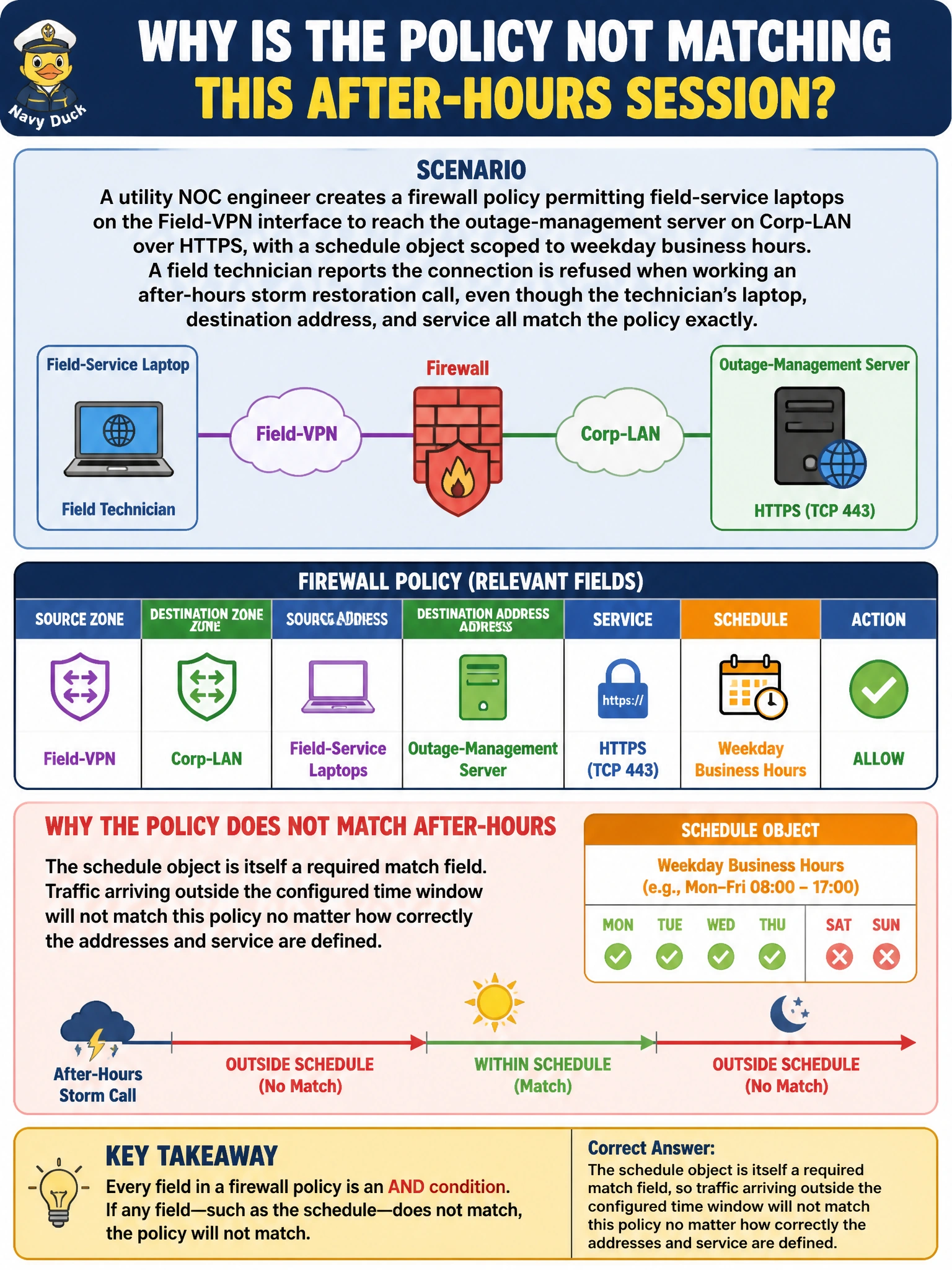
A utility NOC engineer creates a firewall policy permitting field-service laptops on the Field-VPN interface to reach the outage-management server on Corp-LAN over HTTPS, with a schedule object scoped to weekday business hours. A field technician reports the connection is refused when working an after-hours storm restoration call, even though the technician's laptop, destination address, and service all match the policy exactly. Why is the policy not matching this after-hours session?
Select an answer to reveal the explanation.
Short Explanation
Think of a firewall policy as a full checklist, not just addresses and a service. Every field on that checklist — interface, address, service, and yes, the schedule — has to say yes before the policy fires. Outside the scheduled window, the checklist comes back incomplete and the session moves on to the next rule.
Full Explanation
A FortiOS firewall policy is matched as a single unit: incoming interface, outgoing interface, source address, destination address, service, and schedule must all be satisfied simultaneously before the policy is considered a hit. The schedule object is not a cosmetic label — it is an active match condition, and FortiOS evaluates the device's real-time clock against it exactly like it evaluates a destination address. A business-hours-only schedule will simply exclude the policy from consideration for any session that starts outside that window, sending the lookup on to the next policy in order, which may be a narrower rule or the implicit deny. The idea that NAT disables schedule matching does not hold; NAT settings and schedule matching are independent policy attributes and neither overrides the other. Schedules also are not tied to log retention or to whether security profiles are attached — a schedule-only policy with no UTM profiles still enforces its time window. During a storm-restoration event, the practical fix is either a second, always-on policy scoped narrowly to emergency access, or a schedule that already accounts for after-hours work. To verify, an engineer can check the policy's schedule field against the current device time, confirming whether the session window has closed.