
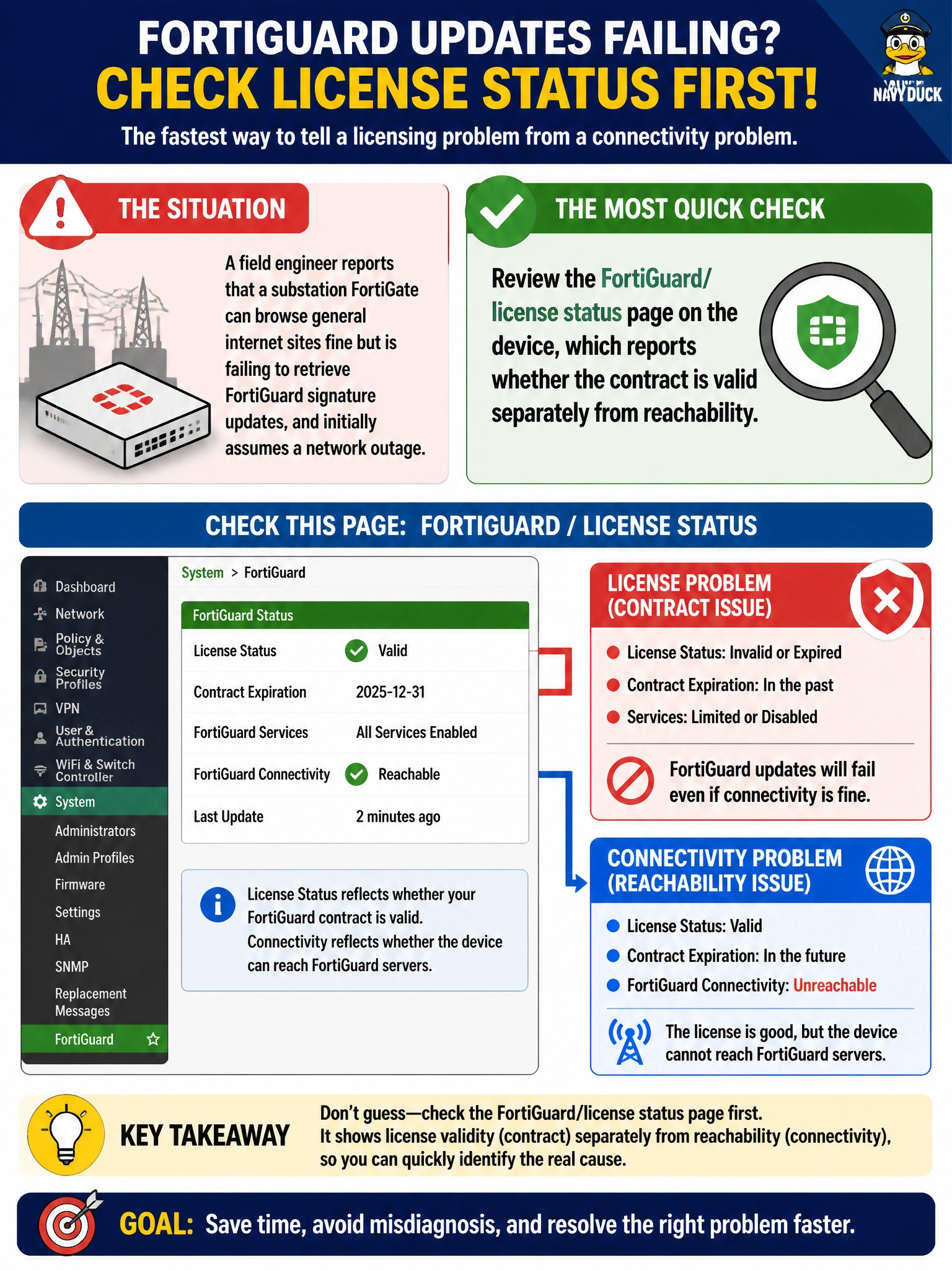
A field engineer reports that a substation FortiGate can browse general internet sites fine but is failing to retrieve FortiGuard signature updates, and initially assumes a network outage. What check would most quickly distinguish a licensing problem from an actual connectivity problem?
Select an answer to reveal the explanation.
Short Explanation
General web browsing working fine already hints the network path is okay, so the fastest way to settle whether it's licensing or connectivity is to just ask the device itself: the FortiGuard status page reports license validity and reachability as separate line items instead of leaving it to guesswork.
Full Explanation
The FortiGuard and license status view on a FortiGate reports both connectivity to Fortinet's distribution network and contract or license validity as distinct indicators, letting an engineer immediately see whether updates are failing because of an expired entitlement versus an actual network path problem, exactly the ambiguity described here. Pinging a public DNS server only confirms general internet reachability, which the scenario already establishes works since general browsing succeeds; it can't distinguish a licensing failure from a connectivity failure because FortiGuard uses its own service reachability, separate from generic internet access. Restarting the device is a blunt troubleshooting step that might temporarily clear transient session state but doesn't diagnose anything, and it also risks disrupting an unstaffed site's operation without first identifying the actual cause. Checking a WAN interface LED confirms physical link status, which again doesn't speak to license validity and is a poor fit when general internet traffic is already known to be working. The operational takeaway: general internet reachability does not guarantee FortiGuard service reachability, since it depends on the FortiGate's ability to reach Fortinet's specific distribution infrastructure, so the license and FortiGuard status view is the direct, most efficient check.