
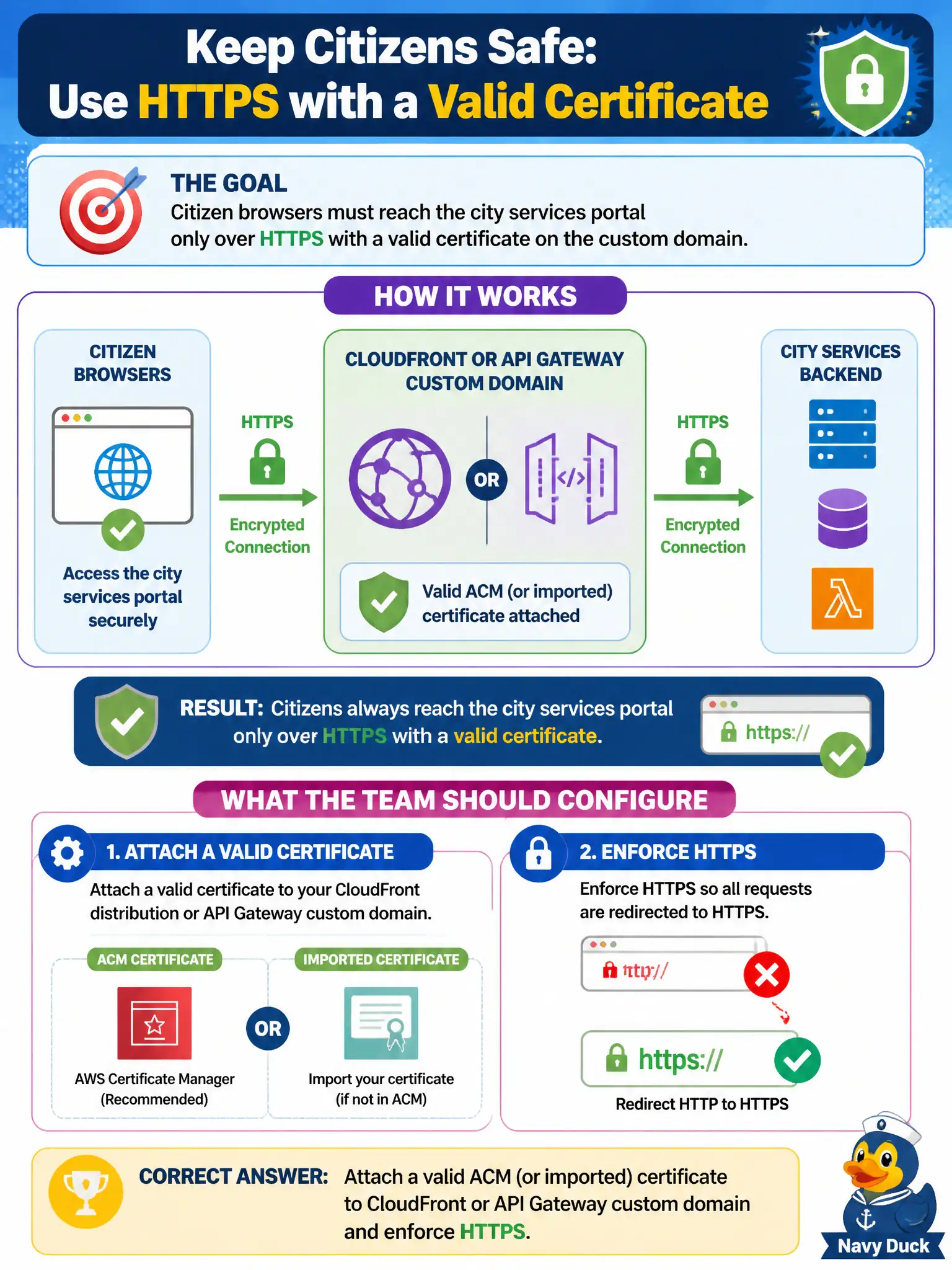
Citizen browsers must reach the city services portal only over HTTPS with a valid certificate on the custom domain. What should the team configure?
Select an answer to reveal the explanation.
Short Explanation
Citizens need a real lock in the browser—valid cert on the custom domain at CloudFront or API Gateway, HTTPS enforced. Plain HTTP and “trust our self-signed IP” are not how a municipal portal greets the public.
Full Explanation
Citizen browsers must reach the city services portal over HTTPS with a valid certificate on the custom domain. Attach an ACM-issued or imported certificate to CloudFront or API Gateway’s custom domain configuration and enforce HTTPS (redirect HTTP to HTTPS, security headers as policy requires). That configuration gives residents a trusted padlock experience and protects credentials and session tokens in transit.
Serving the portal over plain HTTP on port 80 and hoping citizens ignore browser warnings fails modern baseline security. Terminating TLS only on developer laptops while leaving CloudFront or API Gateway without certificates does not protect production users. Publishing on a raw IP with a self-signed certificate and disabling HSTS permanently trains users to click through warnings and weakens transport trust.
Exam caveat: certificates must match the custom domain names citizens type; CloudFront and API Gateway custom domains are the usual attachment points on DVA-C02 scenarios. Operational check: browse the custom domain and confirm a valid trusted certificate chain, force an HTTP request and confirm redirect to HTTPS, and verify HSTS or equivalent policy controls are enabled where required by city standard.