
A municipal batch job encrypts multi-gigabyte evidence files with KMS. Why should it use data keys (envelope encryption) instead of sending entire payloads to the KMS Encrypt API?
Select an answer to reveal the explanation.
Short Explanation
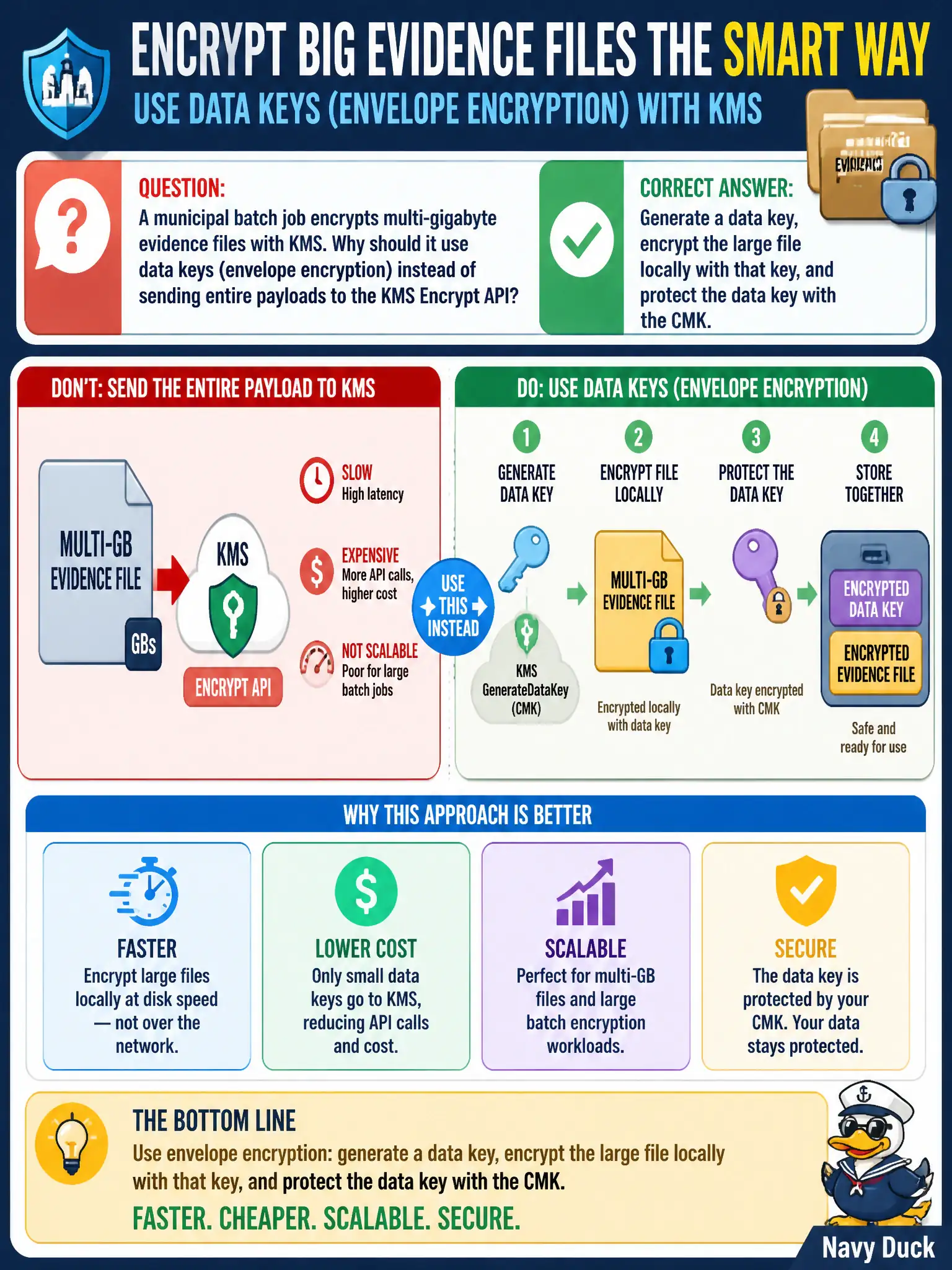
KMS is a key vault, not a dump truck for multi-gigabyte blobs. Generate a data key, encrypt the big file yourself, and wrap that data key with the CMK—classic envelope encryption. Shipping the whole evidence file through Encrypt is the wrong tool.
Full Explanation
KMS Encrypt is not intended for multi-gigabyte payloads. A municipal batch job should use envelope encryption: call KMS to generate a data key, encrypt the large evidence file locally with that data key, store the ciphertext (for example in S3), and persist the KMS-encrypted data key alongside it. Only small key material crosses the KMS API boundary, which is efficient, scalable, and aligned with AWS guidance for large-object encryption.
Claiming KMS Encrypt has no size limits and that envelope encryption is “only for DynamoDB” is incorrect; KMS plaintext size limits make envelope encryption the general large-object pattern. Uploading plaintext to S3 and hoping CloudWatch will encrypt later neither encrypts the object nor uses KMS correctly. Base64-encoding a file into Parameter Store is not encryption and exceeds Parameter Store practicality for multi-gigabyte evidence.
Exam caveat: after GenerateDataKey, never log the plaintext data key; clear it from memory when finished, and ensure the CMK key policy allows the batch role to generate and later decrypt data keys. Operational check: encrypt a multi-hundred-megabyte sample with a data key, confirm KMS calls are GenerateDataKey/Decrypt of the small key only, restore the file, and verify byte identity with the original evidence sample.