
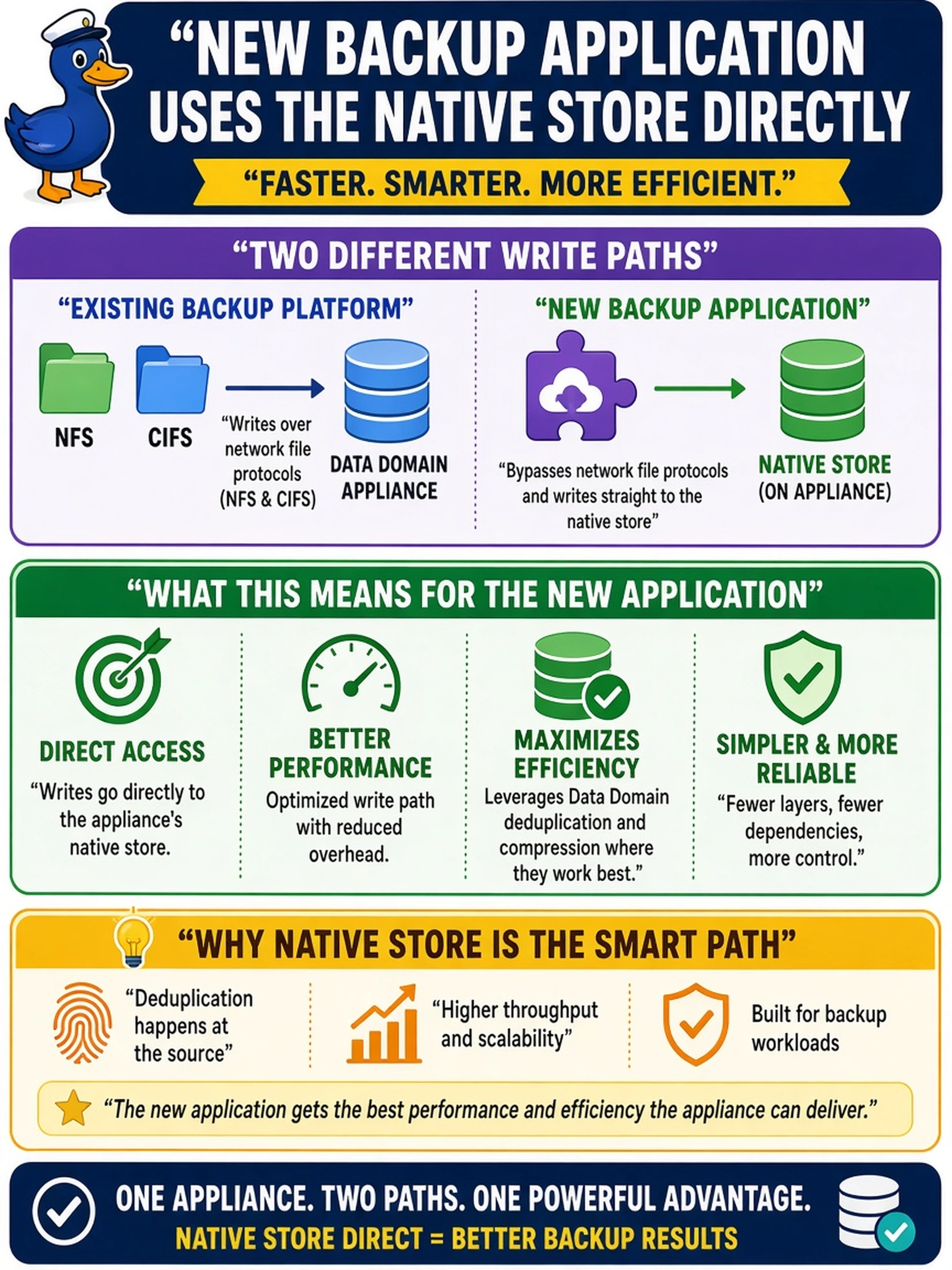
An existing backup platform writes to Data Domain over NFS and CIFS. During post-deployment, you add a second backup application that supports Data Domain native store integration on the same appliance. What should you expect from the new application’s write path?
Select an answer to reveal the explanation.
Short Explanation
Think of Data Domain like a purpose-built mailroom: if a backup app has a native appliance-store integration, it drops packages straight into the appliance’s own sorting system, not onto a shared file shelf. NFS/CIFS and VTL paths are useful, but they make the appliance look like a file share or tape drive, so you lose the direct native-store path. Watch for answers that sound like the backup software is doing its own dedupe—that’s not the appliance-store integration tier.
Full Explanation
Data Domain exposes several integration tiers for backup software. File-based access uses NFS or CIFS, tape-oriented access can use VTL, and native appliance-store support lets a supported application write into the Data Domain store through the appliance’s own data services. That path offloads deduplication and compression to the appliance and avoids translating the backup stream into ordinary files first. The file-share description belongs to classic clients that treat Data Domain as a network filesystem; it may still benefit from appliance deduplication, but it is not the native store path. The virtual tape library description describes tape emulation, useful for legacy tape workflows, not for an application with native appliance-store support. The backup-application deduplication description reverses the integration model: if the backup software performs its own global deduplication before writing, the appliance is being used as a target rather than as the native deduplication store. Exam caveat: the blueprint may describe native store or appliance integration without naming DD Boost, so identify the write path by whether it bypasses file or tape interfaces. Operational check: verify the supported application version, configure its Data Domain native store integration, and confirm backup jobs write into the appliance store while showing Data Domain deduplication and compression activity.