
A greenfield protection suite deployment needs a newly deployed Data Domain system as its target store. Which configuration makes the appliance available to the suite as a backup destination?
Select an answer to reveal the explanation.
Short Explanation
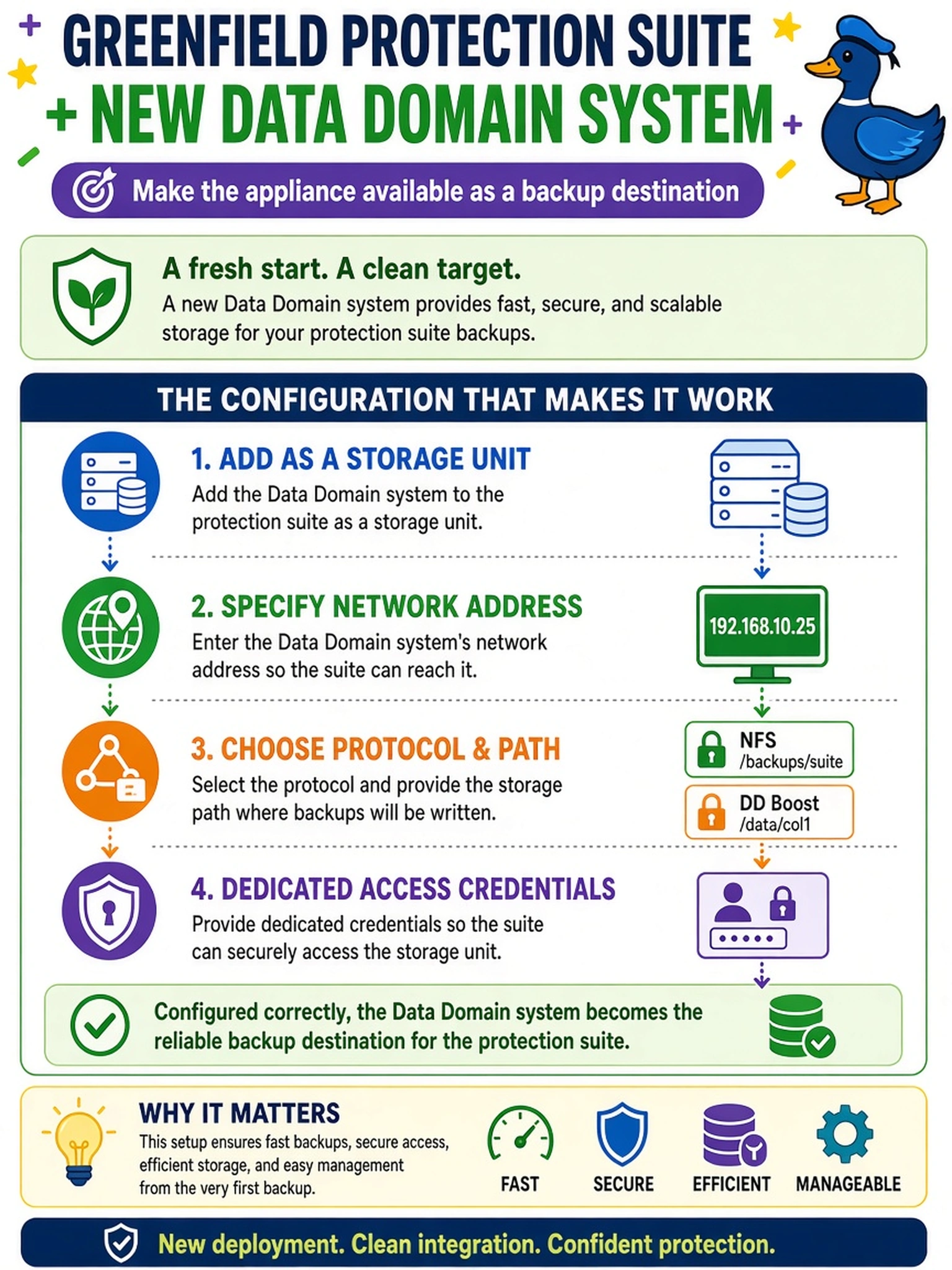
Think of it like plugging a new target into a protection suite: you don't teach the suite to read policies, you add a storage unit with address, path, and credentials. The suite then writes to that unit, not to a DD policy or an auto-discovered mystery share. That dedicated access detail is what keeps the integration predictable.
Full Explanation
A protection manager consumes a Data Domain appliance at the integration boundary by defining the appliance as a storage unit or repository target. That definition supplies the network location, transfer protocol, destination path, and authenticated credentials the suite needs to write backup data. The Data Domain side may still control retention, replication, and security, but the suite's view is a named storage destination with a dedicated path and login. A backup policy on the appliance is not the object the suite adds; policies belong to the protection manager or to later scheduling logic, not the storage registration step. Automatic discovery over a management VLAN is not a reliable or required method for presenting a backup target, and relying on it would bypass explicit protocol and credential selection. Registering a CIFS mount point can expose a file share, but it does not represent the appliance as a managed Data Domain storage unit with the suite-specific path and credentials needed for integrated backup operations. Exam caveat: focus on the protection suite's storage-unit primitive rather than appliance policy or discovery shortcuts. Operational check: after adding the target, confirm the suite can browse or validate the specified path using the configured protocol and dedicated account before scheduling a backup.