
A shelf disappears from the enclosure list right after someone bumps the rack during cable dressing, though it was visible immediately before the nudge. Where does troubleshooting start?
Select an answer to reveal the explanation.
Short Explanation
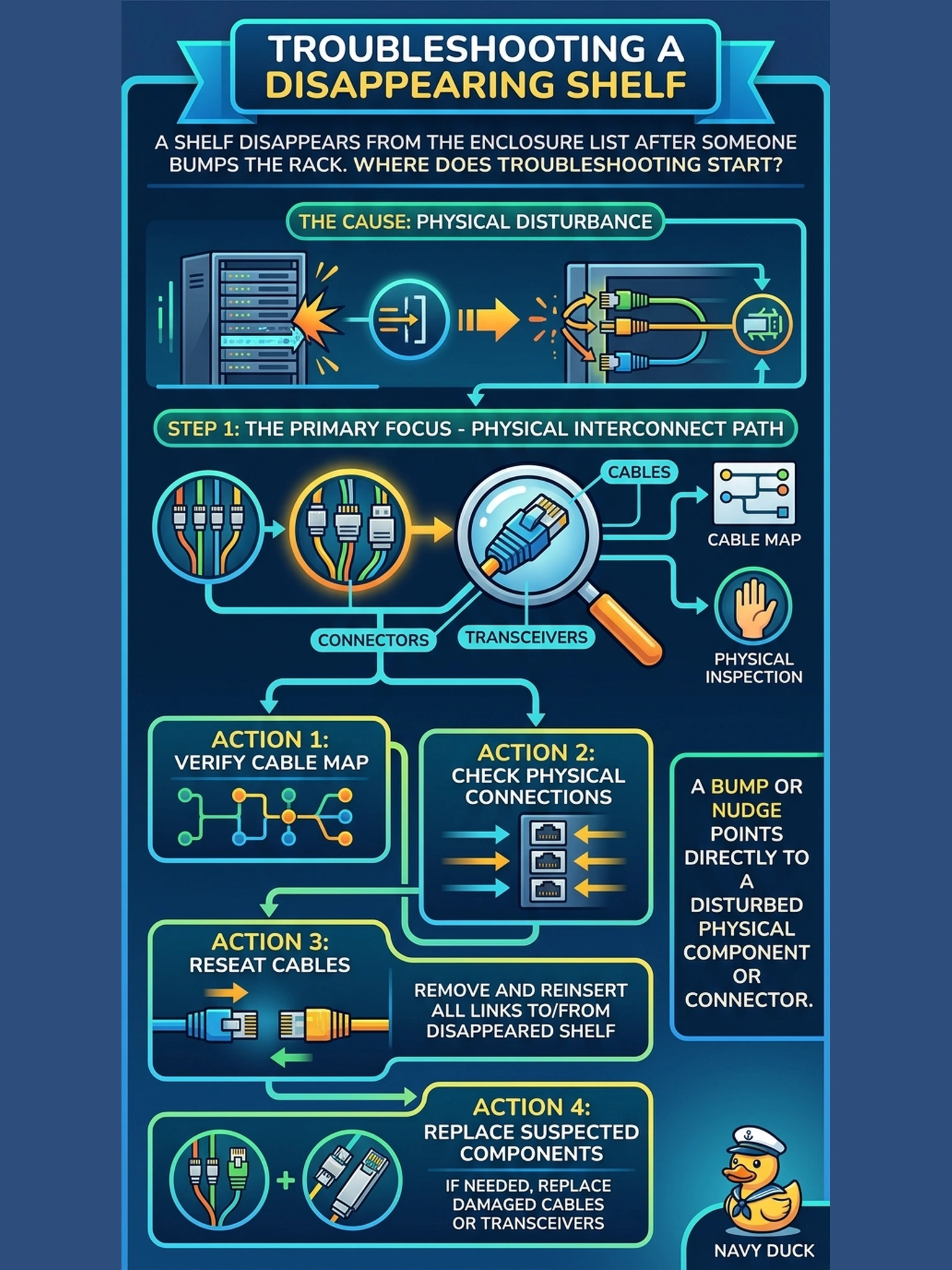
Rack bumps don't rewrite software — they wiggle cables. When a shelf vanishes right after the rack gets leaned on, your first stop is that shelf's links: reseat both ends and watch the enclosure view come back. Start physical, because that's where the bump happened.
Full Explanation
The timeline is the strongest evidence available: the shelf was healthy, a physical event occurred, the shelf vanished. A nudge affects the physical layer — a cable walked partly out of its port, a connector latch loosened, a link damaged at a tie point — so the documented troubleshooting order starts there: with the cable map in hand, inspect and reseat both ends of the shelf's links, replace a suspect cable, and confirm shelf power, since a fully dark shelf also drops from view. Configuration restoration fails by concept: enclosure maps are not rewritten by bumps, and a restore would destroy valid later configuration to chase an unproven software cause. Firmware corruption from a physical nudge has no credible mechanism and a reinstall is pure guesswork. The factory reset is the most destructive option on the list and obliterates working configuration to chase a symptom whose evidence points elsewhere. Exam caveat: 'after a physical event' troubleshooting begins with physical reseats; resets and restores come later, with justification. Operational check: reseat both ends of that shelf's chain links, verify power, re-open the enclosure view, and confirm the shelf returns in its documented position.