
The data center permits no outbound traffic without a security exception, and at the design review Dell support asks how proactive call-home support will work on the new Data Domain system. What is the correct pre-deployment action?
Select an answer to reveal the explanation.
Short Explanation
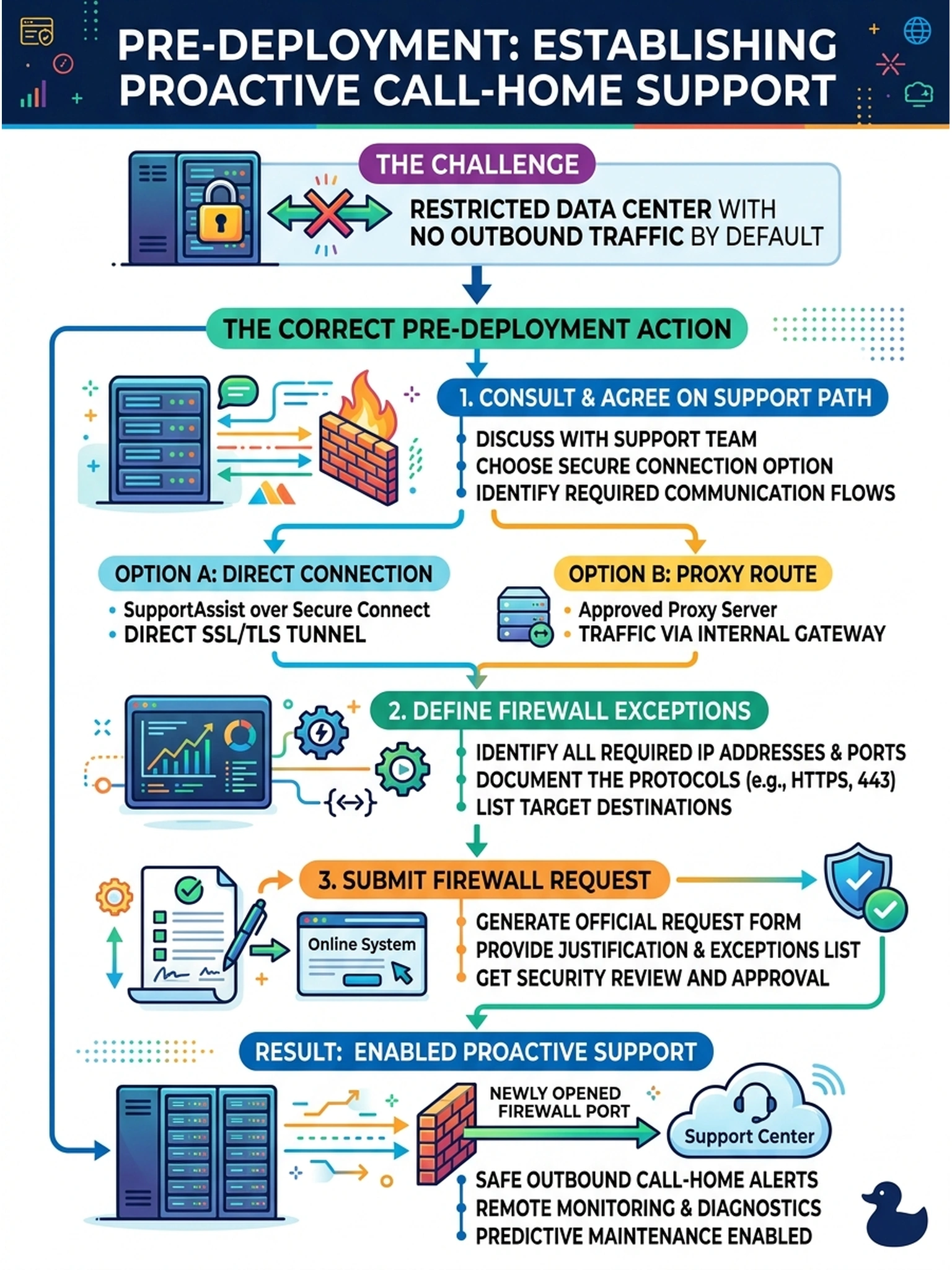
A smoke detector that can't phone the fire department just tells you the building is already burning. SupportAssist and Secure Connect need an approved outbound path, so you book the firewall exception during design, not six weeks after a failed drive leaves nobody informed. Plan the path, file the exception, sleep better.
Full Explanation
Proactive support on Data Domain depends on an agreed egress path from the appliance: SupportAssist raises cases and attaches diagnostics, delivered through a Secure Connect channel or an approved proxy route that the customer's security policy permits. In a default-deny environment the pre-deployment action is to have that path designed and approved—protocol, destination, proxy and certificate handling—and to submit the firewall exception during design so the capability is live at go-live. Skipping the requirement fails because manual case entry from a laptop is a fallback, not the agreed proactive design the support conversation requested. Promising delivery later fails because security exceptions move on the reviewer's calendar, and undocumented traffic is blocked by definition until reviewed. Approving the exception without the customer's security team inverts governance, because outbound access decisions belong to the environment's owner and unreviewed flows get discovered and closed abruptly. Exam caveat: if the customer refuses all outbound paths, document the accepted manual support workflow as a residual risk in the design. Operational check: after approval, verify DNS and proxy behavior from the management interface and run the platform's support-connectivity validation during commissioning.