
A team has run 500 MLflow experiments and wants to programmatically find all runs where validation accuracy exceeded 0.90. Which approach is correct?
Select an answer to reveal the explanation.
Short Explanation and Infographic
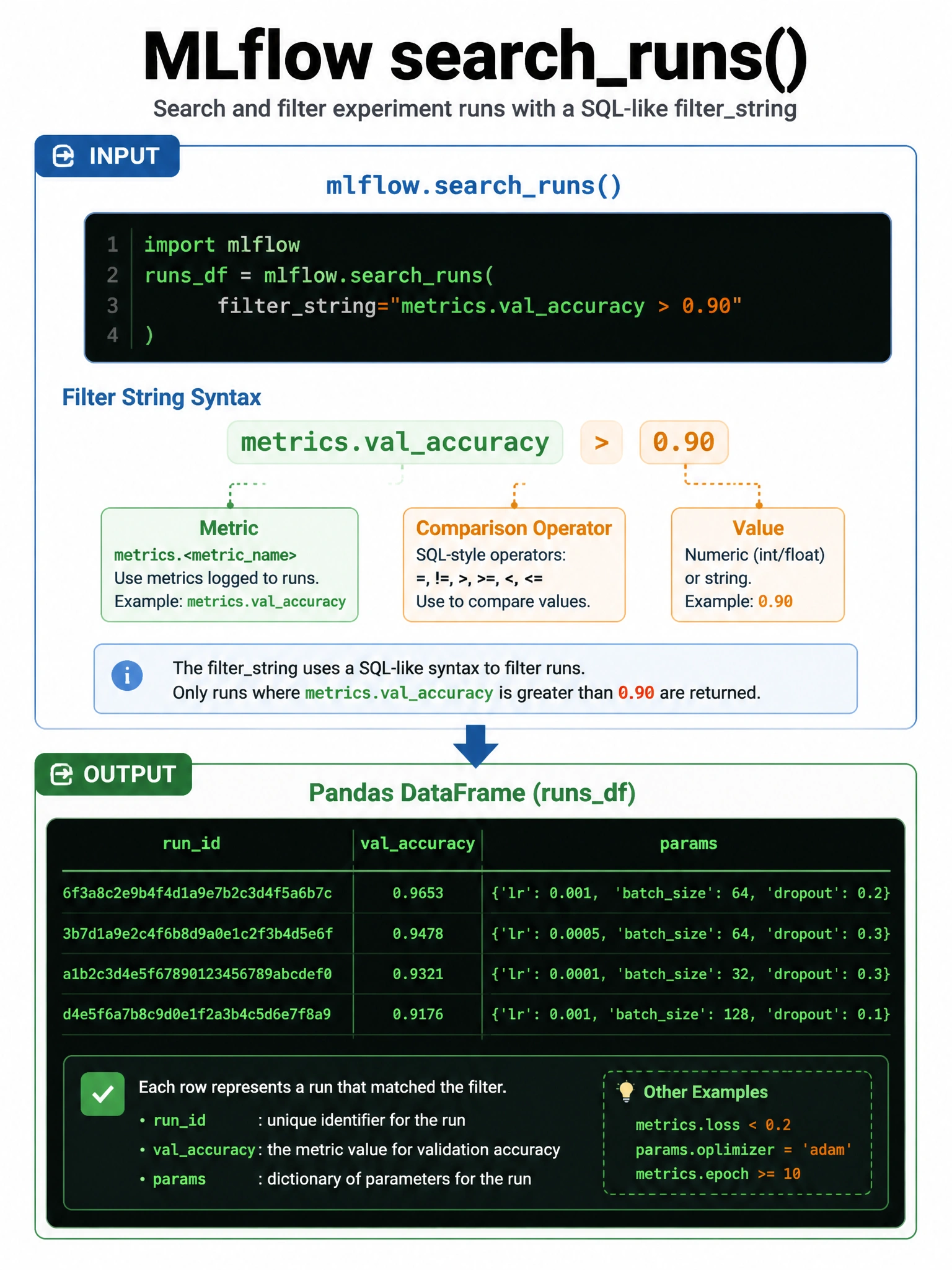
MLflow's search syntax is like SQL for your experiment history — mlflow.search_runs() takes a filter_string that follows a specific grammar using the 'metrics.' prefix.
Full explanation below image
Full Explanation
mlflow.search_runs() is the correct function for querying runs programmatically. It accepts a filter_string using MLflow's search DSL, which supports: metrics.{name} (e.g., metrics.val_accuracy > 0.90), params.{name} (e.g., params.learning_rate = '0.01'), tags.{name}, and attribute.{name} (e.g., attribute.status = 'FINISHED'). You can also pass experiment_ids to scope the search. The function returns a Pandas DataFrame. Common operators: >, <, >=, <=, =, != for metrics; = and != for string params. Example: filter_string="metrics.val_accuracy > 0.90 AND params.model_type = 'lgbm'". The other options use fabricated method names (query_runs, get_runs, find_experiments with that parameter) that don't exist in the MLflow API.