
Meridian's crane-maintenance logs are stored as a plain CSV export from the terminal's maintenance-management system, with columns for equipment ID, timestamp, technician, and a free-text notes field. What is the most appropriate extraction approach for this source?
Select an answer to reveal the explanation.
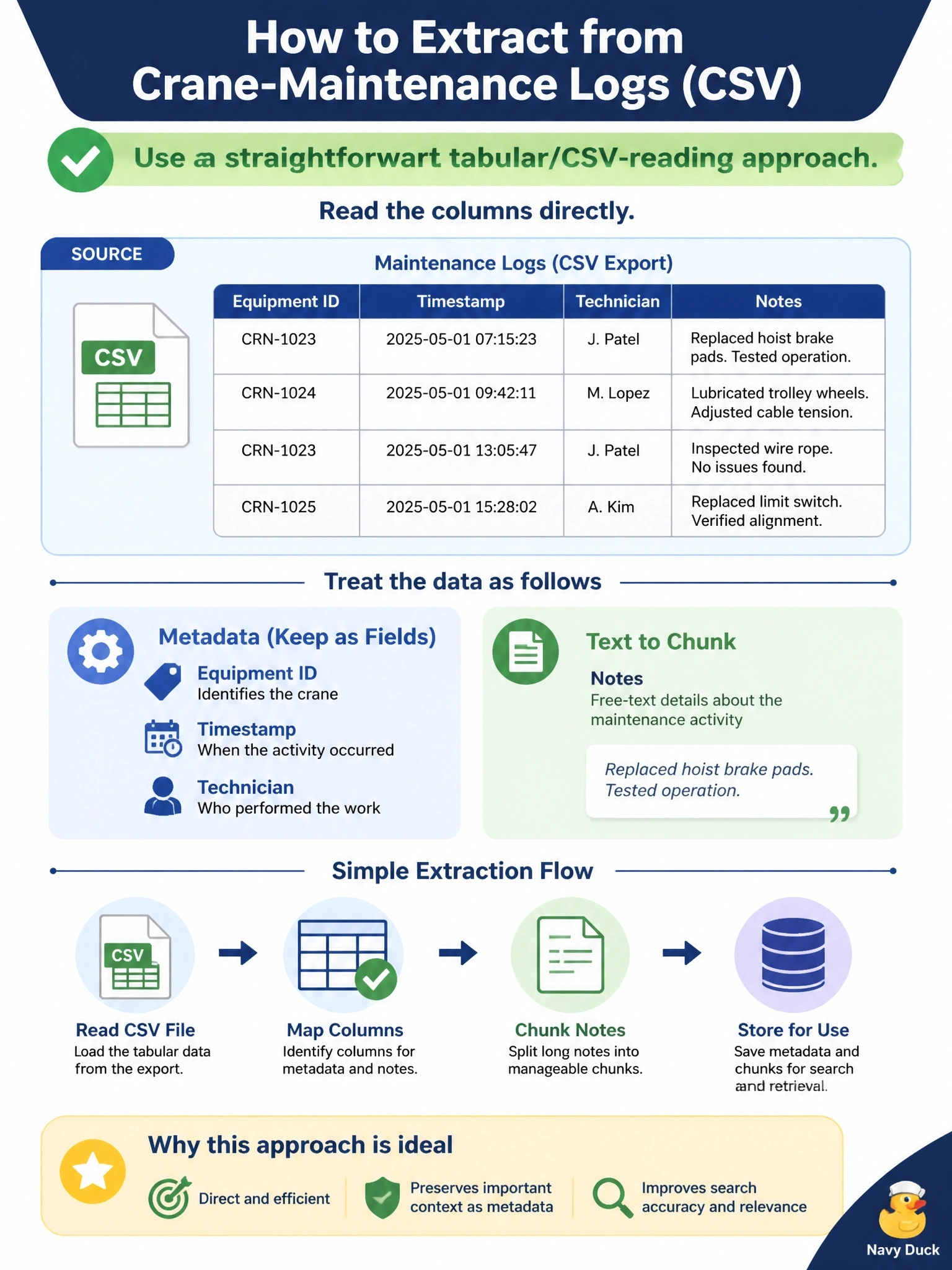
Short Explanation
You’ve got structured data in a plain CSV, so there’s no image to recognize and no markup to parse. Use CSV reading to take the columns directly: keep equipment ID, timestamp, and technician as metadata, and chunk the notes field.
Full Explanation
A straightforward tabular/CSV-reading approach is correct because the source is already structured, delimited data with named columns. Read the columns directly, using equipment ID, timestamp, and technician as metadata and treating the free-text notes field as the content to chunk; this matches the format without unnecessary conversion. An OCR pipeline is a poor fit because a plain CSV is machine-readable text, not a scanned page or image, so converting rows into images and recognizing them adds complexity and risk of recognition errors without benefit. An HTML parser also fails conceptually: the file in hand is a CSV export, not an HTML page, and the management system’s web interface does not change the export’s format or provide HTML markup for the parser to traverse. The claim that no extraction is needed because CSV files cannot be used in a retrieval corpus is incorrect: tabular exports can be valid corpus sources, with structured fields retained as metadata and useful text processed for retrieval. The exam caveat is to choose extraction based on the actual file supplied, not the application that produced it or the apparent sophistication of a tool. As a practical check, inspect the file’s delimiter and header row, then verify that each record’s metadata stays aligned with its notes before loading it into the corpus.