
Before a council-chamber live stream over WLAN, which combined checklist best matches CWTS voice/video client basics?
Select an answer to reveal the explanation.
Short Explanation
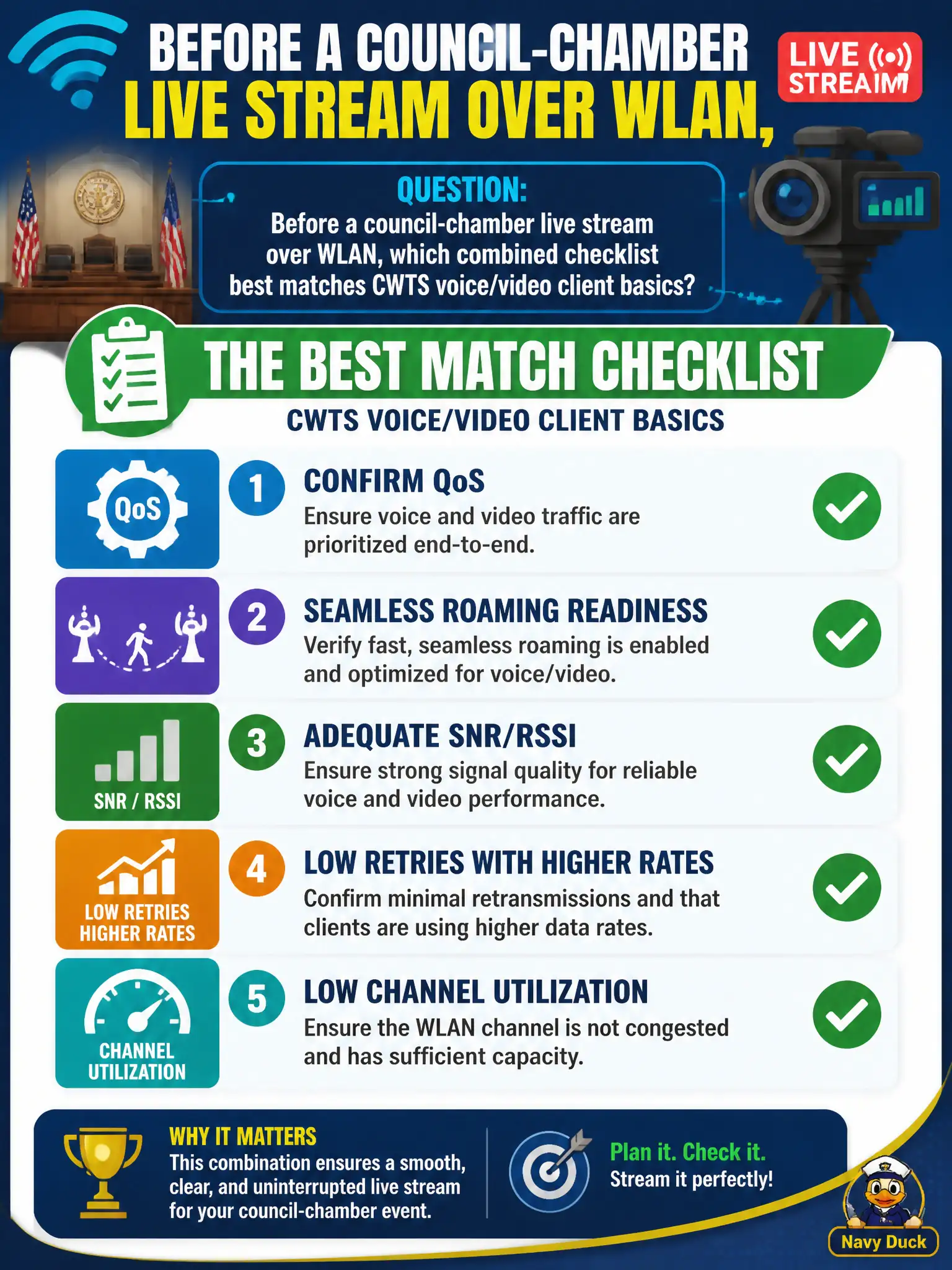
Treat the chamber stream like a live band: give it priority (QoS), clean stage transitions (roam), enough clarity (SNR/RSSI), fewer do-overs (retries/rates), and room to play (low utilization). Tick the whole voice/video basics set—not just one shiny setting.
Full Explanation
Before a council-chamber live stream over WLAN, the combined checklist that matches CWTS voice and video client basics is to confirm QoS, seamless roaming readiness, adequate SNR/RSSI, low retries with higher rates, and low channel utilization. Those elements together address prioritization, handoff continuity, RF quality, efficient PHY operation, and available airtime for a civic broadcast workload. Skipping any pillar leaves a common failure mode untested before the meeting goes live.
Relying on an SSID emoji while ignoring QoS, roam, SNR, retries, and utilization is not a technician checklist. Cellular hotspot bonding alone does not replace indoor Wi-Fi requirements when the design uses the chamber WLAN. Open authentication only, on the claim that encryption always blocks live video, confuses security with media performance and weakens the municipal network.
Exam caveat: voice/video readiness is a multi-factor checklist—memorize the pillars rather than a single metric. Operational check: walk the chamber with a test client, verify WMM, roam behavior between serving APs, SNR/RSSI at stream seats, retry/rate health, and utilization; remediate red items before the live council stream.