
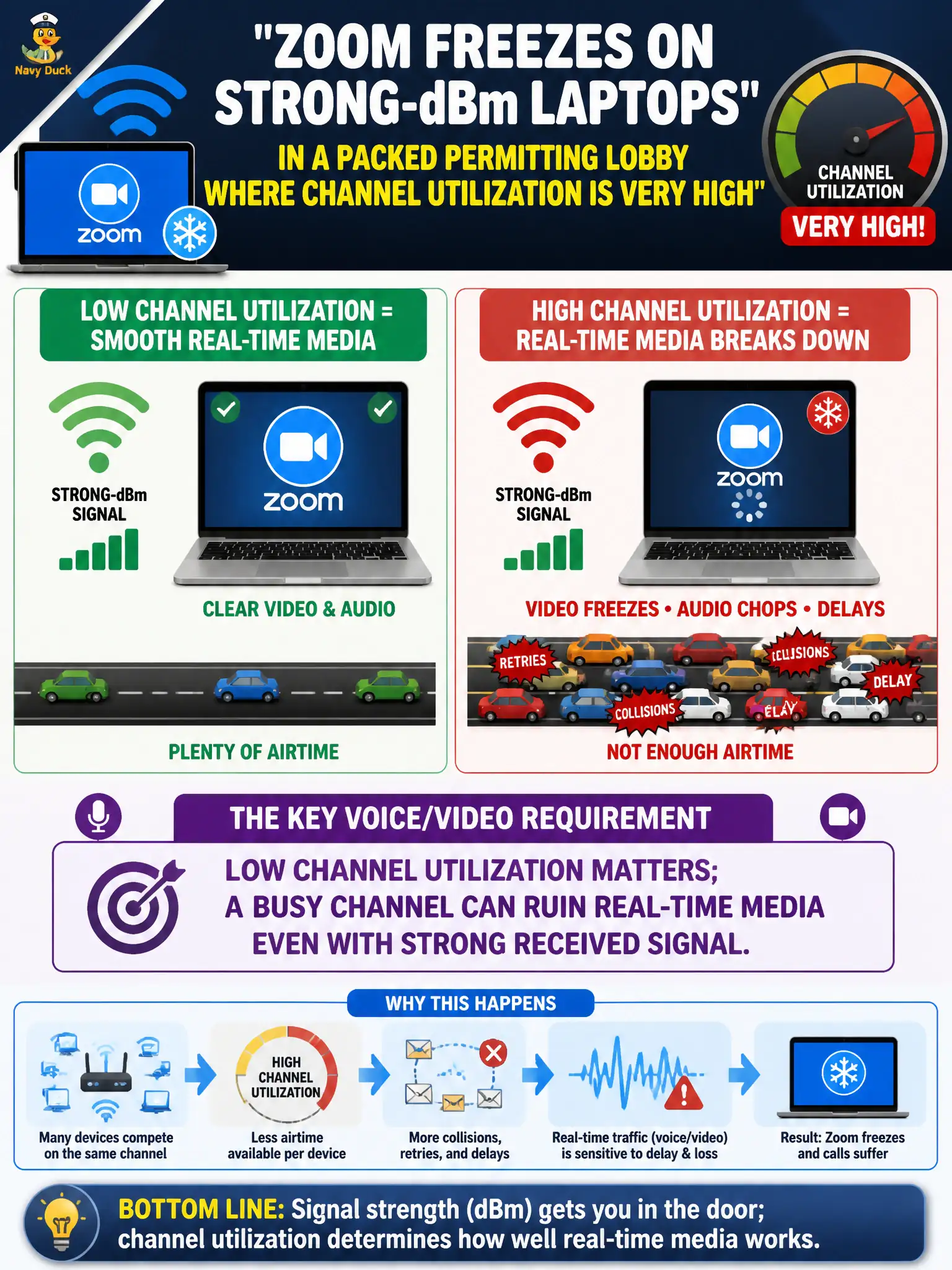
Zoom freezes on strong-dBm laptops in a packed permitting lobby where channel utilization is very high. Which voice/video requirement explains that?
Select an answer to reveal the explanation.
Short Explanation
Strong signal on a packed channel is like sitting next to the stage in a roaring stadium—you can hear volume, but you cannot get a word in. Utilization steals airtime and freezes Zoom. Voice/video wants a quieter channel, not just pretty dBm.
Full Explanation
Zoom freezes on strong-dBm laptops in a packed permitting lobby with very high channel utilization show that low channel utilization matters: a busy channel can ruin real-time media even with strong received signal. High utilization means the laptop cannot obtain timely airtime despite excellent RSSI, so latency and loss spike for interactive video. Civic high-density spaces need capacity and channel planning, not only coverage strength.
Strong dBm does not grant unlimited airtime regardless of neighbors and duty cycle. Channel utilization affects interactive video, not only printers. Freezes after successful association do not prove the SSID password was typed incorrectly; they point to RF congestion or QoS/capacity problems on the lobby BSS.
Exam caveat: separate coverage (RSSI/SNR) from capacity (utilization/airtime) when troubleshooting municipal real-time applications. Operational check: measure channel utilization in the permitting lobby during peak hours, compare with a quiet period test call, and remediate with channel planning, band steering, AP density, or admission controls rather than chasing phantom credential errors. Schedule capacity checks for peak permitting hours, not empty mornings, so utilization numbers match the freeze conditions staff actually report.