
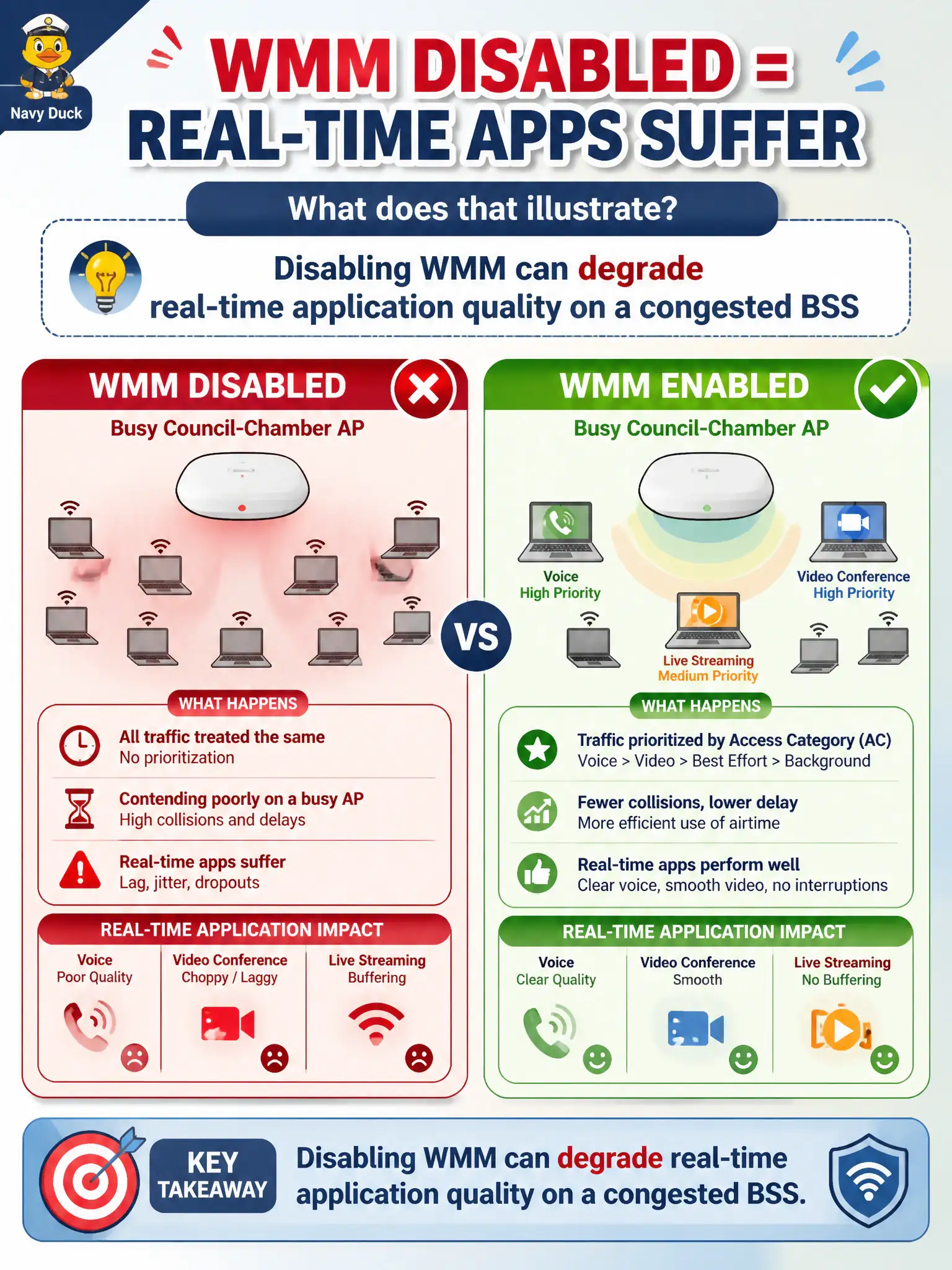
A city laptop with WMM disabled contends poorly on a busy council-chamber AP, and real-time apps suffer. What does that illustrate?
Select an answer to reveal the explanation.
Short Explanation
WMM off on a packed AP is like merging into traffic with no turn signal priority—real-time apps feel it. It isn't an Ethernet-only toy, and Enterprise doesn't require WMM disabled. Leave QoS on when the design expects it.
Full Explanation
A city laptop with WMM disabled on a busy council-chamber AP contends without multimedia access-category prioritization, which can degrade real-time application quality even when the device remains associated with acceptable signal. Disabling WMM forces latency-sensitive frames to compete as ordinary best-effort traffic amid dense civic client load during meetings. Technicians should treat WMM disablement as a likely contributor when softphones or live streams suffer despite adequate RSSI and correct SSIDs.
WMM disablement is not required for Enterprise authentication and does not improve 802.1X success rates. Raising beacon interval citywide does not replace client QoS queues or fix choppy audio. Switching the laptop to ad-hoc mode to avoid congestion abandons the council-chamber infrastructure BSS rather than correcting QoS settings on the managed network.
Exam caveat: association success is not the same as real-time media quality—WMM and airtime conditions matter after the client is connected. Operational check: re-enable WMM on the laptop, retest the real-time application in the chamber during a typical meeting load, and document whether choppiness improves before chasing unrelated WAN or codec changes.